How to use the appliance
Further indications are given in the single chapters and in the user instructions.
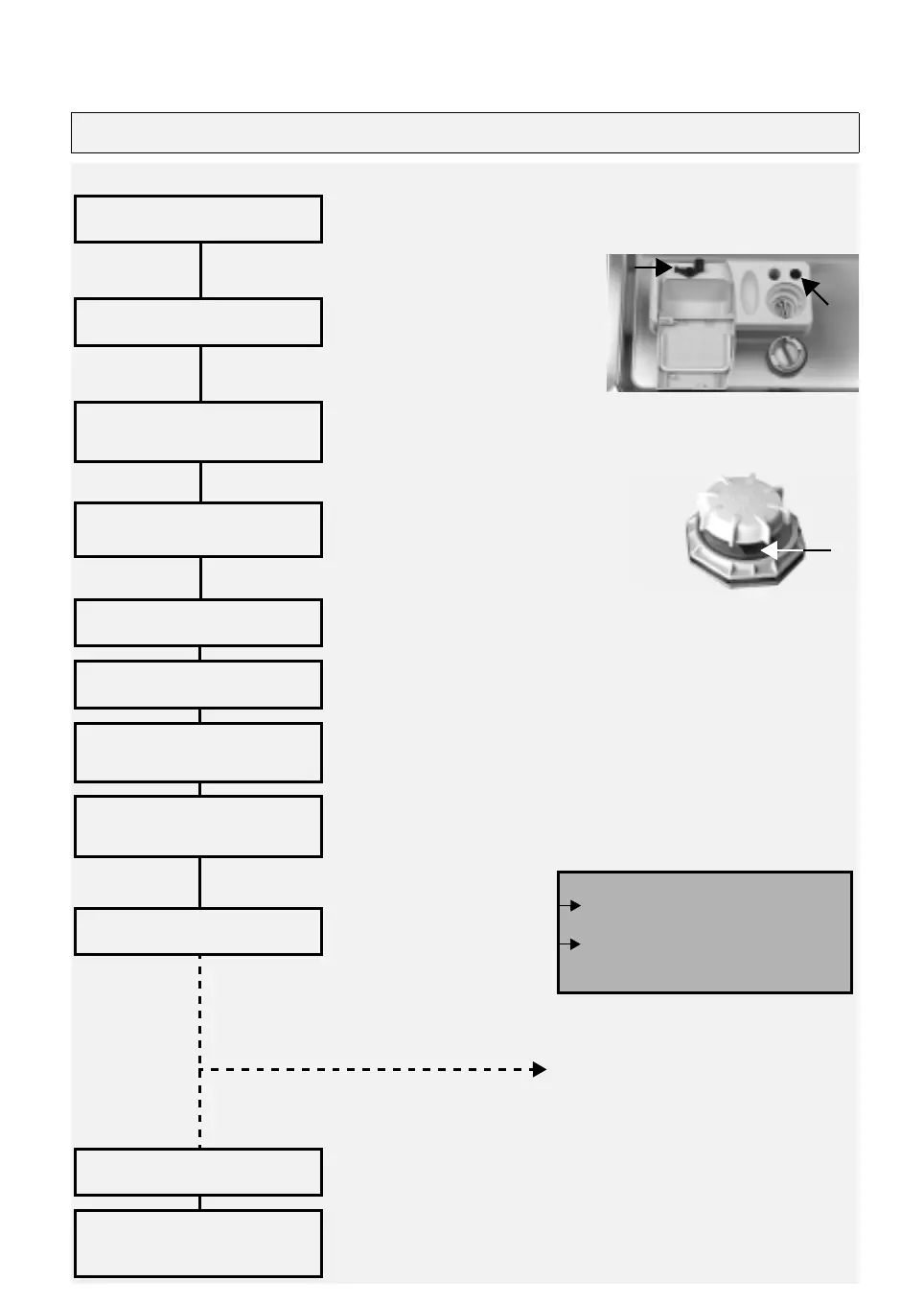
To open compartment press
A
.
Large compartment
B
:
With each wash cycle.
Small compartment
C:
For programmes with pre-wash only.
Mechanical indicator
D
.
Electric indicator on control panel (if provided).
On models with water softener
system only.
Mechanical indicator
E
. Electric
indicator on control panel (if provided).
Refer to the dishwasher loading instructions.
Select the desired programme by turning the selector knob clockwise.
If necessary (and if provided).
- Only open the dishwasher if necessary
(Warning: beware of hot steam).
Press the On/Off button.
Warning: when the door is opened steam comes out!
Unload the appliance, starting from the lower rack.
Open the door
How to fill the detergent
BC
D
A
Check the rinse aid level
Check the regeneration
salt level
Load the racks
Close the dishwasher door,
turn on the water tap
Select a programme
Select options
Press the On/Off button
to start the programme
“Change programme”
Press the On/Off button, the On/Off
indicator lamp switches off;
Select another programme and
press the On/Off button again. The
On/Off indicator lamp switches on.
Wash cycle
Switch off the appliance
Turn off the water tap,
unload the racks



 To Next Page