EasyManua.ls Logo

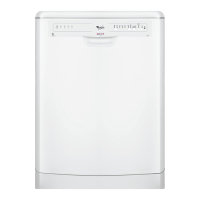
Whirlpool ADP 5560 - User Manual

Whirlpool ADP 5560
4 pages
Print Icon
To Next Page IconTo Next Page
Loading...
Whirlpool is a registered trademark of Whirlpool USA
5019 396 91294
GB
ADP 5560
Quick Reference Guide
Before using the dishwasher, read the user instructions!
WH/I/K/GB
(We reserve the right to make technical modifications)
Add rinse aid
Add regeneration salt
Only add regeneration salt immediately
before starting a wash programme.
1) Reference programme for energy label in compliance with
EN 50242 regulations;
2) Refer to “User instructions“;
3) Program data obtained in conformity with European standard
EN 50242. Values may vary in relation to usage, e.g.:
different loads, water temperatures - above or below 15°C -
as well as water hardness and power supply voltage, etc.
Programme selector knob
Mains
On / Off
Start button
Switches “on” when the dishwasher is
operating. Flashes when a fault occurs.
Switches off at the end of the
programme.
Indicators
Wash cycle
Pre-Rinse Washing Drying
Programme
end
Programme chart
Detergent
2)
Consumption
3)
Programmes Loading instructions A B
Litres kWh Minutes
Pre-Rinse cold
Crockery to be washed later. - - 5.0 0.02 10
Quickwash 40°C
Lightly soiled crockery, with no dried-on food. X - 13.0 0.70 30
Normal
1)
50°C
Normally soiled crockery. X X 16.0 1.05 120
Normal 65°C
Normally or heavily soiled crockery. X X 16.0 1.65 100
Intensive 70°C
Recommended programme for heavily soiled
crockery, especially suitable for pans and
saucepans.
X X 17.0 1.90 135
Important information for Test Laboratories:
For detailed information on the EN comparison test and other tests, contact the following address: “nk_customer@whirlpool.com”.
Question and Answer IconNeed help?

Do you have a question about the Whirlpool ADP 5560 and is the answer not in the manual?

Summary

Appliance Controls and Indicators

Programme Selector Knob

Controls power and programme selection. Switches on/off and selects wash programmes.

Start Button

Initiates the wash cycle. Flashes on fault, switches off at end of programme.

Indicators

Visual signals for rinse aid and regeneration salt levels, guiding maintenance.

Understanding the Wash Cycle

Wash Cycle Stages

Details the phases: Pre-Rinse, Washing, Drying, and Programme End.

Operating the Dishwasher

Switching on the Appliance

Automatic start by turning the programme selector knob.

Filling the Detergent Dispenser

Instructions for using the large and small compartments.

Checking Levels

Monitoring rinse aid and regeneration salt levels.

Selecting Programmes and Options

Choosing desired programmes and options, and starting the wash cycle.

Switching off and Unloading

Procedure for turning off the appliance and unloading racks.

Loading Instructions

Upper Rack Loading

Guidance on placing items in the upper rack, including supports and holders.

Rack Height Adjustment

How to adjust the rack height for optimal loading.

Removing Top Rack

Instructions for removing the top rack to accommodate larger items.

Lower Rack Loading

Instructions for loading the lower rack, especially for plates and saucepans.

Cutlery Basket Loading

Proper placement of cutlery, including safety tips for sharp items.

Troubleshooting Common Issues

Appliance Not Working

Checks for no water supply, insufficient water, or power failure.

Crockery Not Perfectly Dry;Clean

Addresses issues with residual water, water jets, detergent, or blocked spray arms.

Residues and Deposits

Solutions for sandy/grainy residues, faded plastic parts, and deposits on crockery.

Opaque;Sparkling Glasses and Rust

Tips for opaque glasses and issues with rust on cutlery.

Identifying Appliance Faults

Interpreting flashing indicator lamps and fault codes.

Summary

Appliance Controls and Indicators

Programme Selector Knob

Controls power and programme selection. Switches on/off and selects wash programmes.

Start Button

Initiates the wash cycle. Flashes on fault, switches off at end of programme.

Indicators

Visual signals for rinse aid and regeneration salt levels, guiding maintenance.

Understanding the Wash Cycle

Wash Cycle Stages

Details the phases: Pre-Rinse, Washing, Drying, and Programme End.

Operating the Dishwasher

Switching on the Appliance

Automatic start by turning the programme selector knob.

Filling the Detergent Dispenser

Instructions for using the large and small compartments.

Checking Levels

Monitoring rinse aid and regeneration salt levels.

Selecting Programmes and Options

Choosing desired programmes and options, and starting the wash cycle.

Switching off and Unloading

Procedure for turning off the appliance and unloading racks.

Loading Instructions

Upper Rack Loading

Guidance on placing items in the upper rack, including supports and holders.

Rack Height Adjustment

How to adjust the rack height for optimal loading.

Removing Top Rack

Instructions for removing the top rack to accommodate larger items.

Lower Rack Loading

Instructions for loading the lower rack, especially for plates and saucepans.

Cutlery Basket Loading

Proper placement of cutlery, including safety tips for sharp items.

Troubleshooting Common Issues

Appliance Not Working

Checks for no water supply, insufficient water, or power failure.

Crockery Not Perfectly Dry;Clean

Addresses issues with residual water, water jets, detergent, or blocked spray arms.

Residues and Deposits

Solutions for sandy/grainy residues, faded plastic parts, and deposits on crockery.

Opaque;Sparkling Glasses and Rust

Tips for opaque glasses and issues with rust on cutlery.

Identifying Appliance Faults

Interpreting flashing indicator lamps and fault codes.

Overview

This document provides a comprehensive guide for the Whirlpool ADP 5560 dishwasher, covering its functions, usage, and maintenance. It begins with a Quick Reference Guide, offering an overview of the control panel and programme chart, followed by detailed instructions on how to use the appliance, load the racks, and troubleshoot common issues.

Function Description

The Whirlpool ADP 5560 is a dishwasher designed to clean various types of crockery and utensils efficiently. Its core function is to automate the washing process through a series of pre-programmed cycles, each tailored for different levels of soiling and types of items.

The control panel features a Programme selector knob which serves as both the mains on/off switch and the selector for various wash programmes. Turning this knob initiates the appliance. A Start button is used to commence the selected programme; it also indicates when the dishwasher is operating and flashes in case of a fault. The button switches off automatically at the end of a programme.

The appliance includes indicators for essential consumables: an Add rinse aid indicator (represented by an asterisk) and an Add regeneration salt indicator (represented by an 'S'). These indicators alert the user when these agents need refilling, ensuring optimal washing performance. Regeneration salt should be added immediately before starting a wash programme.

The dishwasher offers a range of wash programmes to suit different needs:

  • Pre-Rinse (cold): A short cycle for crockery to be washed later, preventing food from drying on.
  • Quickwash (40°C): Ideal for lightly soiled crockery without dried-on food, offering a quick cleaning solution.
  • Normal (50°C): A standard programme for normally soiled crockery. This is also the reference programme for energy label compliance.
  • Normal (65°C): For normally or heavily soiled crockery, providing a more intensive clean.
  • Intensive (70°C): The recommended programme for heavily soiled crockery, particularly suitable for pans and saucepans, ensuring thorough cleaning.

Each programme involves a sequence of wash cycle phases: Pre-Rinse, Washing, and Drying, culminating in the End Programme. The programme chart provides details on detergent requirements (Detergent A and B), water consumption (Litres), energy consumption (kWh), and duration (Minutes) for each cycle.

Usage Features

Operating the ADP 5560 involves a straightforward sequence of steps:

  1. Switching on: Turn the programme selector knob. If it's a retractable knob, press it first to access.
  2. Filling detergent: The detergent dispenser has two compartments: a large compartment (A) for each wash cycle and a small compartment (B) for programmes with pre-wash only.
  3. Checking rinse aid: The rinse aid level can be checked via a mechanical indicator (C) or an electric indicator on the control panel (if provided).
  4. Checking regeneration salt: For models with a water softener system, the salt level is indicated by a mechanical indicator (D) or an electric indicator on the control panel (if provided).
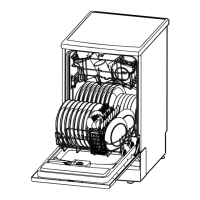
  5. Loading racks: The dishwasher features an upper rack and a lower rack, each designed for specific types of items.
    • Upper rack: Includes a multi-purpose support (A) for long-handled utensils, cups, and glasses, adjustable to three positions. Crockery holders (B) are also adjustable for plates, cups, and long-stemmed glasses. Some models may have a revolving glass support (C). Long-handled utensils should be arranged with the sharp end facing inwards.
    • Half Load (upper rack): When using the half load option for the upper rack only, the cutlery basket (D) should be placed in the upper rack.
    • Rack height adjustment: The upper rack can be adjusted even when loaded. To lower it, pull out the two rack handles (E) outwards. To raise it, pull the handles (E) upwards until it clicks into place. The rack must be level on both sides.
    • Removing top rack: For larger items in the bottom rack, the top rack can be removed by opening the rack guide retainers (F) on both sides. The retainers must be closed when the upper rack is in place.
    • Lower rack: Features fixed or tilting plate holders (G) depending on the model.
    • Half Load (lower rack): This option provides greater washing power, especially for plates and saucepans.
    • Cutlery basket (J or H): Some models include a grid (I) to separate items. Sharp knives and forks should be placed with the sharp end facing downwards to prevent injury.
  6. Closing door and turning on water: Ensure the dishwasher door is closed and the water tap is turned on.
  7. Selecting programme: Choose the desired programme using the selector knob. The corresponding indicator lamp will light up.
  8. Selecting options: If available, select any additional options; their indicator lamps will light up.
  9. Pressing Start: Press the Start button to begin the programme. The selected programme is then memorised, even in case of a power failure.
  10. Changing programme: To change a programme, press the START button for 2 seconds until its indicator lamp switches off. Then, select a new programme and press START again.
  11. Opening door during cycle: Only open the dishwasher if necessary, being cautious of hot steam. If opened and then closed, the cycle will resume from where it was interrupted.
  12. Switching off: The appliance switches off automatically after the START button's indicator lamp has turned off. Access the knob (press and release if retractable).
  13. Unloading: Turn off the water tap and unload the racks, starting from the lower rack.

Maintenance Features

Regular maintenance ensures the dishwasher's longevity and optimal performance. The manual provides guidance on troubleshooting common issues:

  • Appliance not working:
    • Check water supply: Ensure the tap is open and the water supply tap filter is clean.
    • Check for kinks in the water hose.
    • Verify power: Ensure the plug is in the mains socket, the Start button is pressed, the door is closed, and the domestic circuit fuse is intact.
    • If the programme is set to "0", it needs to be reset.
  • Crockery not perfectly dry:
    • Increase rinse aid dosage.
    • Load crockery at an angle to allow water to drain.
  • Crockery not perfectly clean:
    • Ensure crockery items do not touch each other and are loaded upside down.
    • Use the recommended detergent dosage.
    • Select a more intense wash cycle if needed.
    • Check that spray arms can turn freely and that nozzles are not clogged. Remove any impurities obstructing water flow.
    • Use a good quality detergent.
  • Sandy or grainy residues:
    • Regularly check and clean filters.
    • Ensure filters are correctly assembled.
  • Colour of plastic parts faded:
    • If caused by tomato/carrot juice, consider using a detergent with greater whitening power, depending on the material.
  • Deposits on crockery:
    • Streaks on crockery/glasses: Increase rinse aid dosage.
    • Streaks on glasses: Reduce rinse aid dosage.
    • Layer of salt on crockery/glasses: Close the salt container lid properly.
    • Insufficient water softening/calcium deposits: Change water hardness setting and add salt if necessary.
  • Opaque glasses/glasses not sparkling:
    • Ensure suitable glasses are used. Some materials cannot be washed in a dishwasher.
  • Rust on cutlery:
    • Use suitable cutlery made of stainless steel.
  • Identifying appliance faults (START indicator lamp flashes, Indicator F...):
    • Check that the filter assembly is not clogged and that there is no interruption to the water supply. Clean filters if necessary.
    • Restart the programme: Press the START button for 2 seconds until the indicator lamp switches off, then select a new programme and press START again.

If any malfunction persists after these checks, users are advised to turn off the appliance and water supply, then contact After-Sales Service. When contacting service, it is helpful to provide the nature of the fault, appliance type and model, and the service code (found on the adhesive rating plate inside the door).

The manual also specifies that only dishwasher-proof crockery and dishes should be used. Items like wooden items, aluminium, plastic utensils, tin, hand-decorated crockery (unglazed), and silver cutlery are not suitable for dishwashers. Spare parts like the multi-purpose support and revolving glass support are available separately.

Whirlpool ADP 5560 Specifications

General IconGeneral
TypeFreestanding
Energy Efficiency ClassA
Washing ClassA
Drying ClassA
Number of Programs6
Delay StartYes
Dimensions (HxWxD)85 x 60 x 60 cm

Related product manuals