1. After loading the dishwasher, close the
door properly and open the water
supply tap.
2. The dishwasher switches on
automatically as soon as the
programme selector knob is turned.
One of the programme indicator
lamps will switch on.
3. Turn the selector knob to select the
desired programme.
The
corresponding indicator lamp lights
up.
If required, select options (if
supplied).
4. Press the Start button to start the
selected programme.
The Start
indicator lamp will light up.
Once set,
the programmed data cannot be altered
by turning the programme selector knob.
Note:
once the Start button has been
pressed, the dishwasher memorises
the last programme selected. This
information remains in the memory even
during interruption of the power supply.
To change the programme
selected, press the Start button for
about 5 seconds. The Start
indicator lamp will switch off. Select
a new programme and press the
Start button.
Note:
If the dishwasher is switched off
during a wash programme, when
switched on again it will resume the wash
cycle from where it was interrupted.
Only open the dishwasher door if
strictly necessary during a wash
cycle and exercise maximum
caution. Danger of scalding from
steam.
5. To indicate the end of the programme,
the Start indicator lamp switches off
and
the End indicator lamp (if fitted)
lights up
(for about 30 min.)
.
6. Once the Start indicator lamp has
switched off, turn the programme
selector knob to the initial position to
switch off the dishwasher.
All the
indicator lamps switch off.
7. Open the door (warning: beware of hot
steam). Unload the lower rack before
the upper one. Close the water tap.
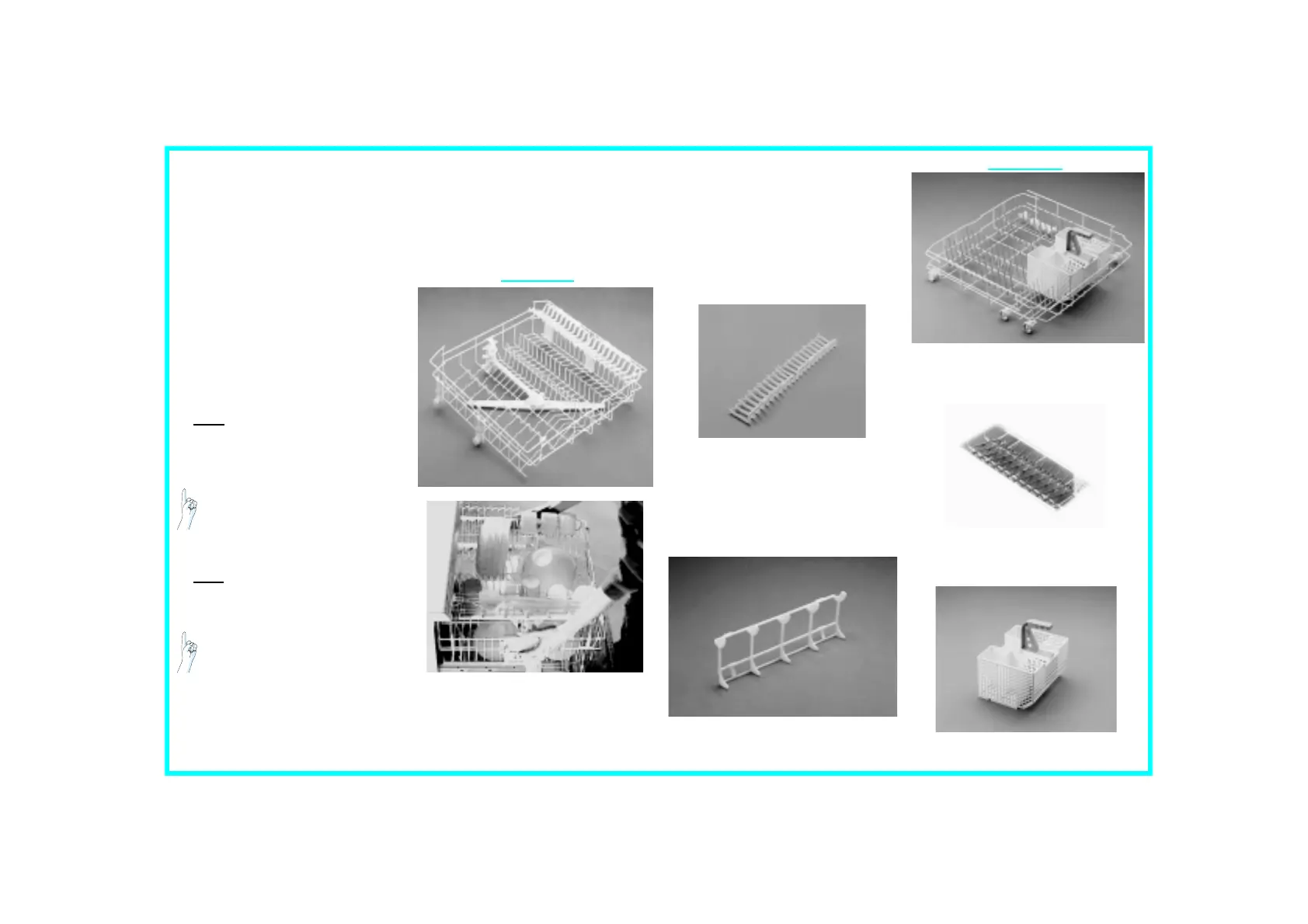
Upper rack
Rack height adjustment:
(The dishwasher is delivered with the
upper rack in the top position).
The rack height can also be changed
when loaded.
• To lower: pull out the
two
side
handles and gently lower the rack.
• To raise: pull up the
two
side handles
until the rack clicks into place.
• The rack must be level on both
sides.
Crockery holders:
• Down: cups and long-stemmed
glasses.
•
Up: plates.
Glass holder:
Lower rack
Plate holders:
•(
A
) may be lowered to increase
available space.
Cutlery basket:
• The cutlery basket can be removed
to increase (
C
) available space.
C
How to use the dishwasher
Please read the user instructions carefully.
Upper and lower rack



 To Next Page