EasyManua.ls Logo

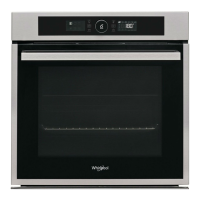
Whirlpool AKZ96230IX - User Manual

Whirlpool AKZ96230IX
32 pages
Print Icon
To Next Page IconTo Next Page
Loading...
BUILT-IN OVEN
EN
User and maintenance manual
Question and Answer IconNeed help?

Do you have a question about the Whirlpool AKZ96230IX and is the answer not in the manual?

Summary

Important Safety Instructions

Installation

Preparing the Housing Unit

Prepare the kitchen unit for oven installation, ensuring heat resistance and proper clearances.

Electrical Connection

Connect the oven to the power supply, verifying voltage and cable specifications.

General Recommendations

Pre-use checks for accessories and initial oven heating to remove odors.

The Appliance

Accessories

Lists and describes the various accessories supplied with the oven.

Appliance Accessories and Installation

Inserting Wire Shelves and Other Accessories into the Oven

Instructions on how to properly insert shelves and trays into the oven cavity.

Removing Lateral Grids

Steps to remove side supports and nuts from the oven cavity for cleaning.

Mounting the Sliding Shelves (If Present)

Guide on how to install sliding shelves for easier access to oven contents.

Control Panel Description

Knob and Touch Keys

Explanation of the oven's control panel layout, buttons, and displays.

Left Display

Description of the left display panel showing cooking functions.

Right Display

Description of the right display panel showing clock and function details.

Settings and Operation

Setting the Clock

Instructions for setting the oven's clock, initial setup, and after power failure.

Settings

How to change temperature units (°C/°F) and electrical power settings (16A/13A).

On;Off

Procedures for turning the oven on and off, including ending cooking cycles.

Selecting a Function

Guide to choosing main cooking functions and accessing 6th Sense or Special functions.

Cooking Modes

Quick Start

Method to quickly launch a cooking cycle using default or recent settings.

Setting the Temperature

How to adjust the cooking temperature for various oven functions.

Setting the Grill Level

Instructions for setting the power level for Grill and Turbo Grill functions.

Preheat Phase

Explanation of the automatic preheating phase for certain cooking functions.

Duration Settings

Setting Duration

How to set the cooking time for various cycles.

Untimed Cooking Cycle

Running the oven without a set end time, with a countdown timer.

Timed Cooking Cycle

Operating the oven with a specific cooking duration, counting down.

Setting Cycle End Time with Delayed Start

Programming the oven to start cooking at a later time or end at a specific time.

Advanced Cooking Functions

6 th Sense Functions

Using pre-set cooking cycles that automatically adjust parameters based on food type.

Special Functions

Utilizing specific cooking modes like Fast Preheating and TurboGrill.

Fast Preheating

Instructions for rapid preheating of the oven before cooking.

Cleaning Functions

Automatic Oven Cleaning (Only in Some Models)

Guide to using the automatic cleaning function, including SMARTCLEAN™.

SMARTCLEANTM Cleaning Cycle (If Present)

Detailed steps for the SMARTCLEAN™ cleaning cycle using water.

Meat Probe Operation

Meat Probe (Only in Some Models)

How to use the meat probe to measure internal food temperature for precise cooking.

Light and Lock

Cavity Light

Instructions on how to switch the oven's interior light on and off.

Key-Lock

How to lock and unlock the control panel to prevent accidental changes.

Function Descriptions Table

Cooking Table

Recommended Use and Tips

How to Read the Cooking Table

Guidance on interpreting the cooking table for optimal food preparation.

Cooking Different Foods at the Same Time

Tips for cooking multiple dishes simultaneously using the Forced Air function.

Desserts

Specific advice for cooking various types of desserts, including temperature and shelf usage.

Meat

Recommendations for roasting and grilling different cuts of meat for best results.

Cleaning

Oven Exterior

Instructions for cleaning the external surfaces of the oven safely and effectively.

Oven Interior

Methods for cleaning the oven cavity, door glass, and removing residues after use.

Accessories

How to clean the oven's accessories, such as racks and trays.

Cleaning the Rear Wall and Catalytic Side Panels of the Oven (If Present)

Specific cleaning instructions for catalytic liners and rear oven walls.

Maintenance

Removing the Door

Step-by-step guide on how to safely remove and refit the oven door.

Replacing the Oven Lamp

Instructions for safely replacing the oven's internal light bulb.

Moving the Top Heating Element (Some Models Only)

How to move the top heating element to clean the oven roof.

Troubleshooting Guide

The Oven Does Not Work

Common issues and checks when the oven fails to operate.

The Electronic Programmer Does Not Work

Troubleshooting steps for errors displayed on the oven's electronic programmer.

The Door Will Not Open

Solutions for when the oven door is stuck and cannot be opened.

After Sales Services

Scrapping of Household Appliances

Summary

Important Safety Instructions

Installation

Preparing the Housing Unit

Prepare the kitchen unit for oven installation, ensuring heat resistance and proper clearances.

Electrical Connection

Connect the oven to the power supply, verifying voltage and cable specifications.

General Recommendations

Pre-use checks for accessories and initial oven heating to remove odors.

The Appliance

Accessories

Lists and describes the various accessories supplied with the oven.

Appliance Accessories and Installation

Inserting Wire Shelves and Other Accessories into the Oven

Instructions on how to properly insert shelves and trays into the oven cavity.

Removing Lateral Grids

Steps to remove side supports and nuts from the oven cavity for cleaning.

Mounting the Sliding Shelves (If Present)

Guide on how to install sliding shelves for easier access to oven contents.

Control Panel Description

Knob and Touch Keys

Explanation of the oven's control panel layout, buttons, and displays.

Left Display

Description of the left display panel showing cooking functions.

Right Display

Description of the right display panel showing clock and function details.

Settings and Operation

Setting the Clock

Instructions for setting the oven's clock, initial setup, and after power failure.

Settings

How to change temperature units (°C/°F) and electrical power settings (16A/13A).

On;Off

Procedures for turning the oven on and off, including ending cooking cycles.

Selecting a Function

Guide to choosing main cooking functions and accessing 6th Sense or Special functions.

Cooking Modes

Quick Start

Method to quickly launch a cooking cycle using default or recent settings.

Setting the Temperature

How to adjust the cooking temperature for various oven functions.

Setting the Grill Level

Instructions for setting the power level for Grill and Turbo Grill functions.

Preheat Phase

Explanation of the automatic preheating phase for certain cooking functions.

Duration Settings

Setting Duration

How to set the cooking time for various cycles.

Untimed Cooking Cycle

Running the oven without a set end time, with a countdown timer.

Timed Cooking Cycle

Operating the oven with a specific cooking duration, counting down.

Setting Cycle End Time with Delayed Start

Programming the oven to start cooking at a later time or end at a specific time.

Advanced Cooking Functions

6 th Sense Functions

Using pre-set cooking cycles that automatically adjust parameters based on food type.

Special Functions

Utilizing specific cooking modes like Fast Preheating and TurboGrill.

Fast Preheating

Instructions for rapid preheating of the oven before cooking.

Cleaning Functions

Automatic Oven Cleaning (Only in Some Models)

Guide to using the automatic cleaning function, including SMARTCLEAN™.

SMARTCLEANTM Cleaning Cycle (If Present)

Detailed steps for the SMARTCLEAN™ cleaning cycle using water.

Meat Probe Operation

Meat Probe (Only in Some Models)

How to use the meat probe to measure internal food temperature for precise cooking.

Light and Lock

Cavity Light

Instructions on how to switch the oven's interior light on and off.

Key-Lock

How to lock and unlock the control panel to prevent accidental changes.

Function Descriptions Table

Cooking Table

Recommended Use and Tips

How to Read the Cooking Table

Guidance on interpreting the cooking table for optimal food preparation.

Cooking Different Foods at the Same Time

Tips for cooking multiple dishes simultaneously using the Forced Air function.

Desserts

Specific advice for cooking various types of desserts, including temperature and shelf usage.

Meat

Recommendations for roasting and grilling different cuts of meat for best results.

Cleaning

Oven Exterior

Instructions for cleaning the external surfaces of the oven safely and effectively.

Oven Interior

Methods for cleaning the oven cavity, door glass, and removing residues after use.

Accessories

How to clean the oven's accessories, such as racks and trays.

Cleaning the Rear Wall and Catalytic Side Panels of the Oven (If Present)

Specific cleaning instructions for catalytic liners and rear oven walls.

Maintenance

Removing the Door

Step-by-step guide on how to safely remove and refit the oven door.

Replacing the Oven Lamp

Instructions for safely replacing the oven's internal light bulb.

Moving the Top Heating Element (Some Models Only)

How to move the top heating element to clean the oven roof.

Troubleshooting Guide

The Oven Does Not Work

Common issues and checks when the oven fails to operate.

The Electronic Programmer Does Not Work

Troubleshooting steps for errors displayed on the oven's electronic programmer.

The Door Will Not Open

Solutions for when the oven door is stuck and cannot be opened.

After Sales Services

Scrapping of Household Appliances

Whirlpool AKZ96230IX Specifications

General IconGeneral
Oven TypeElectric
Oven SizeLarge
Number of Ovens1
Energy Efficiency ClassA+
Number of Functions16
Dimensions (H x W x D)595 x 595 x 564 mm
ColorStainless Steel
Thermostat Range50-250°C
Built-in DisplayYes
Display TypeLCD
Oven PositionBuilt-in
Energy Consumption (conventional)0.91 kWh
Energy Consumption (forced convection)0.7 kWh
Voltage220-240 V
Frequency50/60 Hz
Power Consumption3650 W
TimerYes
Cooling FanYes
LightingYes
Child LockYes
Catalytic CleaningYes
Oven Capacity73 L
TypeBuilt-in Single Oven

Related product manuals