34
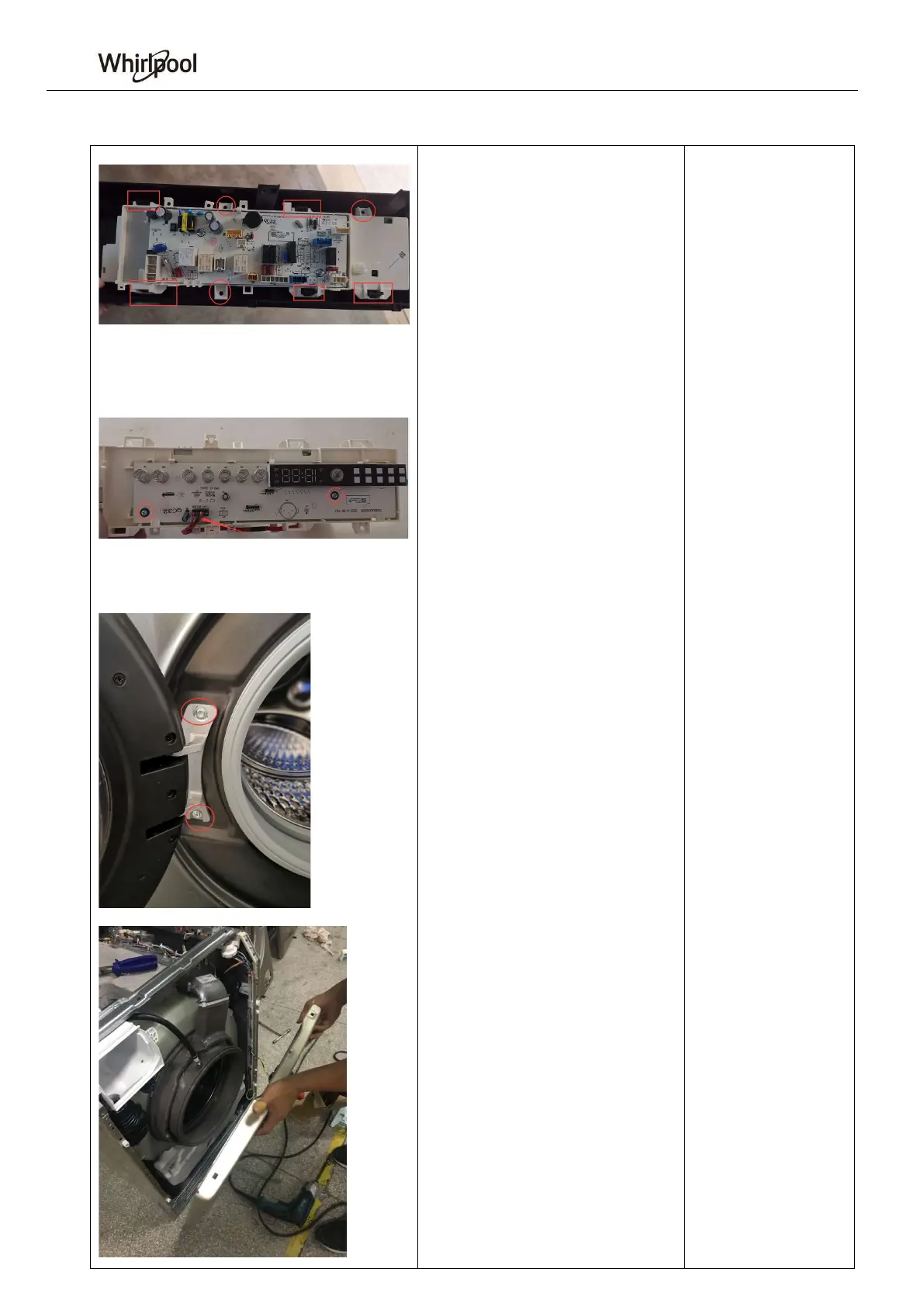
4 Display panel box
A Remove the 3 screws fixing the
display panel box, behind the control
panel. Remove the 5 snaps to remove
the display panel box
B Remove the screws fixing the
display panel. Unplug the harness plug
to remove the display panel.
5. Door
A Remove the 2 screws on the hinge to
remove the door.
6. Front cover
A Remove the 2 top screws and 3
bottom screws on the front cover.
B Remove the tension spring
C Unplug the harness plug to remove
the front cover




 To Next Page