10
HOW TO USE THE TIMER
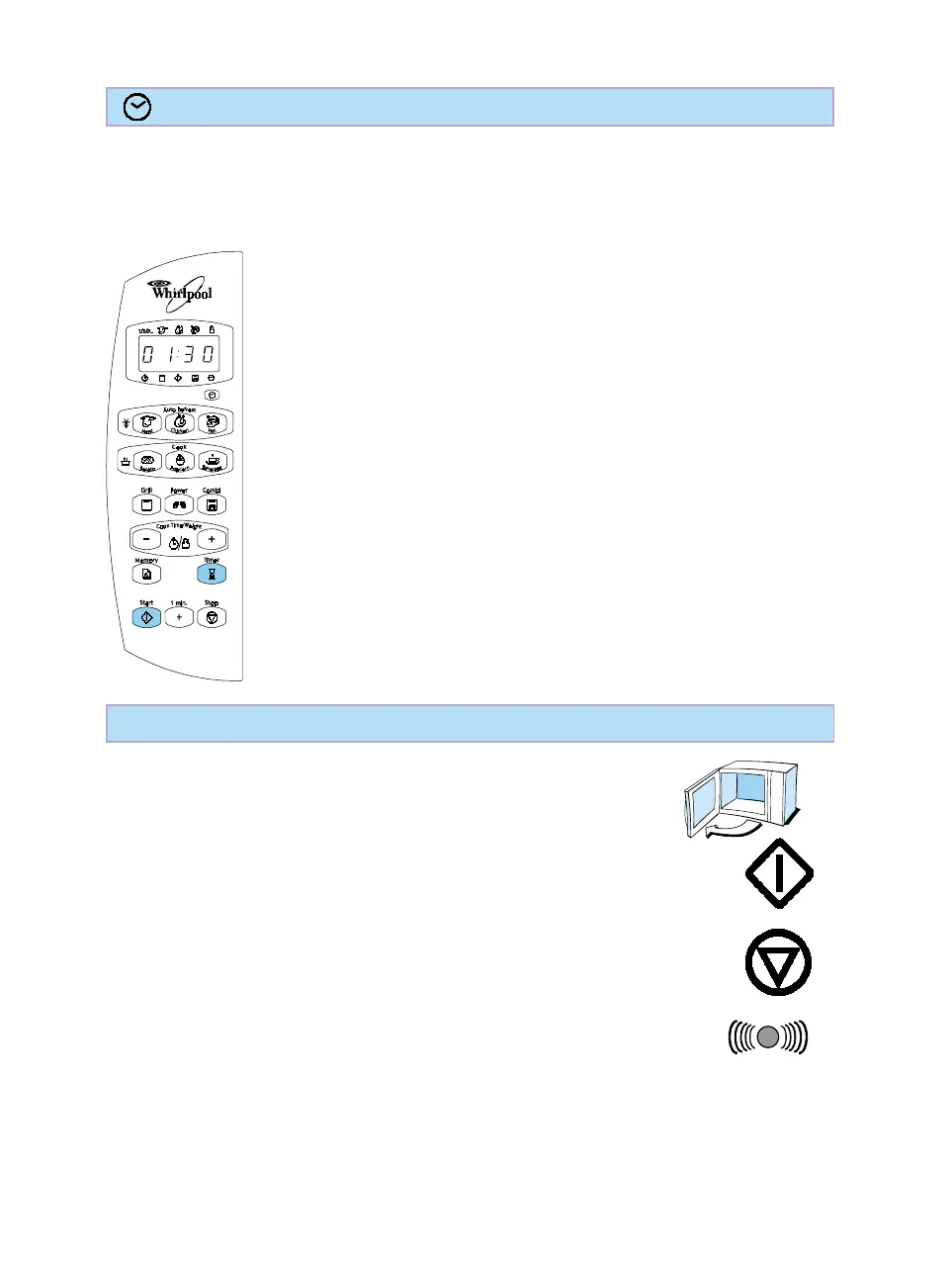
The Timer is easy to use. To do this, simply follow the below procedure.
The Timer function is useful when you need an “egg clock” as reminder or measuring the
standing time for such items as a big roast, or chicken.
1. Press the TIMER button.
2. Press the + / - buttons to set the TIMER.
3. Press the START button.
Note:
The time can easily be increased by pressing the + / - buttons after
the Timer button has been pressed.
HOW TO PAUSE OR STOP COOKING
To pause cooking:
The cooking can be paused to check, turn or stir the food by opening
the door. The setting will be maintained for 1 minute.
To continue cooking:
Close the door and press the Start button. The cooking is resumed
from where it was paused.
If you don’t want to continue cooking:
Remove the food, close the door and press the STOP button
When the cooking is finished a beep will signal once a minute until
the door has been opened or the STOP button is pressed.
When the time has elapsed a special acoustic signal sounds and
the Timer switches off.
Stop the Timer by pressing the minus button to zero.





 To Next Page