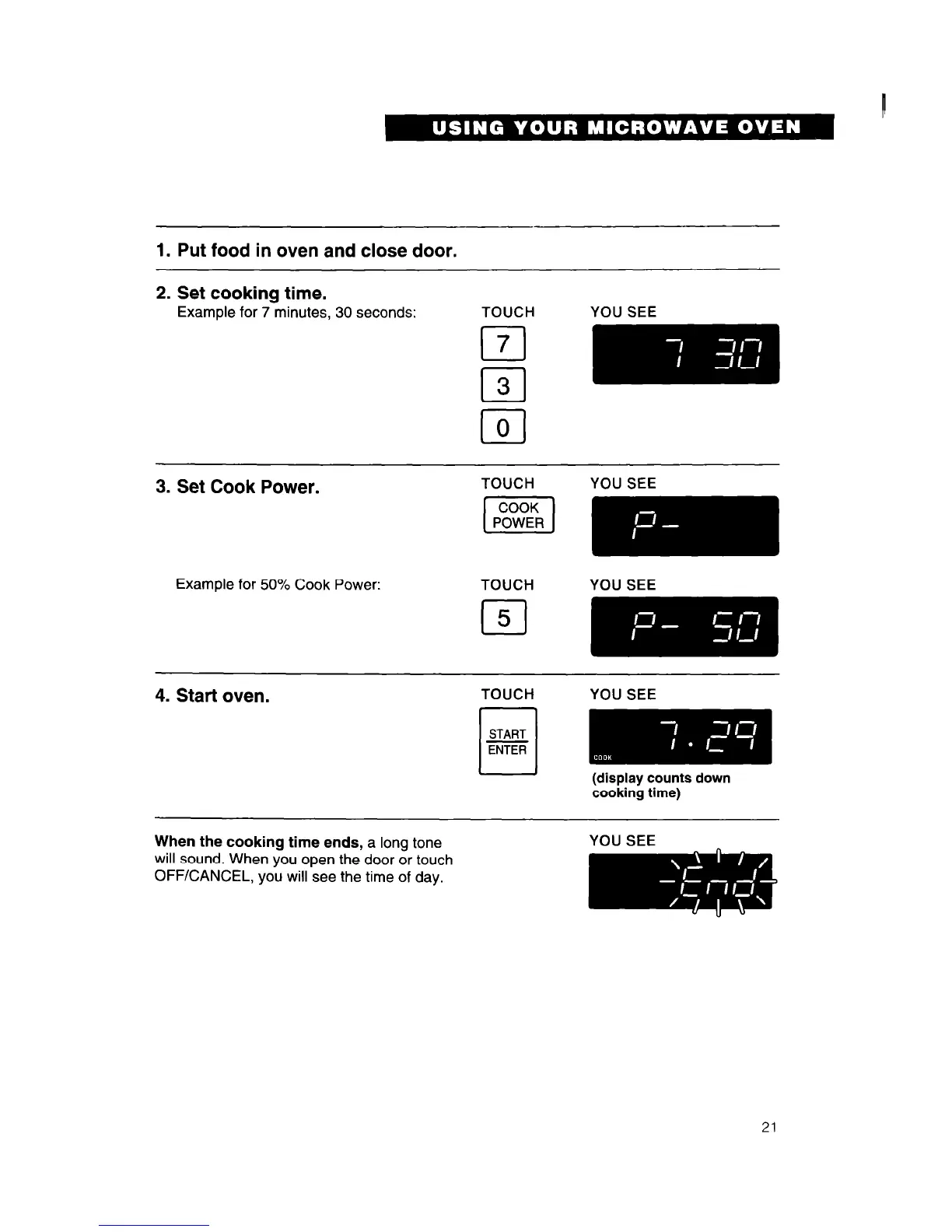
1. Put food in oven and close door.
2. Set cooking time.
Example for 7 minutes. 30 seconds:
TOUCH
YOU SEE
cl
7
r-l
3
LJ
0
3. Set Cook Power.
Example for 50% Cook Power:
TOUCH
cl
5
YOU SEE
YOU SEE
4. Start oven.
TOUCH
n
START
ENTER
YOU SEE
(display counts down
cooking time)
When the cooking time ends, a long tone
will sound. When you open the door or touch
OFF/CANCEL, you will see the time of day.
YOU SEE
21




 To Next Page