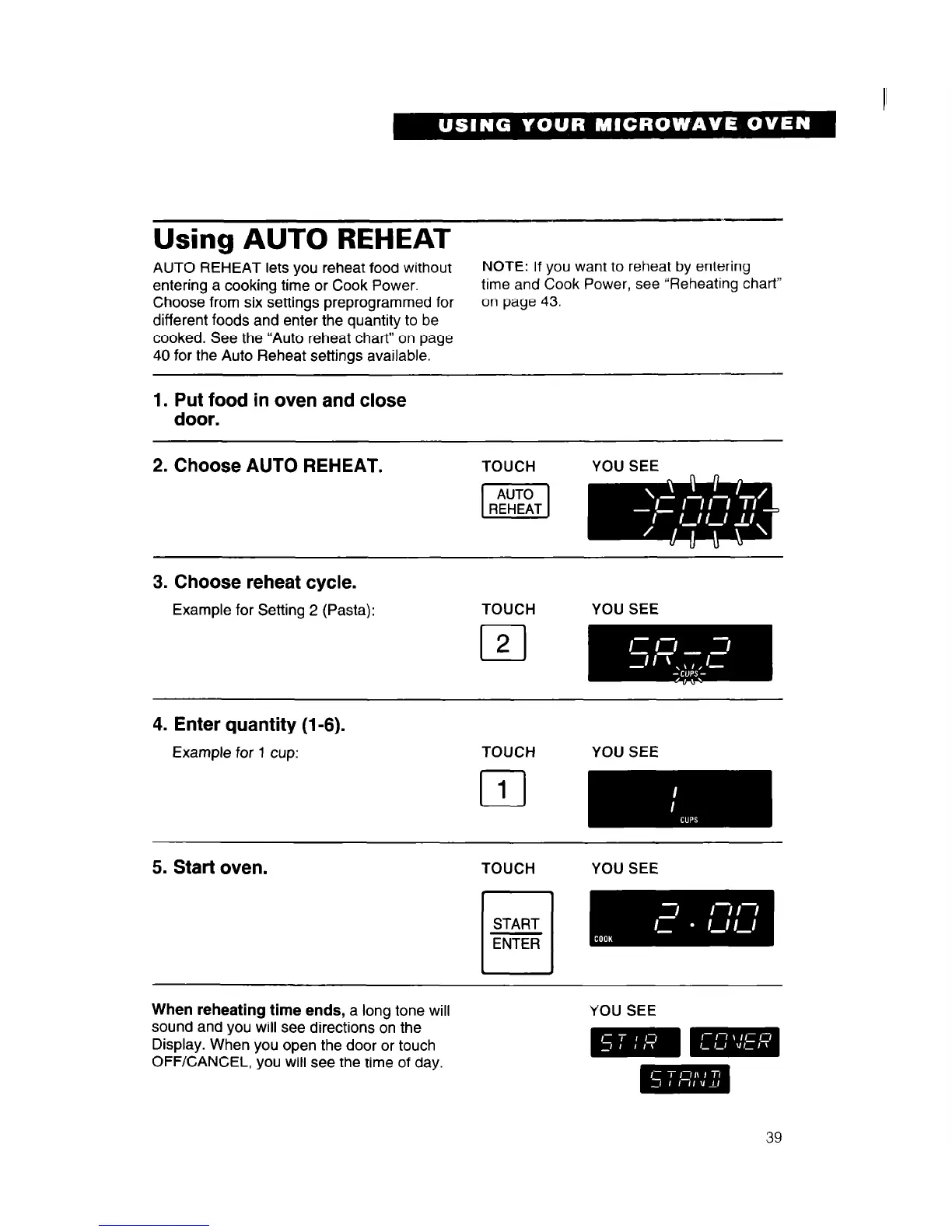
Using AUTO REHEAT
AUTO REHEAT lets you reheat food without
NOTE: If you want to reheat by entering
entering a cooking time or Cook Power.
time and Cook Power, see “Reheating chart”
Choose from six settings preprogrammed for
on page 43.
different foods and enter the quantity to be
cooked. See the “Auto reheat chart” on page
40 for the Auto Reheat settings available.
1. Put food in oven and close
door.
2. Choose AUTO REHEAT.
TOUCH
YOU SEE
3. Choose reheat cycle.
Example for Setting 2 (Pasta):
TOUCH YOU SEE
cl
2
4. Enter quantity (l-6).
Example for 1 cup:
TOUCH YOU SEE
5. Start oven.
TOUCH YOU SEE
When reheating time ends, a long tone will
sound and you will see directions on the
Display. When you open the door or touch
OFF/CANCEL, you will see the time of day.
YOU SEE




 To Next Page