_-_.- -_-~ ___._ -__~_-___--.-
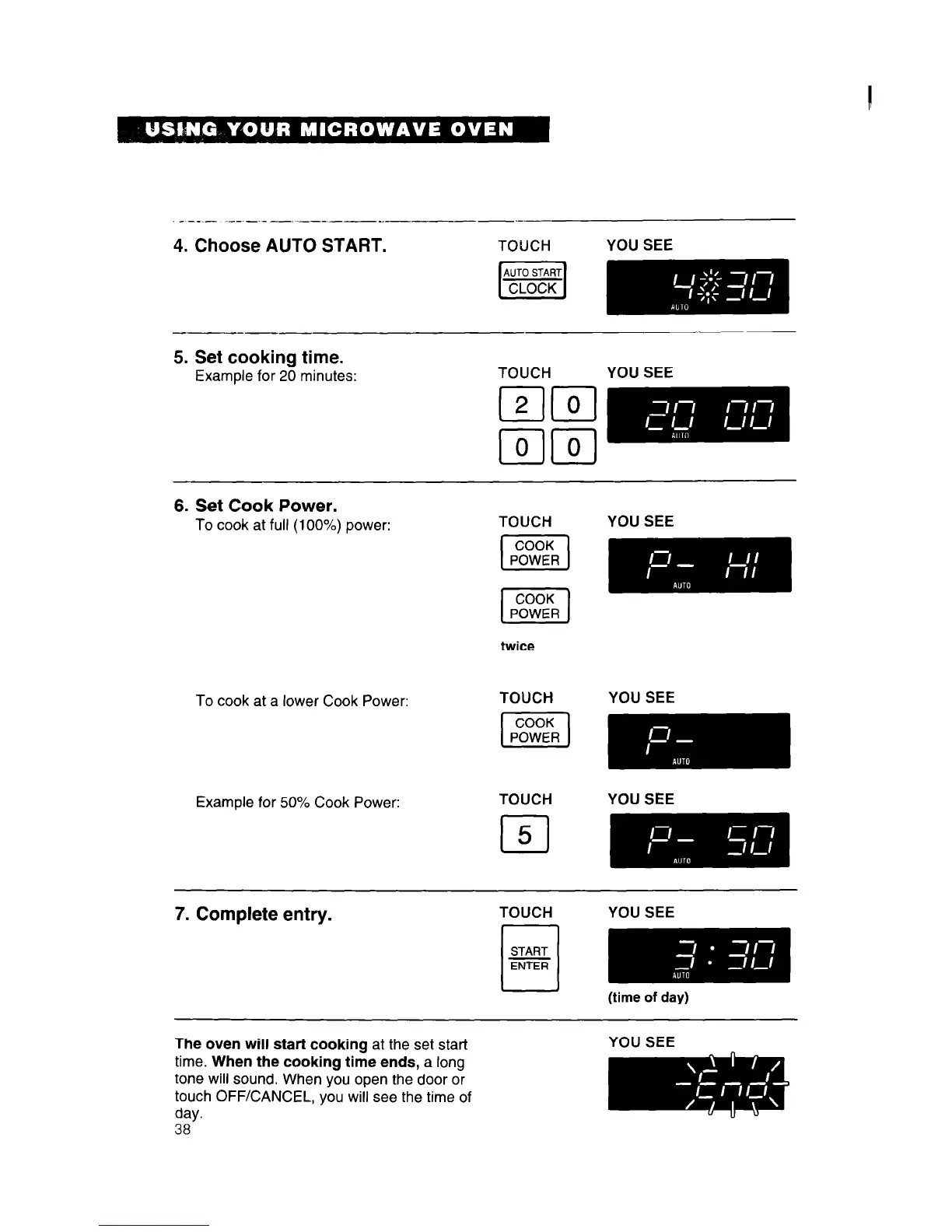
4. Choose AUTO START.
YOU SEE
5. Set cooking time.
Example for 20 minutes:
TOUCH
YOU SEE
6. Set Cook Power.
To cook at full (100%) power:
YOU SEE
To cook at a lower Cook Power:
twice
TOUCH
YOU SEE
Example for 50% Cook Power:
TOUCH
cl
5
YOU SEE
7. Complete entry.
TOUCH
YOU SEE
The oven will start cooking at the set start
time. When the cooking time ends, a long
tone will sound. When you open the door or
touch OFF/CANCEL, you will see the time of
day.
38
YOU SEE




 To Next Page