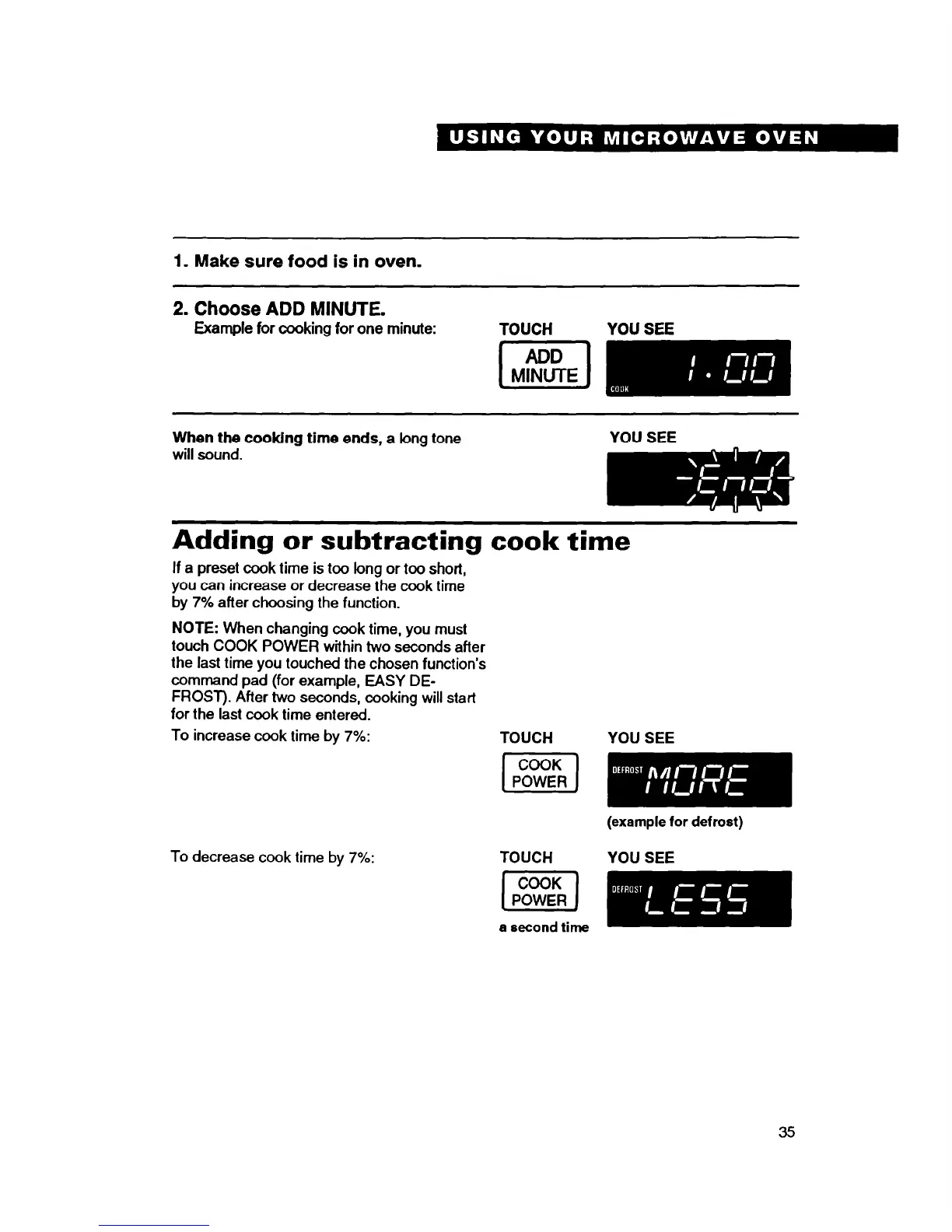
1. Make sure food is in oven.
2. Choose ADD MINUTE.
Example for cooking for one minute:
TOUCH
YOU SEE
When the cooking time ends,
a long tone
will sound.
YOU SEE
Adding or subtracting cook time
If a preset cook time is too long or too short,
you can increase or decrease the cook time
by
7%
after choosing the function.
NOTE:
When changing cook time, you must
touch COOK POWER within two seconds after
the last time you touched the chosen function’s
command pad (for example, EASY DE-
FROST). After two seconds, cooking will start
for the last cook time entered.
To increase cook time by
7%:
TOUCH
To decrease cook time by 7%:
TOUCH YOU SEE
a second time
YOU SEE
(example for defrost)
35




 To Next Page