Using WARM/HOLD
You can keep hot, cooked foods warm in
your microwave oven safely for up to
99 minutes, 99 seconds (about 1 hour,
40 minutes). You can use WARM/HOLD by
itseff, or to follow a cooking cycle automati-
Cally.
1. Put
hot, cooked food in the oven and
close the door.
2.
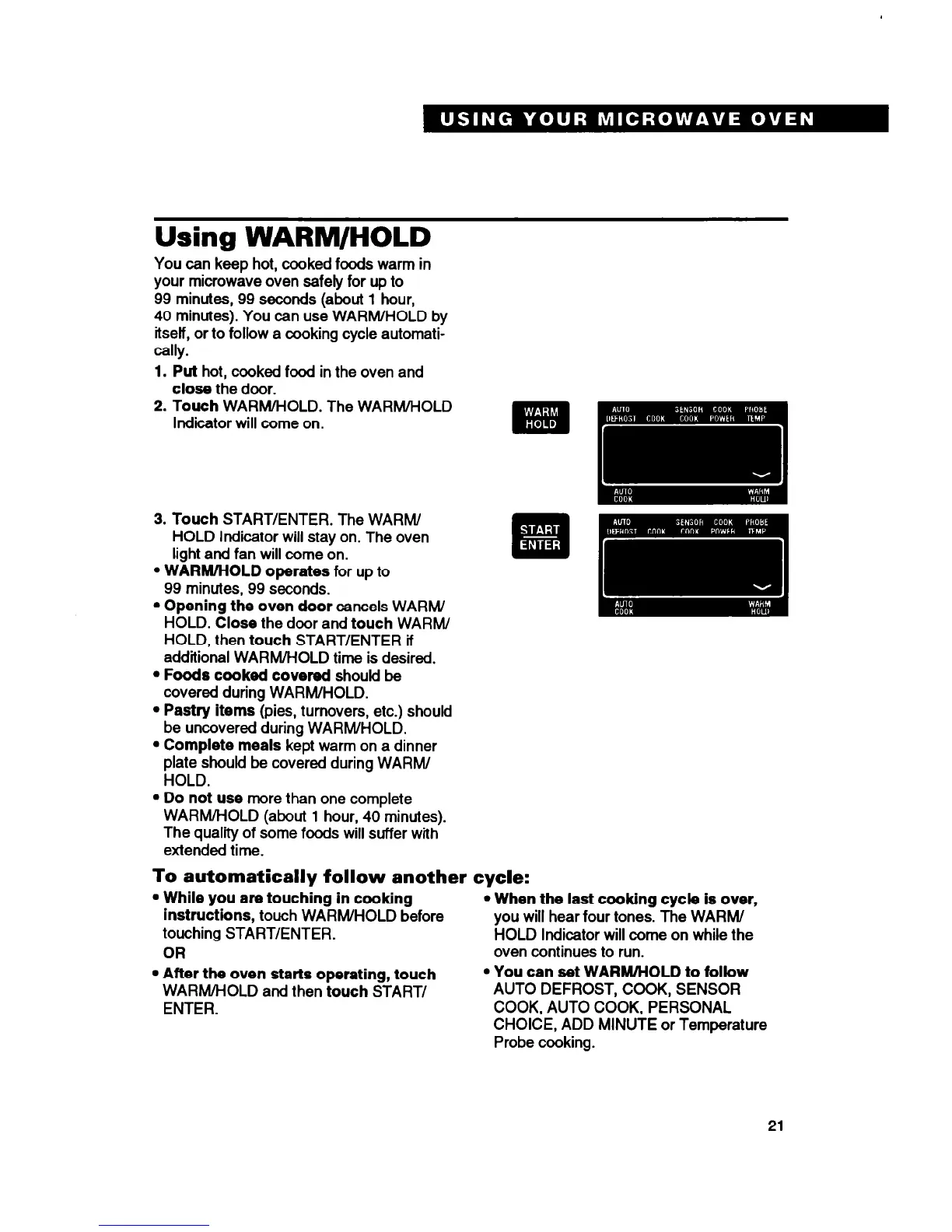
Touch
WARM/HOLD. The WARM/HOLD
Indicator will come on.
3.
Touch
START/ENTER. The WARM/
HOLD Indicator will stay on. The oven
light and fan will come on.
l
WARM/HOLD operates
for up to
99 minutes, 99 seconds.
l
Opening the oven door
cancels WARM/
HOLD. Close the door and
touch
WARM/
HOLD, then
touch
START/ENTER if
additional WARM/HOLD time is desired.
l
Foods cooked covered
should be
covered during WARM/HOLD.
l
Pastry items
(pies, turnovers, etc.) should
be uncovered during WARM/HOLD.
l
Complete meals
kept warm on a dinner
plate should be covered during WARM/
HOLD.
l
Do not use
more than one complete
WARM/HOLD (about 1 hour, 40 minutes).
The quality of some foods will suffer with
extended time.
To automatically follow another cycle:
l
While you are touching in cooking
l
When the last cooking cycle is over,
instructions,
touch WARM/HOLD before you will hear four tones. The WARM/
touching START/ENTER. HOLD Indicator will come on while the
OR
oven continues to run.
l
After the oven starts operating, touch
l
You can set WARM/HOLD to follow
WARM/HOLD and then
touch
START/
AUTO DEFROST, COOK, SENSOR
ENTER.
COOK, AUTO COOK, PERSONAL
CHOICE, ADD MINUTE or Temperature
Probe cooking.
21





 To Next Page