5.
6.
7.
6.
9.
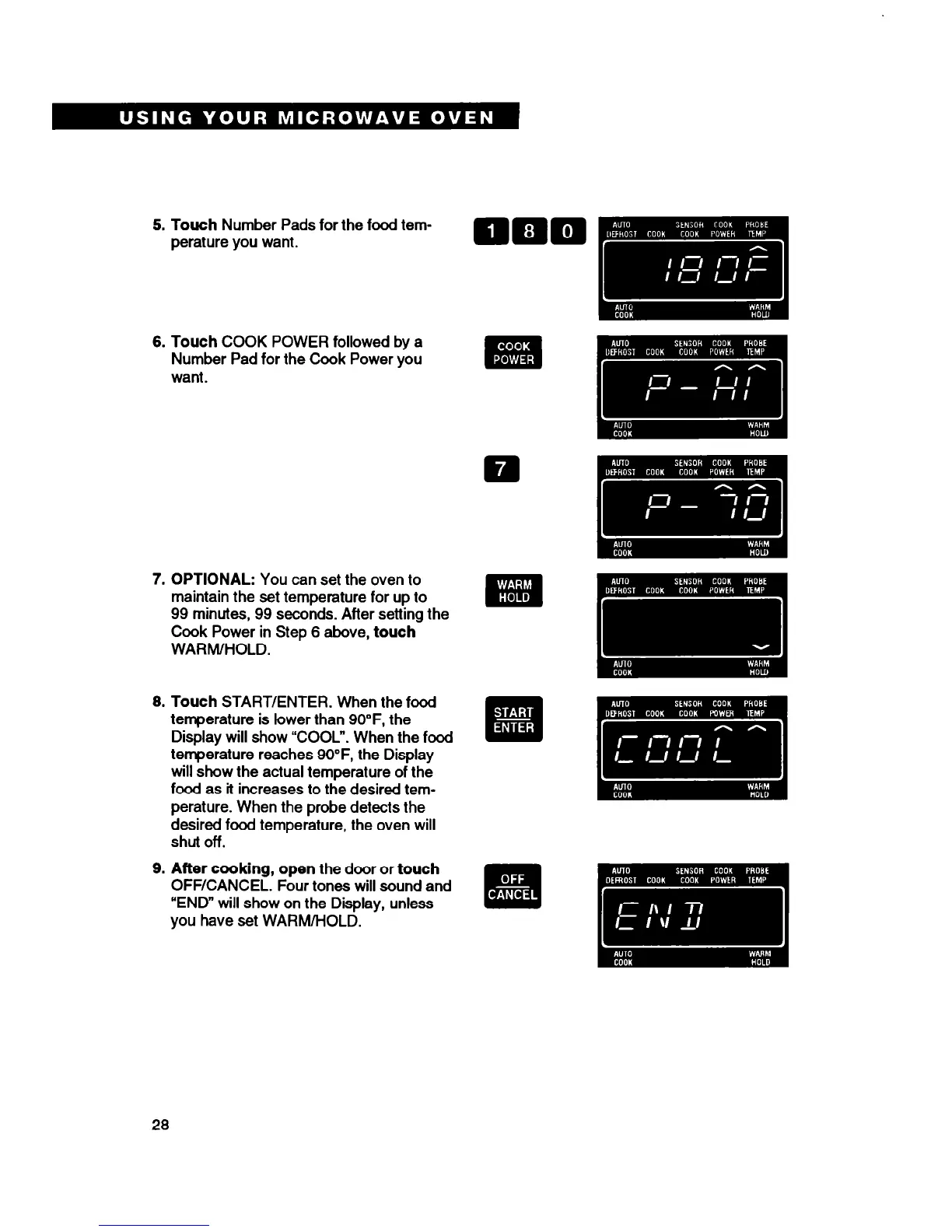
Touch
Number Pads for the food tem-
perature you want.
Touch
COOK POWER followed by a
Number Pad for the Cook Power you
want.
OPTIONAL: You
can set the oven to
maintain the set temperature for up to
99 minutes, 99 seconds. After setting the
Cook Power in Step 6
above, touch
WARM/HOLD.
Touch
START/ENTER. When the food
temperature is lower than 9O”F, the
Display will show “COOL”. When the food
temperature reaches 9O”F, the Display
will show the actual temperature of the
food as it increases to the desired tem-
perature. When the probe detects the
desired food temperature, the oven will
shut off.
After cooking, open
the door or
touch
OFF/CANCEL. Four tones will sound and
“END” will show on the Display, unless
you have set WARM/HOLD.
28





 To Next Page