Caring for Your Washer/
Dryer
In This Section
Page
Page
Maintenance-every load
. . . . . . . . . . . . . . . . . . . . 16
Tips for caring for your
Maintenance-as needed . . . . . . . . . . . . . . . . . . . . 16
washer’dqer
. . . . . . . . . . . . . . . . . . . . . . . . . . . . . . . . . . . . . .
19
Care during periods of non-use . . . . . . . 19
Dryers require regular maintenance. Follow the suggestions below to maintain your dryer
PropeW
Maintenance-every load
Cleaning the lint screen
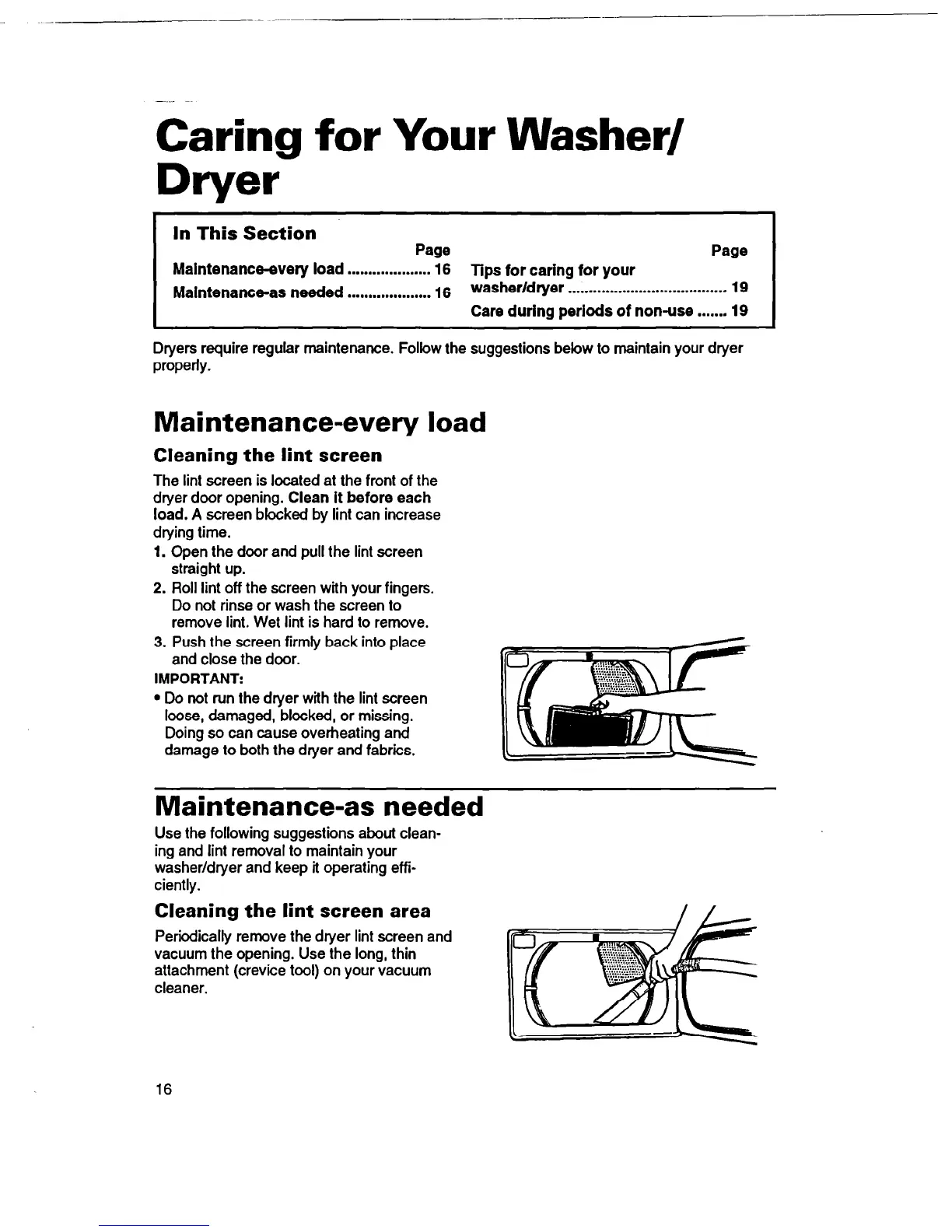
The lint screen is located at the front of the
dryer door opening. Clean it before each
load. A screen blocked by lint can increase
drying time.
1.
Open the door and pull the lint screen
straight up.
2. Roll lint off the screen with your fingers.
Do not rinse or wash the screen to
remove lint. Wet lint is hard to remove.
3. Push the screen firmly back into place
and close the door.
IMPORTANT:
l
Do not run the dryer with the lint screen
loose, damaged, blocked, or missing.
Doing so can cause overheating and
damage to both the dryer and fabrics.
Maintenance-as needed
Use the following suggestions about clean-
ing and lint removal to maintain your
washer/dryer and keep it operating effi-
ciently.
Cleaning the lint screen area
Periodically remove the dryer lint screen and
vacuum the opening. Use the long, thin
attachment (crevice tool) on your vacuum
cleaner.
16



 To Next Page