7
EN
4. PREHEATING
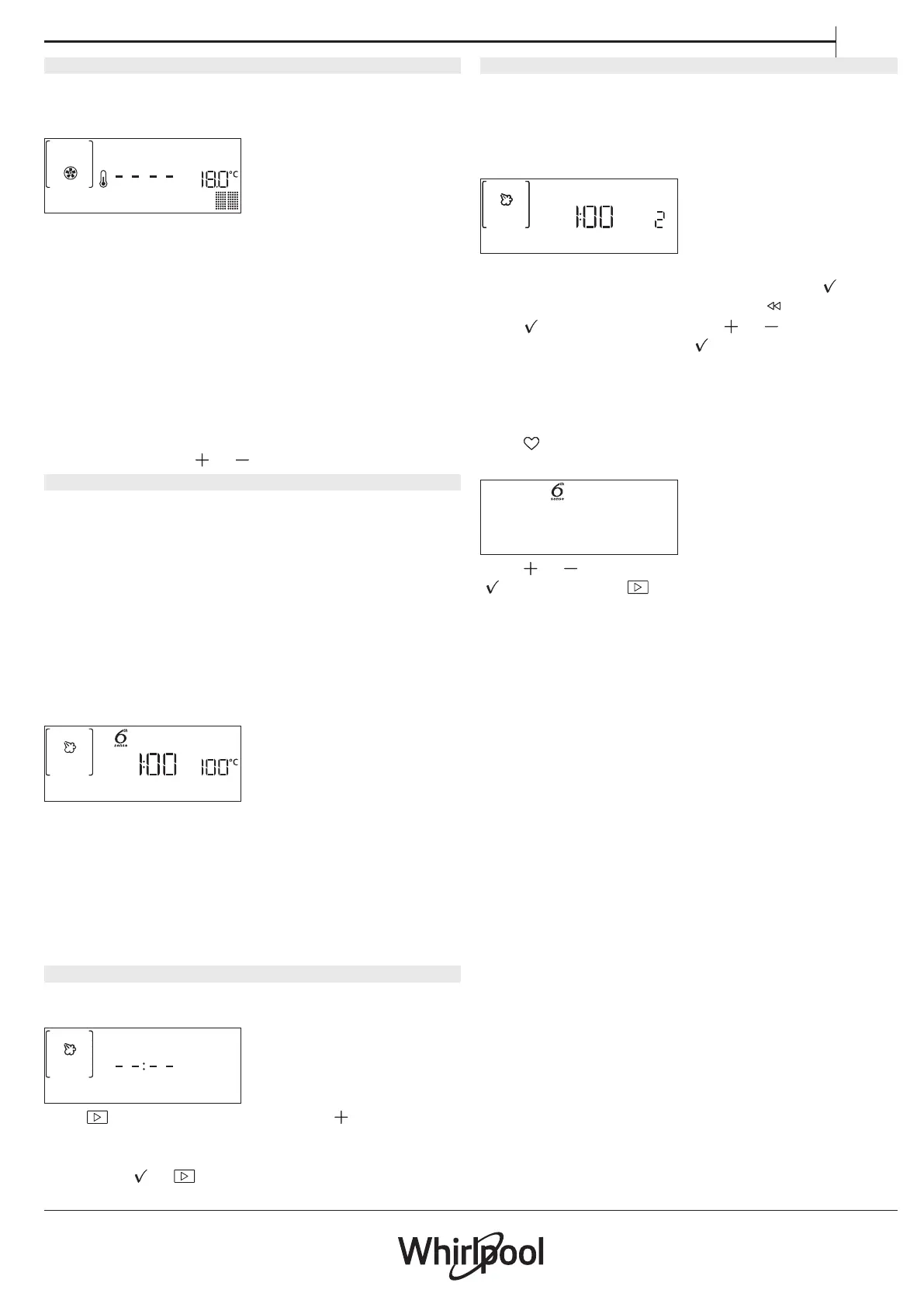
The forced air function requires a preheating phase:
Once the function has started, the display indicates that
the preheating phase has been activated.
PREHEATING
Once this phase has finished, an audible signal will
sound and the display will indicate that the oven has
reached the set temperature, requiring food to be
added.
At this point, open the door, place the food in the oven,
close the door and start cooking.
Please note: Placing the food in the oven before preheating
has nished may have an adverse eect on the nal cooking
result. Opening the door during the preheating phase will
stop pause it.
The cooking time does not include a preheating phase.
You can always change the temperature you want the
oven to reach using
or .
5. PAUSE COOKING / ADD OR TURN FOOD
PAUSE
By opening the door, the cooking will be temporarily
paused through deactivating heating elements.
To resume the cooking, close the door.
Please note: During “6
th
Sense” functions open the door only
when prompted.
ADD OR TURN FOOD
Some 6
th
Sense Cook recipes will require the food to be
added after the preheating phase or ingredients to be
added to complete cooking. In the same way, there will
be prompts to turn or stir the food during cooking.
TURN FOOD
An audible signal will sound and the display shows the
action to be done.
Open the door, do the action prompted by the display
and close the door.
Please note: When turning is needed, after 2 minutes, even if
no action is performed, the oven will resume the cooking.
The “ADD FOOD” phase last 2 minutes: if no action is taken,
the function will be ended.
6. END OF COOKING
An audible signal will sound and the display will
indicate that cooking is complete.
END
Press to continue cooking or press to amend the
cooking time by setting a new duration. The cooking
parameters will be retained.
By pressing
or the cooking starts again.
. FAVORITES
To make the oven easier to use, it can save up to 10 of
your favorite functions.
Once cooking is complete the display will prompt you
to save the function in a number between 1 and 10 on
your list of favorites.
ADD FAVORITE?
If you would like to save a function as a favorite and
store the current settings for future use, press
otherwise, to ignore the request press .
Once
has been pressed, press or to select the
number position, then press
to confirm.
Please note: If the memory is full or the number chosen has
already been taken, the oven will ask you to conrm
overwriting the previous function.
To call up the functions you have saved at a later time,
press
: The display will show your list of favorite
functions.
2. Pizza
Press or to select the function, confirm by pressing
, and then press to activate.




 To Next Page