27
• High ambient temperatures (e.g. on hot summer days) and a colder setting on the temperature
control can cause the compressor to run continuously or even non-stop! So we do not advise
the user set the temperature control at “ 8 ” ar “ 2 ” in normal and in long term.
Reason: when the ambient temperature is high, the compressor must fun continuously to
maintain the low temperature in the appliance
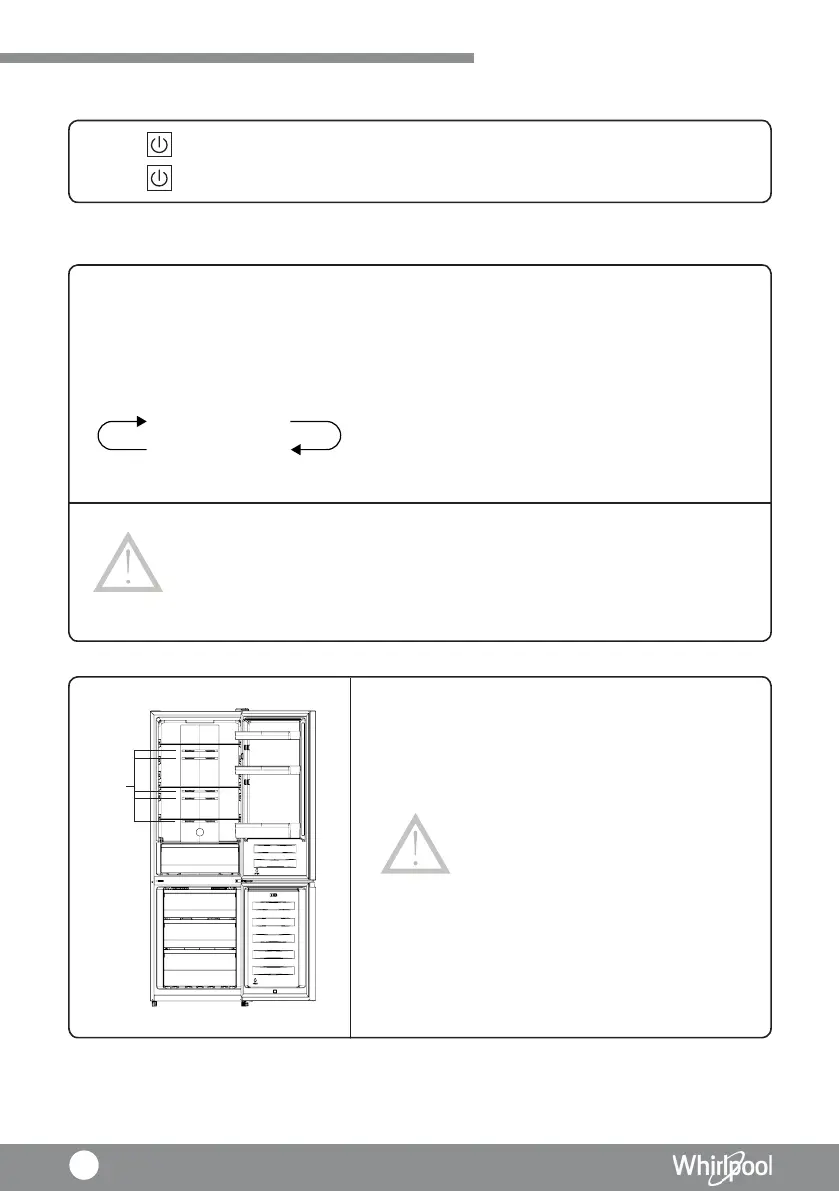
• Do not place too much food as this will block
the air outlets (the temperature sensor under the
air flow channel cover of Fridge compartment),
this will affect the appliance performance and it
cannot operate correctly.
NOTICE
NOTICE
Power On / Off
Temperature Control
• Press “ ” for 3 seconds, after a buzzer sound, the refrigerator will be turned off.
• Press “ ” for 1 second, after a buzzer sound, the refrigerator will be turned on.
• Press to set Freezer compartment Temperature.
• Freezer compartment Temperature range at 2°C to 8°C.
• Under normal situation, set the temperature control at “ 4 ”.
• Control panel will display corresponding figures according to the following sequence,
Notice : “ 2 “ is the coolest temperature
8℃-6℃-5℃
2℃-3℃-4℃
Using your Appliance
Air
Outlet



 To Next Page