5
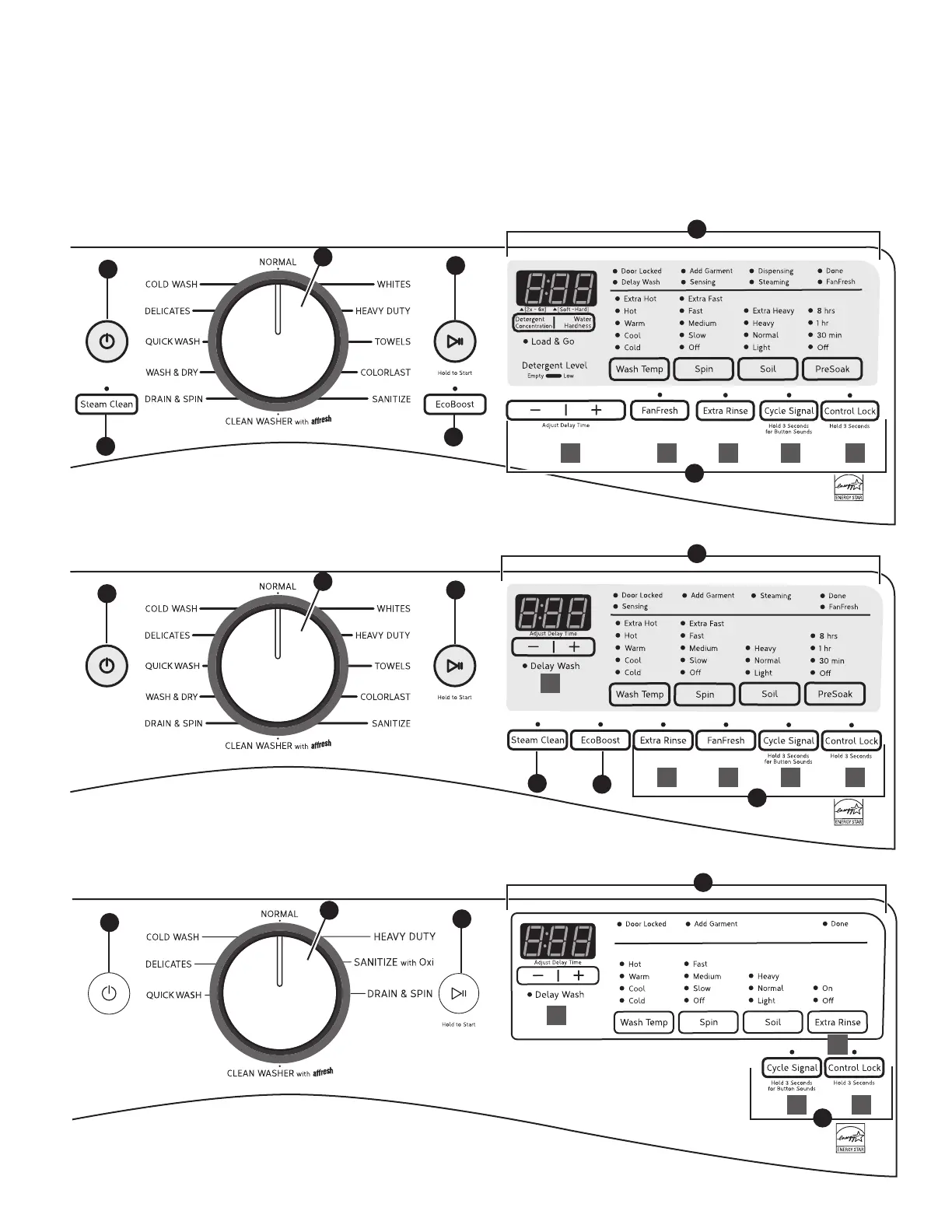
Control Panel and Features
Not all features and cycles are available on all models.
NOTES:
n
The control panel features a sensitive surface that responds to a light touch of your finger. To ensure your selections are registered,
touch the control panel with your fingertip, not your fingernail. When selecting a setting or option, simply touch its name.
n
At cycle completion, your setting and option choices will be remembered for your next use of that cycle. However, if power is lost
to the washer, the settings and options will go back to the factory defaults.
3
2
1
5
4
ED
3
2
1
5
4
C E
A
B D
7
6
3
2
1
5
4
B EA C D
7
6
A
C






 To Next Page