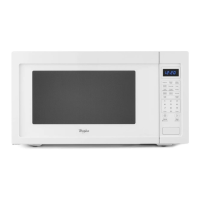
This document is a Use & Care Guide for a Whirlpool Microwave Oven, Model WMC50522. It provides comprehensive instructions for safe operation, installation, usage, maintenance, and troubleshooting.
Function Description
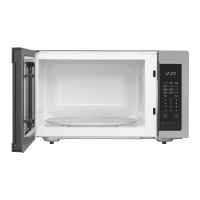
The Whirlpool Microwave Oven is designed for heating, cooking, and drying food using microwave energy. A magnetron within the oven produces microwaves that reflect off the metal interior surfaces and pass through the turntable to the food. These microwaves are absorbed by fat, sugar, and water molecules in the food, generating heat through friction to cook the food. The oven features various cooking modes, including manual cooking, staged cooking, and sensor cooking, to accommodate different food types and preparation needs. It also includes defrosting functions, both by weight and by time, to thaw frozen foods efficiently.
Usage Features
The microwave oven is equipped with a control panel that includes a display, number pads, and dedicated function controls.
Display and Basic Controls:
- Display: Shows "0:00" when power is first supplied or after a power failure. During use, it shows the remaining cook time. When idle, it displays the time of day (if set) or Timer countdown.
- Start: Initiates any function. If cooking is interrupted by opening the door, touching START resumes the cycle. A "door" message appears if the door has been closed for 5 minutes without starting a function, requiring the door to be opened and closed before starting.
- Add 30 Seconds: Automatically starts the oven at 100% power for 30 seconds and adds 30-second increments to manual cooking cycles.
- Cancel: Clears incorrect commands, cancels programs during cooking, and turns off the oven when the door is opened. It is also used to activate/deactivate the Control Lock.
- Tones: Provides audible signals for valid entries (one tone), end of multistage cooking stages (one tone), end of Timer countdown (three tones), end of cycle (five tones), and a minute-by-minute reminder after the end-of-cycle tones.
Timekeeping and Locking Features:
- Clock: A standard 12-hour clock (1:00-12:59). To set, touch CLOCK, enter the time using number pads, and touch CLOCK again.
- Timer: Can be set for up to 99 minutes 99 seconds. To set, touch TIMER, enter the desired time, and touch START. The Timer counts down independently of microwave oven operation.
- Control Lock: Disables control panel pads to prevent unintended use. To lock/unlock, touch and hold CANCEL for 3 seconds until a tone sounds and the control lock icon appears/disappears.
Language and Weight Entry Modes:
- Language: The default display language is English, but can be set to French. To change, open the door, touch and hold number pad 1 for 5 seconds.
- Weight Entry Mode: The default weight entry mode for Weight Defrost is imperial (pounds), but can be set to metric (grams). To change, open the door, touch and hold number pad 0 for 5 seconds.
Cooking Functions:
- Manual Cooking: Allows users to set specific cook times and power levels. To use, place food, touch COOK TIME, enter time, optionally touch POWER LEVEL and enter desired level, then touch START.
- Cooking in Stages: Enables programming up to two cooking stages with different power levels and times, including a defrosting stage if desired.
- Favorite: Stores and recalls up to three frequently used manual cook programs. To set, touch FAVORITE, select a program number, enter cook time and power level(s), then touch FAVORITE again or START. To use, touch FAVORITE repeatedly to select the program, then touch START.
- Sensor Cooking: Utilizes a sensor to detect humidity released from food, automatically adjusting cook time. "SC" appears in the display during sensor cooking. Foods should be covered with microwave-safe lids or plastic wrap with a vent.
- Quick Touch Menu: Preprogrammed settings for common foods like Popcorn, Pizza Reheat, Frozen Entrée, Beverage, Soup, Potato, Dinner Plate, Fresh Vegetable, and Frozen Vegetable. Some are non-sensor based (requiring quantity input), others are sensor-based.
- Weight Defrost: Defrosts meat, poultry, and fish by weight (0.3 lb to 6.3 lbs or 136 g to 2.86 kg). Foods should be unwrapped, and small pieces of aluminum foil can be used for shielding.
- Timed Defrost: Defrosts food for a user-specified time at 30% (PL3) cooking power.
Food Characteristics and Guidelines:
- Amount, Size, Shape, Starting Temperature, Composition, and Density: These factors influence cooking results. More food requires longer cook times. Smaller, uniformly shaped foods cook more evenly. Room temperature foods heat faster than refrigerated or frozen foods. Foods high in fat/sugar or dense foods require longer cook times.
- Covering: Helps retain moisture, shorten cook time, and reduce spattering. Wax paper, paper towels, or vented plastic wrap are recommended.
- Stirring and Turning: Redistributes heat evenly.
- Arranging: Place thinner parts or smaller items toward the center. Use a ring pattern for multiple items of the same size.
- Piercing: Pierce foods with skin/membrane (e.g., potatoes, egg yolks) to allow steam to vent.
- Shielding: Use small aluminum foil pieces to shield thin parts, bones, or delicate areas of food.
- Standing Time: Allows food to continue cooking after the cycle ends.
Cookware and Dinnerware:
- Acceptable: Ceramic glass, glass, china, earthenware, melamine, approved paper products, approved plastic products, pottery and clay, silicone bakeware, and wax paper.
- Not Recommended: Metal cookware/bakeware, gold/silver/pewter items, non-approved meat thermometers, skewers, twist ties, foil liners, staples, and items with metallic glaze.
- Testing: Place cookware with 1 cup (250 mL) of water in the oven, cook at 100% power for 1 minute. If the dish gets hot and the water stays cool, it is not microwave-safe.
- Aluminum Foil and Metal: Can be used for shielding if used properly to avoid arcing. Do not allow contact with cavity walls or other metal objects. Always use the turntable.
Microwave Cooking Power:
- The guide provides a chart linking percentage power levels (PL1-PL10) to descriptive names (Low to High) and suggested uses for various foods, from softening butter (PL2) to quick heating convenience foods (PL10).
Maintenance Features
Regular cleaning is essential for maintaining the microwave oven. Always ensure controls are off and the oven is cool before cleaning.
Microwave Oven Cavity:
- General Cleaning: Use mild, nonabrasive soaps and detergents with a soft, lint-free cloth.
- Heavy Soil: Heat 1 cup (250 mL) of water for 2-5 minutes to soften soil, then clean as above.
- Odors: Heat 1 cup (250 mL) of water with 1 tbsp (15 mL) of lemon juice or vinegar for 2-5 minutes.
- Microwave Inlet Cover: Wipe with a wet cloth to prevent arcing and damage.
Microwave Oven Door and Exterior:
- General Cleaning: Use mild, nonabrasive soaps and detergents with a soft, lint-free cloth.
- Glass Cleaner: Apply glass cleaner to a paper towel (not directly to the surface) for glass and exterior cleaning.
- Stainless Steel (on some models): Use stainless steel cleaner or liquid detergent/all-purpose cleaner. Rub in the direction of the grain. Vinegar can be used for hard water spots.
Control Panel:
- Dampen a sponge or soft cloth with water and wipe the panel. Dry with a soft cloth. Avoid chemical or abrasive cleansers.
Turntable:
- Can be cleaned with mild cleanser and a scouring pad or in a dishwasher. Ensure it is properly replaced before operating the oven.
Troubleshooting:
The guide includes a troubleshooting section to address common issues such as:
- Nothing will operate: Check household fuses/circuit breakers.
- Microwave oven will not operate: Verify magnetron function, door closure, packaging spacer removal, control settings, and Control Lock status.
- Microwave oven makes humming noise: This is normal during magnetron cycling.
- Microwave oven door looks wavy: This is normal and does not affect performance.
- Turntable will not operate: Check proper placement and function of the turntable and support.
- Turntable alternates rotation directions: This is normal.
- Display shows messages: Address "0:00" (power failure/clock reset) or ensure the Timer is not active if the oven is not operating.
- Cooking times seem too long: Check cooking power settings, food quantity, and incoming voltage.
- Interference with radio, TV, cordless phone, etc.: Check outlet sharing, receiver proximity, and cleanliness of oven door/sealing surfaces. Note that 2.4 GHz cordless phones may cause interference.

 Need help?
 General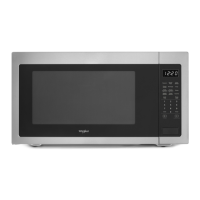


 To Next Page