4
Microwave Oven Use
Odors and smoke are normal when the microwave oven is used
the first few times or when it is heavily soiled.
IMPORTANT: The health of some birds is extremely sensitive to
the fumes given off. Exposure to the fumes may result in death to
certain birds. Always move birds to another closed and well
ventilated room.
Electronic Oven Controls
Display
When power is first supplied to the microwave oven, 12:00 will
appear in the display, press number buttons to set the clock.
Press Set Clock button or wait few seconds to confirm.
A power failure has occurred or reset the clock if needed. See the
“Clock” section.
Standby mode
When no functions are working (12-hour clock is displayed or if
the clock has not been set), oven will switch to Standby Power
mode and dim the display brightness. Press any button or
open/close the door, and then display will return to the normal
brightness.
Set Clock
The Clock is a 12-hour (1:00-11:59) without AM/PM. Press Set
Clock button to set the clock.
1. Press the Set Clock button.
2. Press the number buttons to set Clock HH:MM.
3. Press the Set Clock button, or wait for around 5 seconds will
save.
If the clock set is not correctly, start the clock with the clock value
in the memory. If not value is saved in memory, display will start
with 12:00.
Mute On·Off
This function allows the user to activate/deactivate all the sounds
played by the appliances, includes button press, warnings, alarm,
even end audio feedback.
Activate mute sounds:
Press the Mute On·Off button will mute all sounds, mute icon will
be shown on the display.
Inactivate mute sounds:
Press the Mute On·Off button again will unmute all sounds, mute
icon will disappear on the display.
Demo Mode
Activate to practice using the control without actually turning on
the magnetron or heating elements.
Activate:
Long press number button “3”, “DEMO” icon lights up in the
display.
Deactivate:
Long press number button “3”, “DEMO” icon switched off in the
display.
Timer Set·Off
You can set Kitchen Timer by pressing the Timer Set·Off button.
For example to set 60 minutes timer.
1. Press the Timer Set·Off button.
2. Press the number buttons “6 0 0 0”.
3. Press the Timer Set·Off button to start kitchen timer.
NOTE:
� During kitchen timer counting down, press the Timer Set·Off
button will cancel the timer.
� If you press the Timer Set·Off button when cooking is running:
1. Press the Timer Set·Off button once, the display will shown
the kitchen timer screen.
2. Press the Timer Set·Off button again will cancel the timer.
Cooking General guide
1. Please follow the function instructions to cook the different
types of foods.
2. For better cooking performance, it is recommended to stir/turn
and let the food stand 1 minute after cooking and reheat.
3. For better cooking performance, try to use the preset button
first.
4. For auto function, Auto functions never allow any change:
� You can start and proceed with remaining time after the
door is shut and you press start.
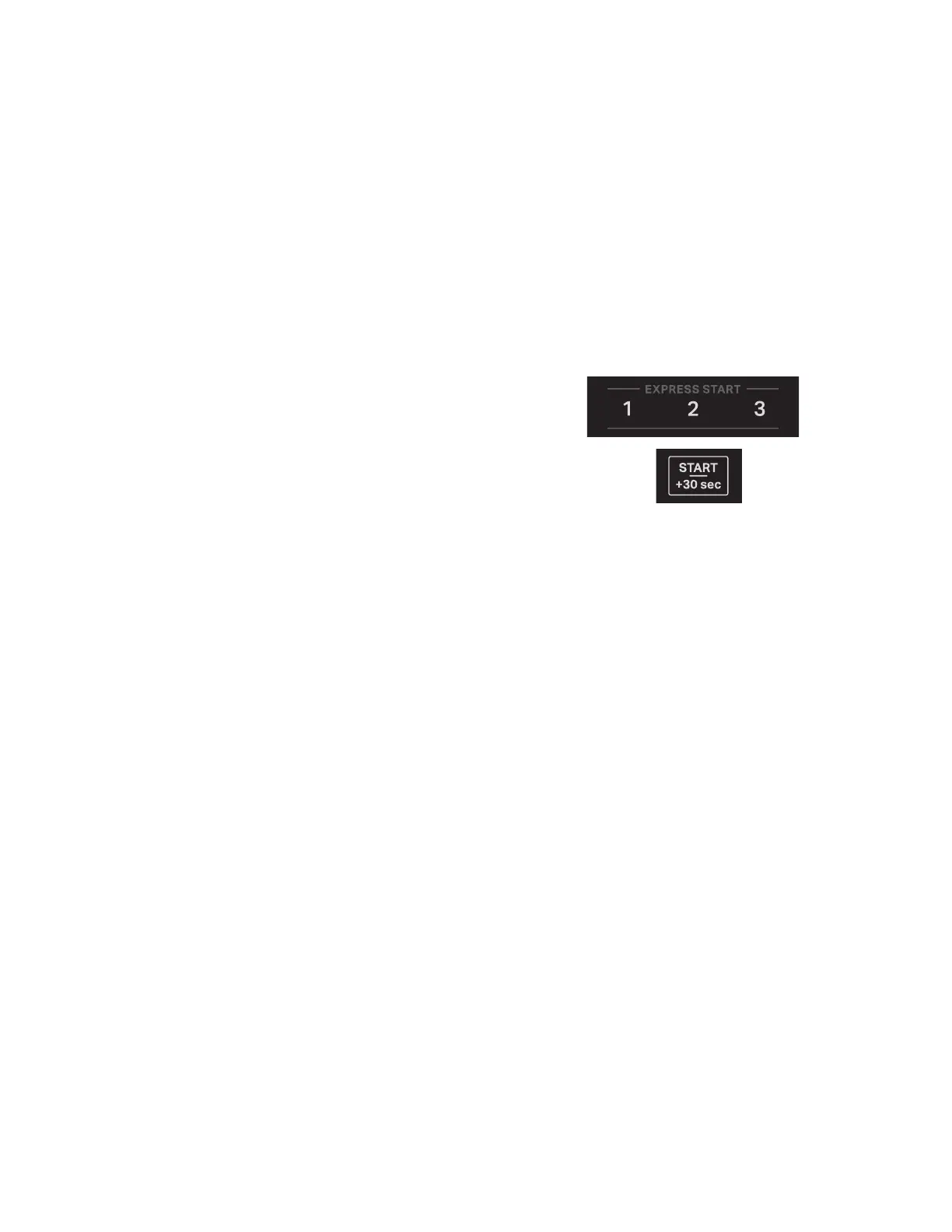
Express Cook
Use the +30 sec and 1, 2 and 3 minutes express start buttons to
quickly start a cycle or add time mid cycle.
Start/+30 sec
Each press of the button “Start/+30 sec” will add 30 seconds more
to the cooking time.
Express Start “1”
Each press of the button “1” will add 1 minute more to the cooking
time.
Express Start “2”
Each press of the button “2” will add 2 minute more to the cooking
time.
Express Start “3”
Each press of the button “3” will add 3 minute more to the cooking
time.
NOTE: If you want to change the cooking time or power level, see
the manual cooking section for details.
Cook Time/Power
Use the Cook Time/Power to set manual cooking. Place food in
microwave-safe container.
For example to cook for 1 minute 45 seconds at 80% power level.
1. Press the Cook Time/Power button once.
2. Press the number buttons “1 4 5”.
3. Press the Cook Time/Power button again.
4. Press the number buttons “8 0”.
5. Close the door.
6. Pressing the Start button to start.





 To Next Page