Ref. No. : SM77-05-058-0 Printed : Nov’2005
Page : 7
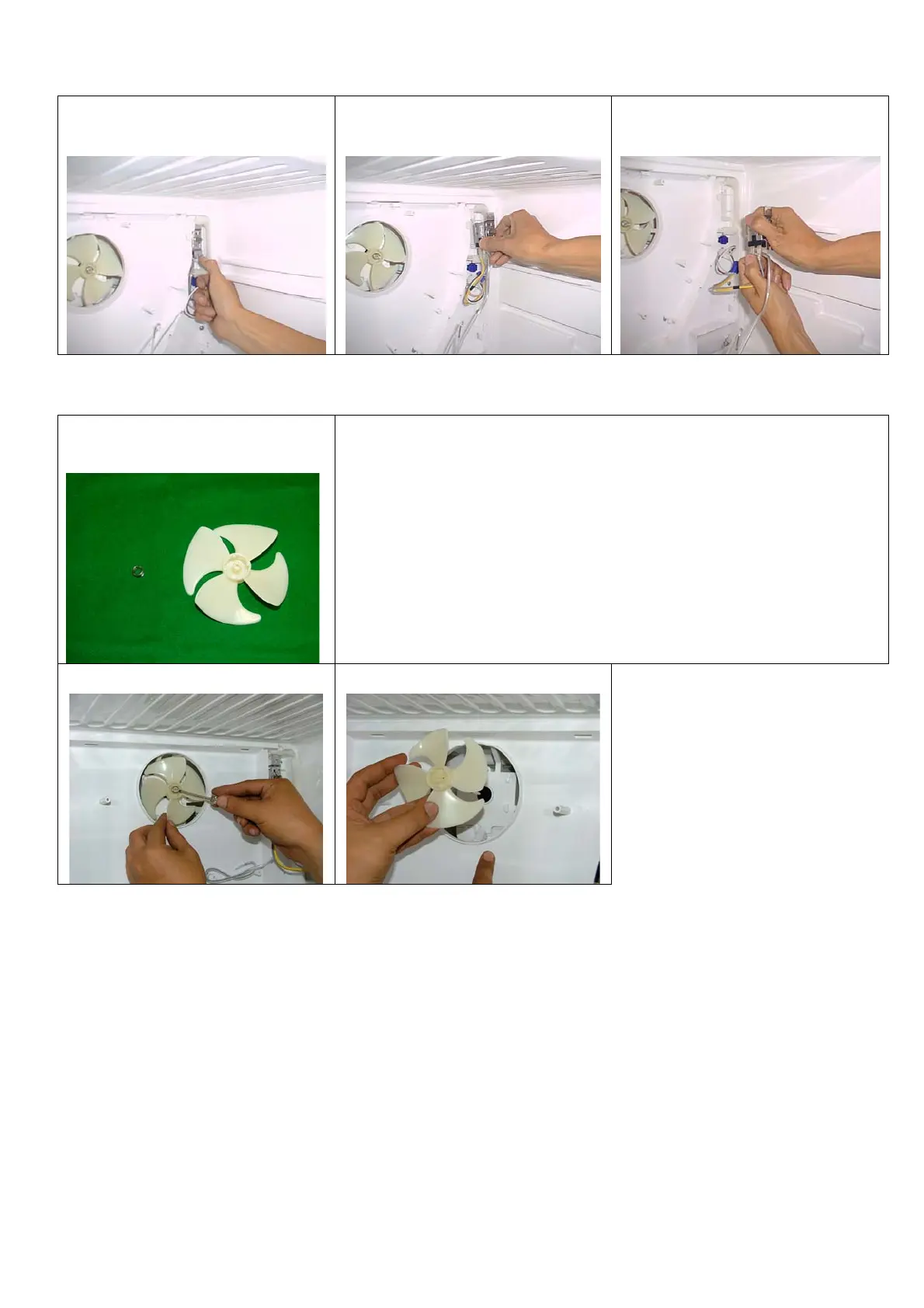
10. Release Thermostat’s lock. 11. Pull out Thermostat from Plate MTG
Motor.
12. Pull out electrical wire from
Thermostat by gripping the plug.
13. After replacing Thermostat, reverse the steps above.
Part Name
Fan
Operating Procedure
1. Follow step 1-8 of replacing Thermostat.
2. Dig Spring. 3. Pull out Fan from Fan Motor. 4. After replacing Fan , reverse the steps
above.



 To Next Page