EasyManua.ls Logo

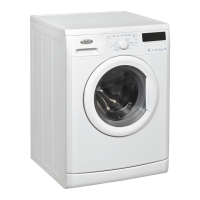
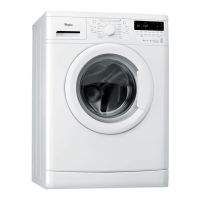
Whirlpool WWDC 6400 - User Manual

Whirlpool WWDC 6400
15 pages
Print Icon
To Next Page IconTo Next Page
Loading...
DEFINITION OF USE
• Keep these Instructions for Use and the
Programme Chart; if you pass on the washing
machine to another person, also give him/her
Instructions for Use and Programme Chart.
This washing machine is exclusively destined to wash
and spin machine washable laundry in quantities which
are usual for private households.
• Observe the instructions given in these Instructions
for Use and the Programme Chart when using the
washing machine.
BEFORE USING THE WASHING MACHINE
1. Remove the packaging and check
a. Cut and remove the shrink-wrap.
b. Remove the top protection and the protective
corners.
c. Remove the bottom protection by tilting
and turning the washing machine on one
rear bottom corner. Make sure that the
black plastic part of the bottom protection
(if available on the model) remains in the
packing and not in the machine bottom.
This is important, as otherwise the plastic part could
damage the washing machine during operation.
d. Open the lid by pressing it slightly down while
raising the handle. Remove the polystyrene
cushion (depending on model).
e. Remove the blue protective film from the panel
(depending on model).
• After unpacking, make sure that the washing machine
is undamaged. If in doubt, do not use the washing
machine. Contact After-Sales Service or your local
retailer.
• Keep the packaging materials (plastic bags,
polystyrene parts, etc.) out of reach of children;
they are potentially dangerous.
• If the appliance was exposed to the cold prior to
delivery, keep it at room temperature for a few
hours before operating.
2. Remove the transport bracket
• The washing machine is fitted with transport
screws and a transport bracket to prevent
damage during transport. Before using the
washing machine you must remove the
transport bracket (see “Installation”/“Removal
of transport bracket”).
3. Install the washing machine
• Place the washing machine on a flat and stable
floor surface.
• Adjust the feet to ensure that the machine is
stable and level (see “Installation”/“Adjust the
feet”).
• In case of wooden or so-called “floating floors”
(for instance certain parquet or laminate floors),
place the appliance on a 40 x 60 cm sheet of
plywood at least 3 cm in thickness which is
secured to the floor.
• Make sure that the ventilation openings in the
base of your washing machine (if available on
your model) are not obstructed by a carpet or
other material.
4. Water supply
• Connect the water supply inlet hose in
accordance with the regulations of your local
water company (see “Installation”/“Connect the
water inlet hose”).
• Water supply: Cold water only
• Tap: 3/4” threaded hose connection
• Pressure: 100-1000 kPa (1-10 bar).
• Only use new hoses for connecting the washing
machine to the water supply. Used hoses must
not be used anymore and should be discarded.
5. Drain hose
• Connect the drain hose to the siphon or hook it
over the edge of a sink with the “U” bend (see
“Installation”/“Connect the water drain hose”).
• If the washing machine is connected to a built-in
drainage system, ensure the latter is equipped
with a vent to avoid simultaneous loading and
draining of water (siphoning effect).
6. Electrical connection
• Electrical connections must be carried out by a
qualified technician in compliance with the
manufacturer’s instructions and the current
standard safety regulations.
• The technical data (voltage, power and fuses) are
given on the rating plate on the rear of the washing
machine.
• The washing machine must be connected exclusively
by means of a socket with an earth connection in
accordance with current regulations. The washing
machine must be earthed by law. The manufacturer
declines all liability for injury to persons or animals or
damage to property deriving directly or indirectly
from failure to observe the directions.
• Do not use extension leads or multi sockets.
• Before any maintenance on the washing machine
disconnect it from the mains supply.
• Access to the mains plug or to disconnection from
the mains supply via a double-pole switch must be
ensured at all times following the installation.
• Do not operate the washing machine if it has been
damaged during transport. Inform the After-Sales
Service.
• Mains cable replacement is only to be carried out
by After-Sales Service.
• The washing machine must be connected to an
effective earthing installation, in compliance with the
regulations in force. In particular, washing machines
installed in premises containing a shower or a bath
must be protected by a differential residual current
device of at least 30 mA. Earthing the washing
machine is obligatory under the law. The
manufacturer declines all liability for injury to persons
or animals or damage to property deriving either
directly or indirectly from failure to observe the
directions in these Instructions for Use.
• The washing machine may only be used in the
household for the prescribed uses.
Dimensions:
Width: 400 mm
Height: 900 mm
Depth: 600 mm
GB 1


Questions and Answers

  • N
    nfosterSep 13, 2025
    Why does my Whirlpool Washer detergent dispenser contain residues?
    • J
      Jasmine HollandSep 13, 2025
      If your Whirlpool Washer's detergent dispenser contains residues, it may be due to insufficient water entering. Check if the mesh filters of the water supply are blocked.
  • M
    Michele RichardsonSep 12, 2025
    Why is my Whirlpool washing machine pausing in the middle of a running program?
    • M
      Morgan KruegerSep 12, 2025
      Your Whirlpool washing machine pausing mid-cycle is a normal function used to optimize the rinse phase, often due to excessive detergent use. The machine interrupts the program to reduce foam, and this may repeat. If the foam persists, the red “Service” indicator will light up and the display shows “F18” or “Fod”.
  • W
    wwilliamsSep 12, 2025
    Why does my Whirlpool WWDC 6400 Washer have detergent residues on laundry after washing?
    • K
      Kara MendezSep 12, 2025
      Detergent residues on laundry after a wash in your Whirlpool Washer, particularly whitish residues on dark fabrics, are often caused by insoluble compounds in phosphate-free powder detergents. To resolve this: * Avoid overdosing detergent. * Use liquid detergent. * Select the “Intensive Rinse” option, if available. * Brush out the fabric.
  • A
    annahuertaSep 10, 2025
    Why are my Whirlpool WWDC 6400 Washer spin results poor?
    • C
      Christopher HarrisSep 10, 2025
      Poor spin results from your Whirlpool Washer may be due to unbalance during spinning, excessive foam formation, or a low spin speed setting. Select and start the “Rinse & Spin” program to address foam. Avoid excessive detergent. Also, check the “Spin” button setting.
  • G
    Gary MyersSep 9, 2025
    What causes unbalance during spinning in Whirlpool Washers?
    • J
      Jaclyn LaneSep 9, 2025
      Unbalance during spinning in your Whirlpool Washer can occur due to small laundry loads with few large items or big/heavy laundry items. To avoid this, mix laundry items of different sizes. If you want to spin the wet laundry, add more laundry items of different sizes, and subsequently select and start the “Rinse & Spin” programme.
  • Q
    qgarciaSep 8, 2025
    What to do if my Whirlpool WWDC 6400 Washer shows the 'Clean pump' failure indicator?
    • S
      stevenramirezSep 8, 2025
      If the 'Clean pump' indicator blinks on your Whirlpool Washer, it means waste water is not being pumped out. Unplug the appliance and check for the following: * Kinks or blockages in the drain hose. * Blockages in the filter or pump. * Frozen drain hose. After resolving the issue, push the 'Reset' button and restart the desired program.
  • T
    Troy ZunigaAug 23, 2025
    Why won't my Whirlpool WWDC 6400 Washer start after pressing 'Start(Pause)'?
    • D
      dyermelissaAug 23, 2025
      If your Whirlpool Washer doesn't start even after pressing 'Start(Pause)', it might be because the lid isn't properly closed. Alternatively, the 'Lock buttons' function might be activated. To unlock the buttons, press and hold the temperature and spin speed buttons simultaneously for at least 3 seconds until the key symbol disappears from the display.
  • E
    Elizabeth BradySep 6, 2025
    What does 'Clean pump' mean on my Whirlpool WWDC 6400 and what should I do?
    • J
      Jacob WilsonSep 6, 2025
      If your Whirlpool Washer displays 'Clean pump', it means waste water isn't being pumped out. Unplug the appliance and check for these issues: * Kinks or blockages in the drain hose. * A blocked filter or pump. * A frozen drain hose. After resolving the issue, push the Reset button for at least 3 seconds, then restart the desired program.
  • A
    Allen GibsonSep 5, 2025
    What to do if my Whirlpool Washer won't start after pressing start?
    • K
      Kenneth WilliamsSep 5, 2025
      If your Whirlpool Washer doesn't start even after pressing the Start/Pause button, check the following: * Ensure that the door is properly closed. * See if the Child lock/Lock buttons feature is activated. If it is, unlock the buttons by pressing and holding the two buttons marked with the key symbol simultaneously for at least 3 seconds. The key symbol on the display should disappear, and then you can start the program.
  • T
    Travis SanchezSep 4, 2025
    What to do if my Whirlpool WWDC 6400 Washer is at a standstill during the wash cycle?
    • P
      Patricia SmithSep 4, 2025
      If your Whirlpool Washer pauses for several minutes during a cycle, it's a normal function to optimize the rinse phase or reduce foam. If too much detergent was used, the machine interrupts the program to reduce the foam. This may repeat until the foam is reduced enough to continue. If the foam persists, a service indicator may appear.

Summary

Before Using the Washing Machine

Washing Machine Installation

Steps for installing the washing machine on a level surface and adjusting feet.

Electrical Connection

Requirements for safe electrical connection by a qualified technician.

Precautions and General Recommendations

General Safety Instructions

Important safety guidelines for using the washing machine and for child safety.

Installation Guide

Connecting the Water Inlet Hose

Connecting the Water Drain Hose

Electrical Connection Details

Earthing Requirement

Mandatory earthing of the washing machine for electrical safety.

Rewirable Plug Connection

Procedure for connecting wires to a rewirable plug by a qualified electrician.

Before First Wash Cycle

Laundry Preparation

Loading the Laundry

Detergents and Additives

Cleaning Filter and Draining Water

Care and Maintenance

Recovering Objects from Drum

Troubleshooting Guide

Appliance Not Starting

Diagnosing issues when the appliance does not start or indicator lamps are off.

Program Start Issues

Troubleshooting when the appliance does not start after pressing 'Start/Pause'.

Program Interruption

Resolving program stops and flashing 'Start/Pause' light indications.

Failure Indication Descriptions

Water Tap Closed Error

Troubleshooting 'Water tap closed' indication and related water supply issues.

Clean Pump Error

Resolving issues related to water not being pumped out and 'Clean pump' indication.

Service and Fault Code Indications

General Service Indicator

Interpreting 'bdd' (all lamps) and 'Service' indications for program sequence errors.

Module and Waterstop Faults

Troubleshooting 'F09' (Electrical module fault) and 'FA' (Waterstop fault).

After-Sales Service Contact

Transport and Handling

Whirlpool WWDC 6400 Specifications

General IconGeneral
Door hingeLeft
Cord length1.2 m
Loading typeFront-load
Product colorWhite
Built-in displayNo
Appliance placementFreestanding
Drum capacity6 kg
Spin-drying classB
Maximum spin speed1400 RPM
Noise level (spin)77 dB
Noise level (wash)59 dB
Number of washing programs-
Washing classA
Annual water consumption washing9272 L
Annual energy consumption washing179 kWh
Adjustable feetYes
Current10 A
Connected load2300 W
Water consumption per cycle49 L
Energy consumption washing per cycle0.9 kWh
Package depth480 mm
Package width640 mm
Package height880 mm
Package weight74000 g
Weight and Dimensions IconWeight and Dimensions
Depth520 mm
Width595 mm
Height845 mm
Weight72000 g
Door opening diameter72000 mm

Related product manuals