EasyManua.ls Logo

Whistler D16VRS - User Manual

Whistler D16VRS
23 pages
Print Icon
To Next Page IconTo Next Page
Loading...
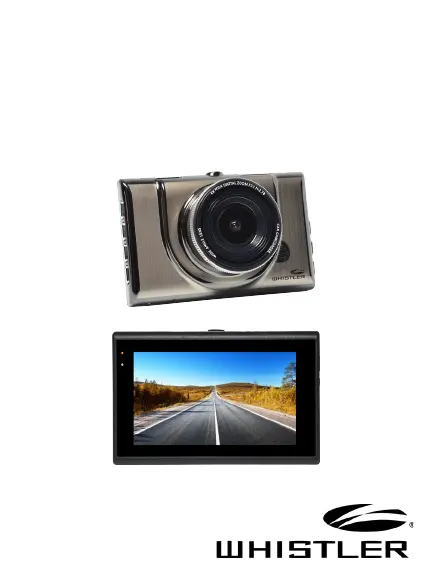
D16VRS
User Guide
AUTOMOTIVE
DIGITAL VIDEO RECORDER

Questions and Answers

  • M
    Mark HillAug 5, 2025
    Why is my Whistler DVR showing a black image when recording the sky or water?
    • B
      Brenda AcostaAug 5, 2025
      When recording scenes with significant contrast, the automatic exposure function of your Whistler DVR might be affected. To fix this, adjust the Exposure setting located in the Global menu settings.
  • A
    Andre BookerAug 11, 2025
    What to do if my Whistler D16VRS DVR doesn’t work with my SD card?
    • M
      Matthew Hernandez MDAug 11, 2025
      If your Whistler DVR doesn't recognize the SD card, try removing it and re-inserting it. If that doesn't work, the SD card may be damaged, or the device might not support that specific type of memory card. Try using a different memory card; SanDisk is recommended.
  • Q
    qadkinsAug 18, 2025
    How to fix cross stripe interference in my Whistler D16VRS DVR image?
    • H
      Holly JonesAug 18, 2025
      Cross stripe interference in the image is usually due to an incorrect “Light Frequency“ setting. Check the setting for 50Hz or 60Hz in the MENU Settings of your Whistler DVR to resolve this.
  • C
    Christopher CampbellAug 23, 2025
    What to do if the video or photo from my Whistler D16VRS DVR is unclear?
    • K
      Katelyn TaylorAug 23, 2025
      Check the lens of your Whistler DVR for any fingerprints, protective film, or other obstructions. Clean the lens with a soft cloth.
  • J
    Jennifer MercadoAug 29, 2025
    What to do if “files error” appears during replay on my Whistler D16VRS?
    • A
      Adam ReynoldsAug 29, 2025
      If you see a “files error” during replay, it means there are uncompleted files due to a micro SD card storage error. Try reformatting or replacing the card.

Summary

Product Introduction

Features

Overview of the DVR's key characteristics and capabilities.

Feature Description

Button and Function

Details the purpose and operation of each physical button on the DVR.

Operations

Inserting a micro SD Card

Step-by-step guide on how to insert the memory card into the DVR.

Charging the Unit

Instructions on how to charge the DVR using different power sources.

Installing the Windshield Bracket

Guide for securely mounting the DVR onto the vehicle's windshield.

Power Connection in Vehicle

Instructions for connecting the DVR to the vehicle's power source.

Power ON;OFF

How to turn the DVR on and off using the power button.

Initial Settings

Steps for configuring essential settings like Date & Time.

MENU Settings

Explanation of how to navigate and use the device's menu options.

Recording Video

Guide on how to start, stop, and manage video recording.

Recording Image

Instructions on how to capture still images with the DVR.

Review

Steps to review recorded videos and images.

USB Settings

How to connect the DVR to a computer via USB for file access or webcam use.

View DVR Screen on TV or Monitor

Instructions for connecting the DVR to an external display via HDMI.

Battery Charging

Details about the DVR's battery and charging indicators.

Special Functions

Explains advanced features like G-sensor, Parking Monitor, and HDR.

Troubleshooting

Reset

How to restore operation by using the reset button.

Use and Care

Guidelines for proper usage and maintenance to prevent damage.

Specifications

Basic functions

Lists the fundamental operating capabilities of the DVR.

Menu Options

Video Resolution and Recording Settings

Configuration options for video quality, loop recording, and exposure.

System Settings

Options for date, time, language, TV mode, and formatting.

Playback Options

Settings for managing recorded files like delete, protect, and slide show.

Warranty Information

Consumer Warranty

Details the terms and conditions of the limited consumer warranty.

Service Under Warranty

Procedures for returning the unit for repair or replacement under warranty.

Service Out-Of-Warranty

Conditions and procedures for out-of-warranty service and repair.

Whistler D16VRS Specifications

General IconGeneral
Video Resolution1080p
Loop RecordingYes
G-SensorYes
Night VisionYes
Field of View120 degrees
StoragemicroSD card

Related product manuals