EasyManua.ls Logo

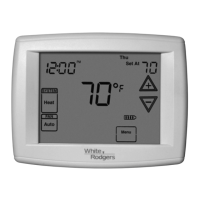
White Rodgers 1F97-1277 - User Manual

White Rodgers 1F97-1277
12 pages
Print Icon
To Next Page IconTo Next Page
Loading...
Installation 2
Wiring Connections 2
Thermostat Quick Reference 3
Installer Configuration Menu 4
Operating Your Thermostat 7
Programming 7
Troubleshooting 11
www.white-rodgers.comwww.white-rodgers.com
www.white-rodgers.com
Big Blue Single Stage Thermostat withBig Blue Single Stage Thermostat with
Big Blue Single Stage Thermostat with
Automatic Heat/Cool Changeover OptionAutomatic Heat/Cool Changeover Option
Automatic Heat/Cool Changeover Option
PART NO. 37-6814BPART NO. 37-6814B
PART NO. 37-6814B
Replaces 37-6814A
0902
Single Stage Installation and OperatingSingle Stage Installation and Operating
Single Stage Installation and Operating
Instructions for Model:Instructions for Model:
Instructions for Model:
APPLICATIONSAPPLICATIONS
APPLICATIONS
DescriptionDescription
Description
Heat Pump (No Aux. or Emergency Heat) No
Heat Pump (with Aux. or Emergency Heat) No
Systems with up to 3 Stages Heat, 2 Stages Cool No
Heat Only Systems Yes
Millivolt Heat Only Systems – Floor or Wall Furnaces Yes
Cool Only Systems Yes
Gas or Oil Heat Yes
Electric Furnace Yes
Hydronic (Hot Water) Zone Heat – 2 Wires Yes
Hydronic (Hot Water) Zone Heat – 3 Wires Yes
Wired Remote Temperature Sensor (Indoor/Outdoor) Yes
Dual Fuel Feature (Heat Pump Mode) No
THERMOSTAT APPLICATION GUIDETHERMOSTAT APPLICATION GUIDE
THERMOSTAT APPLICATION GUIDE
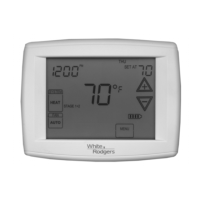
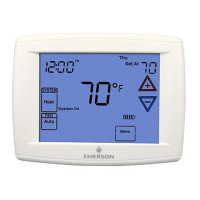
1F97-1277 Touchscreen Thermostat1F97-1277 Touchscreen Thermostat
1F97-1277 Touchscreen Thermostat
SPECIFICATIONSSPECIFICATIONS
SPECIFICATIONS
Electrical Rating:
Battery Power . . . . . . . . . . . . . . . . . . . . . . . . . mV to 30 VAC, NEC Class II, 50/60 Hz or DC
Input-Hardwire . . . . . . . . . . . . . . . . . . . . . . . . 20 to 30 VAC
Terminal Load . . . . . . . . . . . . . . . . . . . . . . . . . . . . 1.5A per terminal, 2.5A maximum all terminals combined
Setpoint Range . . . . . . . . . . . . . . . . . . . . . . . . . . . 45 to 99°F (7 to 32°C)
Differential (Single Stage) . . . . . . . . . . . . . . . . . . . Heat 0.6°F; Cool 1.2°F
Differential (Multi-Stage) . . . . . . . . . . . . . . . . . . . . Heat 0.6°F; Cool 1.2°F
Differential (Heat Pump) . . . . . . . . . . . . . . . . . . . . Heat 1.2°F; Cool 1.5°F
Operating Ambient . . . . . . . . . . . . . . . . . . . . . . . . . 32°F to +105°F (0 to +41°C)
Operating Humidity . . . . . . . . . . . . . . . . . . . . . . . . 90% non-condensing max.
Shipping Temperature Range . . . . . . . . . . . . . . . . -4 to +150°F (-20 to +65°C)
Dimensions Thermostat . . . . . . . . . . . . . . . . . . . . . 4.6"H x 5.9"W x 1.2"D
To prevent electrical shock and/or equipment dam-To prevent electrical shock and/or equipment dam-
To prevent electrical shock and/or equipment dam-
age, disconnect electric power to system at main fuseage, disconnect electric power to system at main fuse
age, disconnect electric power to system at main fuse
or circuit breaker box until installation is complete.or circuit breaker box until installation is complete.
or circuit breaker box until installation is complete.
CAUTION
!
ATTENTION: MERCURY NOTICEATTENTION: MERCURY NOTICE
ATTENTION: MERCURY NOTICE
This product does not contain mercury. However, this
product may replace a product that contains mercury.
Mercury and products containing mercury must not be
discarded in household trash. Do not touch any spilled
mercury. Wearing non-absorbent gloves, clean up any
spilled mercury and place in a sealed container. For proper
disposal of a product containing mercury or a sealed
container of spilled mercury, place it in a suitable shipping
container. Refer to
wwwwww
wwwwww
www
.w.w
.w.w
.w
hite-rhite-r
hite-rhite-r
hite-r
odgodg
odgodg
odg
erer
erer
er
ss
ss
s
.com.com
.com.com
.com for location to
send the product containing mercury.
IndexIndex
IndexIndex
Index
PagePage
PagePage
Page
ModelModel
ModelModel
Model
Programming ChoicesProgramming Choices
Programming Choices
1F97-12771F97-1277
1F97-12771F97-1277
1F97-1277
Non-Programmable 5/1/1 Day 7 Day
Save these instructions for future use!Save these instructions for future use!
Save these instructions for future use!
FAILURE TO READ AND FOLLOW ALL INSTRUCTIONSFAILURE TO READ AND FOLLOW ALL INSTRUCTIONS
FAILURE TO READ AND FOLLOW ALL INSTRUCTIONS
CAREFULLY BEFORE INSTALLING OR OPERATING THISCAREFULLY BEFORE INSTALLING OR OPERATING THIS
CAREFULLY BEFORE INSTALLING OR OPERATING THIS
CONTROL COULD CAUSE PERSONAL INJURY AND/ORCONTROL COULD CAUSE PERSONAL INJURY AND/OR
CONTROL COULD CAUSE PERSONAL INJURY AND/OR
PROPERTY DAMAGE.PROPERTY DAMAGE.
PROPERTY DAMAGE.

Questions and Answers

  • J
    johnsonantonioAug 16, 2025
    How to fix a White Rodgers 1F97-1277 with no heat, cool, or fan?
    • R
      Randy MartinAug 17, 2025
      If your White Rodgers Thermostat isn't producing heat, cool air, or running the fan, there are several potential causes: * A blown fuse or tripped circuit breaker could be the culprit. Replace the fuse or reset the breaker. * The furnace power switch might be off. Ensure it's turned on. * The furnace blower compartment door or panel may be loose. Replace the door panel correctly to engage the safety interlock or door switch. * There might be a loose connection to the thermostat or system. Try tightening the connections.
  • A
    alexa97Aug 19, 2025
    How to fix White Rodgers 1F97-1277 with no heat, no cool, or no fan?
    • K
      kathy81Aug 19, 2025
      If your White Rodgers Thermostat has no heat, no cool, and no fan, here's what to check: * **Blown fuse or tripped circuit breaker:** Replace the fuse or reset the breaker. * **Furnace power switch:** Ensure the furnace power switch is turned to ON. * **Furnace blower compartment door:** Make sure the door or panel is properly installed to engage the safety interlock or door switch. * **Loose connections:** Tighten any loose connections to the thermostat or system.
  • C
    Carlos MitchellAug 22, 2025
    What to do if my White Rodgers 1F97-1277 Thermostat has no heat?
    • R
      Ryan WatsonAug 22, 2025
      If your White Rodgers Thermostat isn't producing heat, consider these possibilities: * The pilot light may not be lit. Try re-lighting it. * The furnace might be in a lock-out condition. If the heat works intermittently, contact the furnace manufacturer or a local HVAC service person for assistance. * The heating system may require service, or the thermostat might need replacement. Set the SYSTEM Switch to HEAT and raise the setpoint above room temperature. If the thermostat doesn't click, try resetting it. If it still doesn't click, contact your heating and cooling service person or place of purchase for a replacement.
  • T
    tina01Aug 25, 2025
    How to diagnose a White Rodgers 1F97-1277 with no cool air?
    • J
      Jason MorrisonAug 25, 2025
      To diagnose a White Rodgers Thermostat that's not cooling, follow the same diagnostic steps as for a 'No Heat' condition, but set the thermostat to COOL and lower the setpoint below the room temperature.
  • J
    James LewisAug 27, 2025
    What to do if my White Rodgers 1F97-1277 is not cooling?
    • A
      Audrey HillAug 27, 2025
      If your White Rodgers Thermostat is not cooling, the cooling system may require service or the thermostat may need to be replaced. Try the same diagnostic steps as for a 'No Heat' condition, but set the thermostat to COOL and lower the setpoint below the room temperature. Note that there may be up to a five-minute delay before the thermostat clicks in Cooling.
  • E
    Emma LuceroAug 30, 2025
    Why is my White Rodgers 1F97-1277 Thermostat not heating?
    • J
      Julie WallaceAug 30, 2025
      If your White Rodgers Thermostat is not heating, start by checking if the pilot light is lit and relight it if necessary. If the furnace is in a lock-out condition, which may also cause intermittent heat, contact the furnace manufacturer or a local HVAC service person for assistance. To diagnose if the thermostat requires replacement, set the SYSTEM switch to HEAT and raise the setpoint above room temperature. Listen for a soft click sound, indicating proper operation. If there is no click, try resetting the thermostat. If it still doesn't click after resetting, contact your heating and cooling service person or place of purchase for a replacement. If it clicks, contact the furnace manufacturer or a HVAC service person to verify the heating is operating correctly.
  • A
    Amanda MillerSep 2, 2025
    Why does my White Rodgers Thermostat heat, cool, and fan run constantly?
    • P
      Paul JimenezSep 2, 2025
      If your White Rodgers Thermostat's heat, cool, or fan is running constantly, here's what could be happening: * There might be a short in the wiring. Inspect each wire connection to ensure they are not shorted or touching. * The thermostat itself could have a short. Try resetting the thermostat. * There might be a short in the heat/cool/fan system. If the system then operates correctly, replace the thermostat. * The FAN switch might be set to Fan ON.
  • S
    Sandra MorganSep 5, 2025
    How to unlock White Rodgers 1F97-1277 Thermostat if I forgot the code?
    • J
      Joseph CollinsSep 5, 2025
      To unlock your White Rodgers Thermostat if you've forgotten the keypad lockout code, press the menu button (the button will disappear) and hold it in for 20 seconds. This will unlock the thermostat.
  • J
    Joseph SparksSep 7, 2025
    Why does my White Rodgers Thermostat heat, cool, or fan run constantly?
    • R
      robinramseySep 7, 2025
      If your White Rodgers Thermostat-controlled heat, cool, or fan runs constantly, there might be a short in the wiring. Check each wire connection to ensure they are not shorted or touching. Ensure no bare wire sticks out from under the terminal block. You can also try resetting the thermostat. If the fan switch is set to 'Fan ON', the thermostat might need to be replaced.
  • B
    Brittany MyersSep 10, 2025
    How to adjust temperature on White Rodgers 1F97-1277 Thermostat if setting and thermometer disagree?
    • C
      Christina BrockSep 12, 2025
      If your White Rodgers Thermostat setting and thermometer disagree, the thermometer setting may require adjustment. The thermometer can be adjusted +/- 4 degrees. Refer to the Temperature Display Adjustment section in the Configuration Menu.

Summary

Installation Guide

Remove Old Thermostat

Instructions for safely removing an existing thermostat from its mounting base.

Installing New Thermostat

Step-by-step guide for mounting and securing the new thermostat base.

Battery Location and Setup

Details on where to find and install AA batteries for thermostat operation.

Wiring Connections Overview

Single Stage Connections

Wiring instructions for single-stage heating and cooling systems.

Thermostat Quick Reference

Home Screen Display Explained

Description of the main screen elements and indicators on the thermostat display.

Programming and Configuration Items

Overview of the buttons and functions for programming and configuration.

Installer Configuration Menu

System Switch and Fan Settings

Configuring system type (Heat/Cool/Auto) and fan operation modes.

Temperature Limit Settings

Setting maximum heat and minimum cool temperature limits.

Keypad Lockout Options

Selecting security levels to prevent unauthorized changes to settings.

Operating Your Thermostat

Fan Setting Choices

How to select and use fan modes: Auto, On, or Prog for air circulation.

System Setting Choices

Selecting the thermostat operation mode: Heat, Cool, Off, or Auto.

Manual Operation and Overrides

How to manually adjust temperature and temporarily override programmed schedules.

Programming Your Thermostat

Entering Heating and Cooling Programs

Steps to set desired temperatures and times for heating and cooling periods.

Automatic Schedule Feature

Using the Auto Schedule function for quick comfort temperature programming.

Fan Program Options

How to program the fan to run automatically or continuously.

Troubleshooting Common Issues

Resetting the Thermostat

Procedure for resetting the thermostat to factory default settings.

Troubleshooting No Heat;Cool;Fan

Diagnosing and resolving common issues with heating, cooling, or fan operation.

Addressing Cycle Rate Issues

Solutions for systems cycling too fast or too slow.

White Rodgers 1F97-1277 Specifications

General IconGeneral
BrandWhite Rodgers
Model1F97-1277
CategoryThermostat
LanguageEnglish

Related product manuals