EasyManua.ls Logo

White 2137 - Sewing in Reverse; Using the Reverse Stitch Button; Adjusting the Tensions; Upper and Lower Tension Adjustment

Default Icon
38 pages
Print Icon
To Next Page IconTo Next Page
To Previous Page IconTo Previous Page
Loading...
a
a
a
SEWING
IN
REVERSE
When
you
wish
to
sew
backward
to
tie
the
threads
at
the
begin-
fling
or
end
of
a
seam,
press
in
the
reverse
button
B,
Fig.
14,
as
far
(
as
it
will
go.
The
machine
will sew
backward
as
long
as
the
(
button
is
held
in.
C
C
ADJUSTING
THE
TENSIONS
C
C
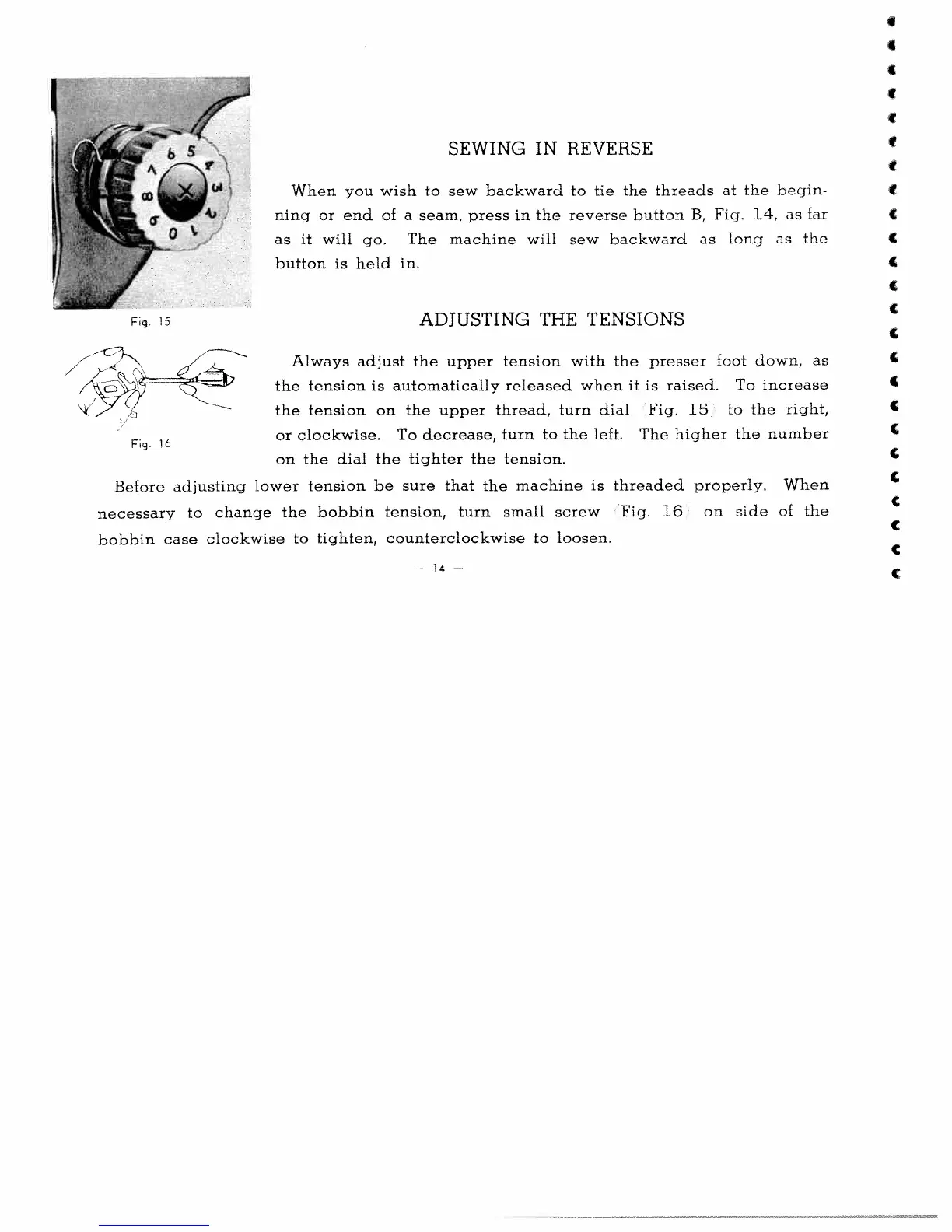
Always
adjust
the
upper
tension
with
the
presser
foot
down,
as
the
tension
is
automatically
released
when
it
is
raised.
To
increase
the
tension
on
the
upper
thread,
turn
dial
Fig.
15
to
the
right,
pg.
16
or
clockwise.
To
decrease,
turn
to
the
left,
The
higher
the
number
on
the
dial
the
tighter
the
tension.
C
Before
adjusting
lower
tension
be
sure
that
the
machine
is
threaded
properly.
When
necessary
to
change
the
bobbin
tension,
turn
small
screw
Fig.
16
on
side
of
the
C
bobbin
case
clockwise
to
tighten,
counterclockwise
to
loosen.
Fig.
15
-
14
C

Related product manuals