4
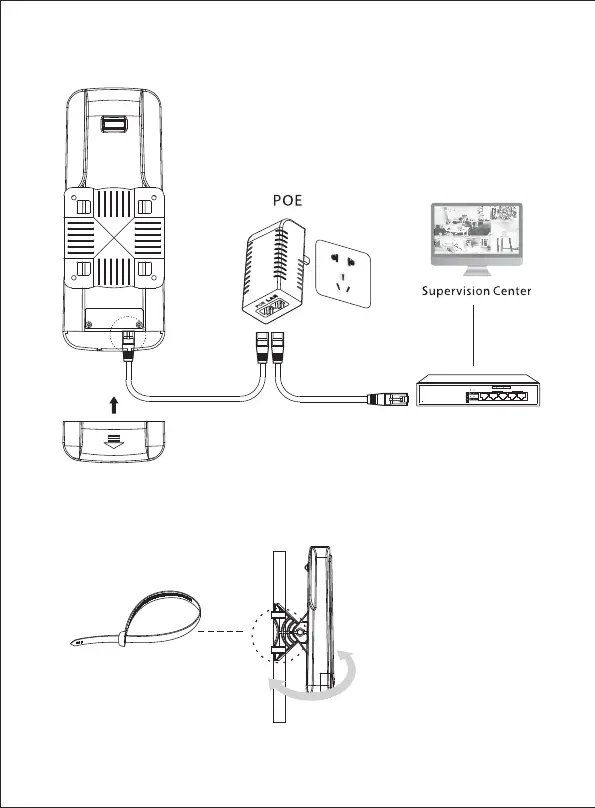
Connection and Installation
Upward push the Rear cover
plate after connection
According to the network
topology, connect the POE
with PC, Router or Switch.
Adjust the CPE toward the
direction you choose.
复位键
NVR
GPS-5 -65W Gi gabit Po E Swit ch
5-Port Gigabit Ethernet Switch With 4-Port PoE
PoE-Ports
1 2 3 4 5
LAN 100Mbps 1000Mbps
UP/Link
LAN
LAN
3 5
2 4
PWR
1
PoE
PoE
100m



 To Next Page