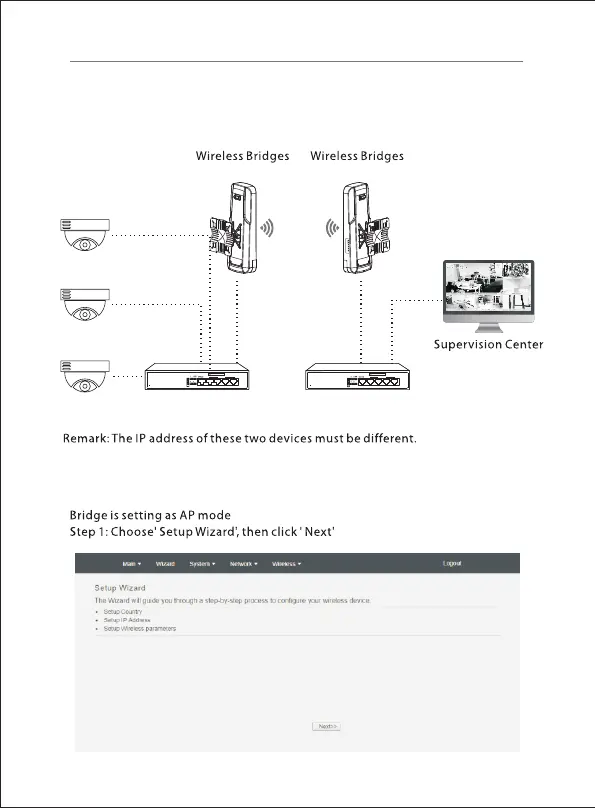
Point to point connection
For point to point connection, please setting one device from two as 'AP mode' ,
another one as 'Client mode', the SSID, the way of encryption and password of
these two devices are both the same, then they will connect and work with each
other automatically.
Switch
Camera
7
Switch
Power
MainSecondary
GPS-5-65W Gigabit PoE Switch
5-Port Gigabit Ethernet Switch With 4-Port PoE
PoE-Ports
1 2 3 4 5
100Mbps 1000Mbps
3 5
2 4
1
PoE
PoE
GPS-5-65W Gigabit PoE Switch
5-Port Gigabit Ethernet Switch With 4-Port PoE
PoE-Ports
1 2 3 4 5
100Mbps 1000Mbps
3 5
2 4
1
PoE
PoE



 To Next Page