Need help?
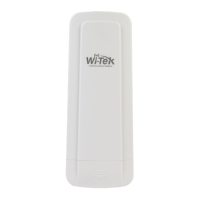
Do you have a question about the Wi-Tek WI-CPE515-KIT and is the answer not in the manual?
Details the connection steps using the POE adapter with the device.
Instructions on adjusting the CPE towards the desired direction using strapping tape.
Details setting a static IP address and subnet mask for the device.
Explains how to log in to the device's web interface using default credentials.
Selects Wireless Client mode and performs a site survey to find the network.
 General
| Model | WI-CPE515-KIT |
|---|---|
| Wireless Standards | IEEE 802.11a/n |
| Frequency Band | 5GHz |
| Max Data Rate | 300Mbps |
| Ethernet Port | 1 x 10/100Mbps |
| Ingress Protection | IP65 |
| Mounting | Pole/Wall Mount |
| Operating Mode | Client |
| Power Supply | 24V Passive PoE |
| Operating Temperature | -30°C to 70°C |
| Wireless Security | WPA-PSK/WPA2-PSK |
| Interface | Web-based |
| Frequency | 5.180-5.825GHz |


 To Next Page