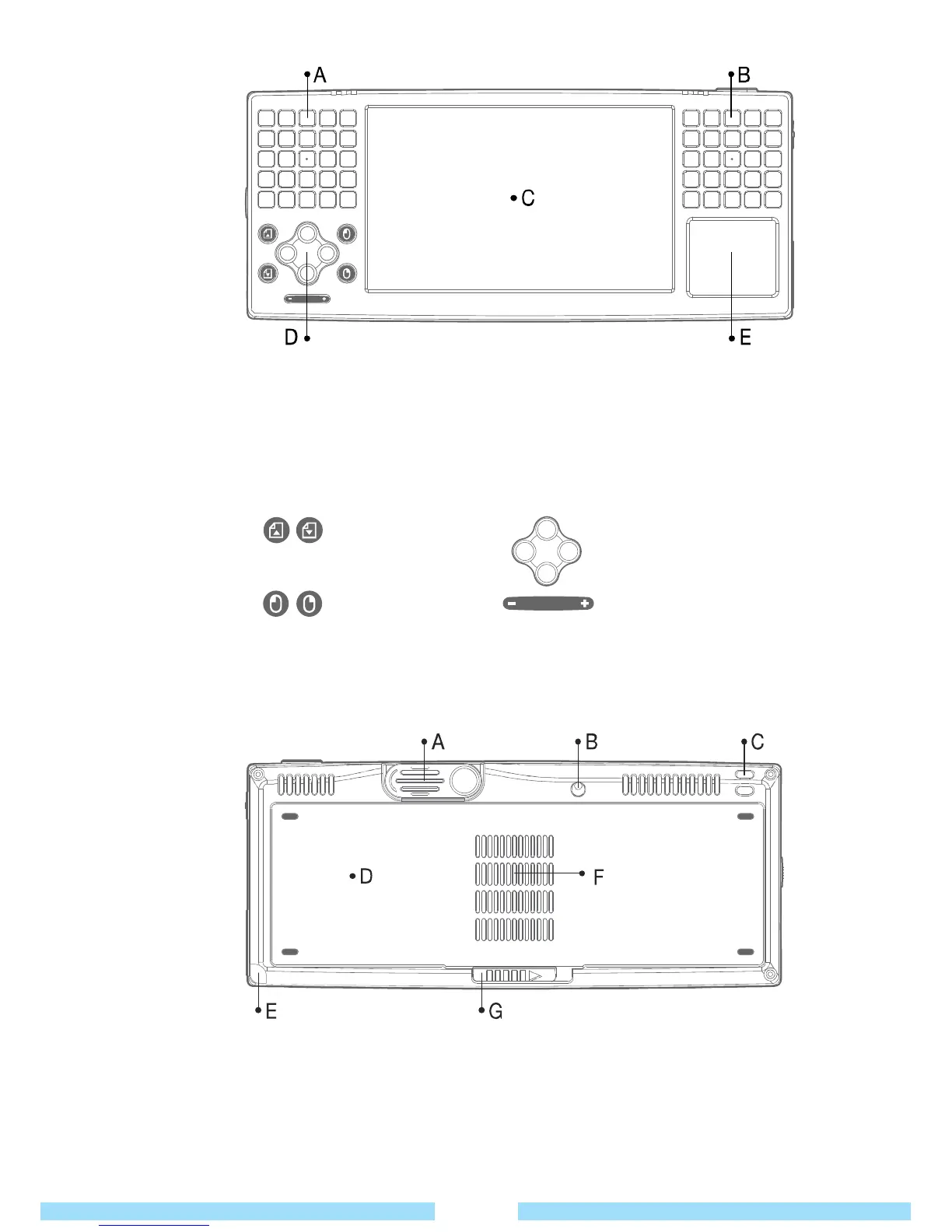
● Front View
● Back View
A / B
Keyboard : The keyboards allow users to enter numbers and characters directly
Avoid dropping water on keypads.
C
LCD : Display screen.
D
Buttons : You can configure these buttons to launch frequently used programs.
E
Touch Pad (Synaptic)
Page Up / Down 4 Directional Keys
Left / Right Mouse Volume Key
16
A WEBCAM : Retractable camera.
Can be used for video conferencing or taking pictures.
B
Stand Hole : Insert stylus pen to prop up device at a comfortable angle.



 To Next Page