4. Now, turn your hearing aids off and then on by opening and
closing the battery door.
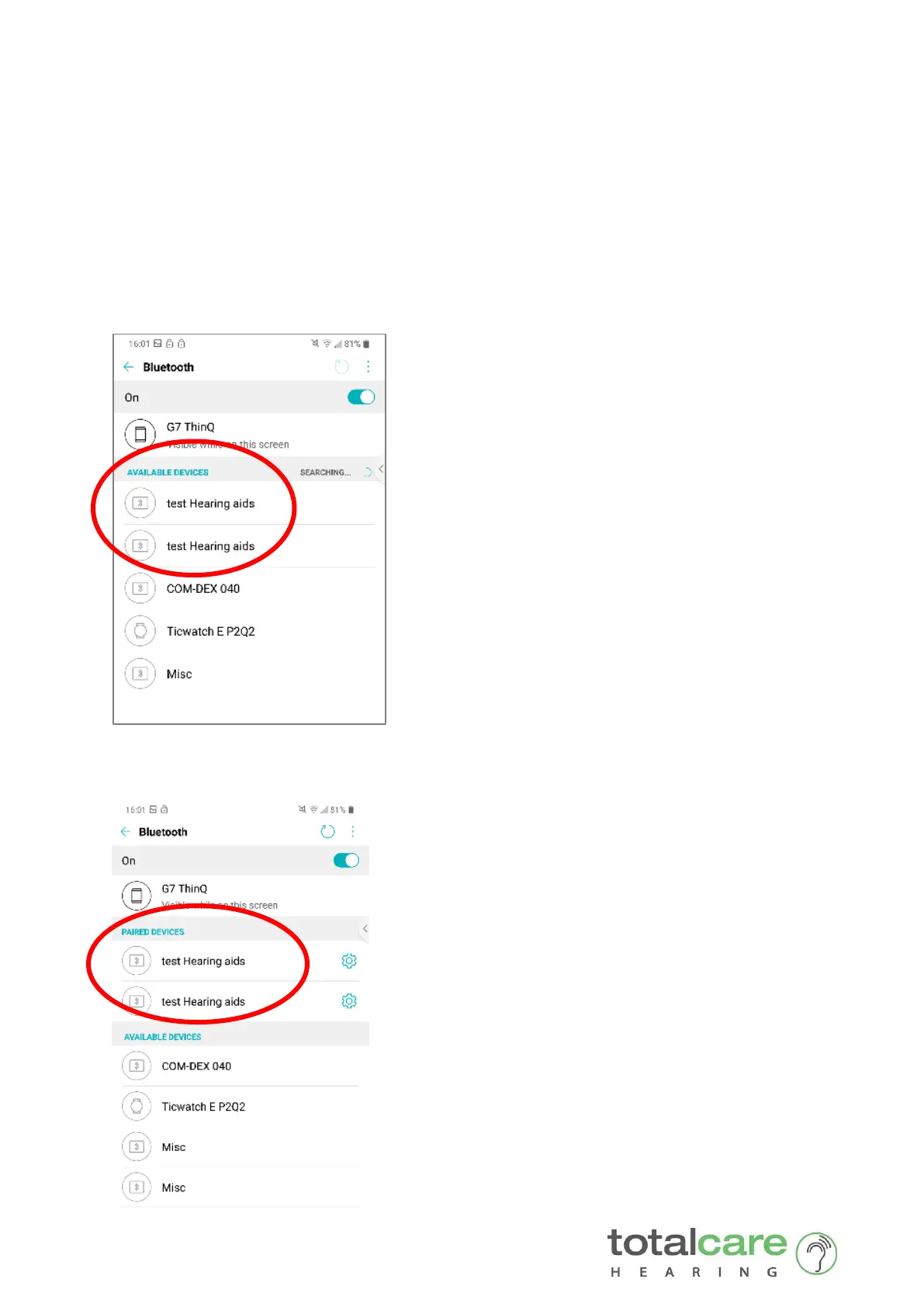
5. Wait 1-2 minutes whilst the Phone automatically ‘searches’ for your
hearing aids.
6. Once found, your hearing aids will be shown in the list under Available
Devices. In our example, our hearing aids are titled ‘ test Hearing aids’
Select each hearing device to pair to your Phone.
6. They should now appear under the list Paired Devices









 To Next Page