EasyManua.ls Logo

Widex UNIQUE Series - User Manual

Widex UNIQUE Series
116 pages
Print Icon
To Next Page IconTo Next Page
Loading...
WIDEX UNIQUE
USER INSTRUCTIONS
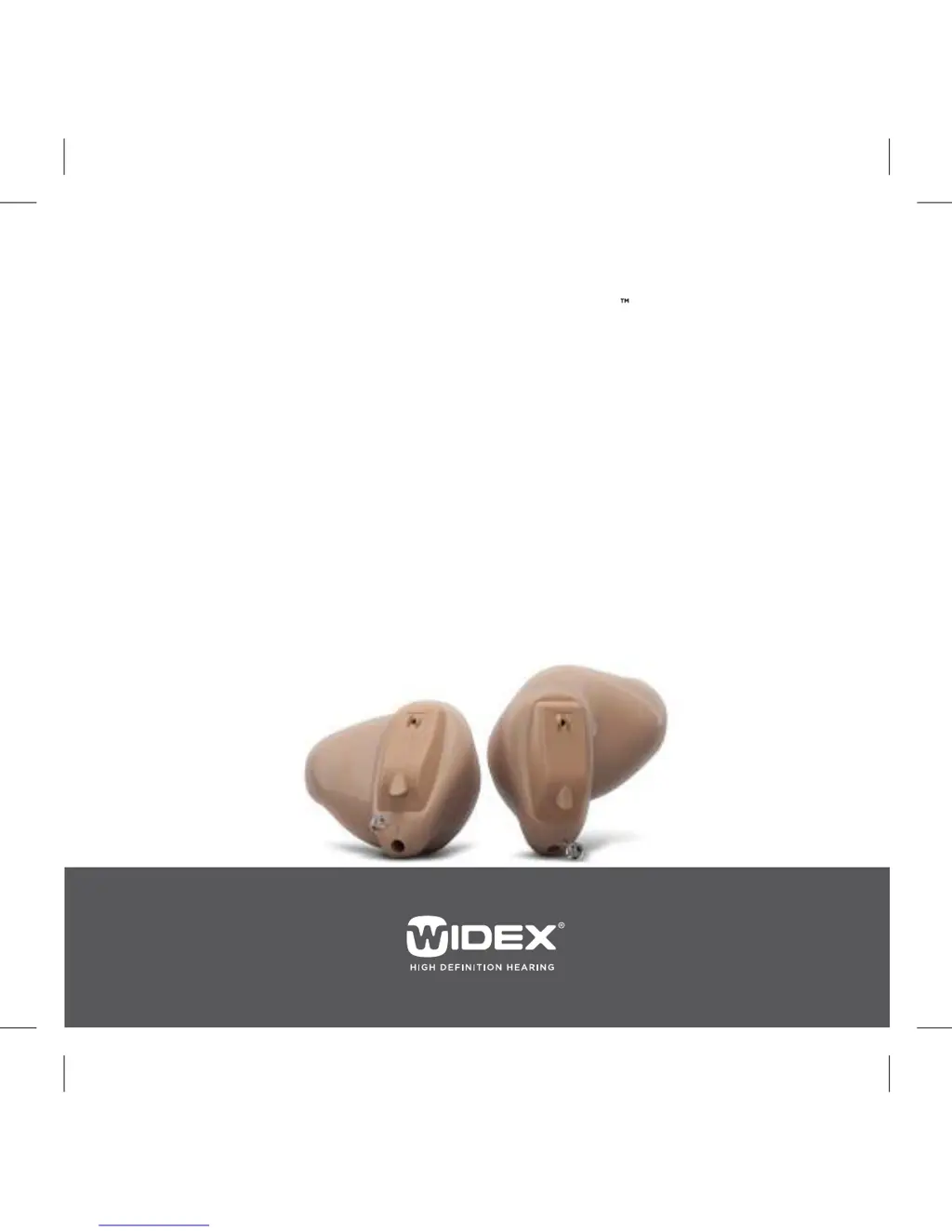
THE WIDEX UNIQUE™ FAMILY
U-CIC/U-CIC-M model
Completely-in-canal

Questions and Answers

  • W
    woodlindseyAug 21, 2025
    What to do if Widex Hearing Aids are not working in synchrony?
    • B
      barnettchristineAug 21, 2025
      If your Widex Hearing Aids aren't working together, it might be due to a lost connection between them. Try turning them off and on again.
  • B
    brownsarahAug 23, 2025
    What to do if Widex UNIQUE is completely silent?
    • J
      Jason TerryAug 25, 2025
      If your Widex Hearing Aid is silent, ensure the battery is placed correctly and the battery compartment cover is closed correctly. This should resolve the issue.
  • S
    Stephanie MartinezAug 26, 2025
    What to do if Widex UNIQUE Hearing Aid volume is not powerful enough?
    • C
      Carol SanchezAug 26, 2025
      If the volume of your Widex Hearing Aid isn't powerful enough, the sound outlet might be blocked. Please refer to the cleaning section for instructions.
  • L
    Lorraine GillAug 27, 2025
    What to do if the battery of Widex Hearing Aid does not work?
    • W
      Wendy CurtisAug 28, 2025
      If the battery in your Widex Hearing Aid isn't working, insert a new battery.
  • G
    Gregory LopezAug 30, 2025
    What to do if my Widex UNIQUE Hearing Aid sound outlet is blocked?
    • A
      angelareevesAug 30, 2025
      If the sound outlet of your Widex Hearing Aid is blocked, please refer to the cleaning section for instructions.
  • M
    Mrs. Kelsey HarperSep 1, 2025
    What to do if my Widex Hearing Aid microphone opening is blocked?
    • B
      Brenda AbbottSep 1, 2025
      If the microphone opening of your Widex Hearing Aid is blocked, please refer to the cleaning section for instructions.
  • P
    Pamela WilliamsSep 3, 2025
    What to do if Widex Hearing Aid doesn't respond to device changes?
    • S
      sarahscottSep 3, 2025
      If your Widex Hearing Aids aren't responding to device changes, it could be due to a few reasons: a. The device is being used beyond the transmission range, so move it closer to the hearing aids. b. There might be strong electromagnetic interference nearby, so move away from known sources of EM interference. c. The device and hearing aids might not be matched; in this case, check with your hearing care professional.
  • P
    Patrick SantosSep 5, 2025
    What to do if Widex Hearing Aids have interrupted speech?
    • B
      Bailey SnowSep 5, 2025
      If you're experiencing interrupted or muted speech from your Widex Hearing Aids, it could be due to: a. An expired battery in one of the hearing aids, so replace the battery in one or both hearing aids. b. Strong electromagnetic interference in the vicinity, so move away from known sources of interference.
  • A
    Amy FieldsSep 7, 2025
    What to do if my ear is blocked by earwax while using Widex Hearing Aid?
    • J
      Jason SantanaSep 8, 2025
      If your ear is blocked by earwax while using a Widex Hearing Aid, contact your doctor.
  • C
    Christina MaldonadoSep 9, 2025
    Why is my Widex UNIQUE uncomfortable to wear?
    • V
      vsilvaSep 9, 2025
      If your Widex Hearing Aid is uncomfortable, it might not be correctly placed in your ear canal. Consult your hearing care professional.

Summary

Your Widex Hearing Aid

Welcome to Widex

Introduction and general advice for new users of the hearing aid.

Your hearing aid at a glance

Identifies the main components and parts of the hearing aid.

Important safety information

Crucial warnings and precautions for safe use and handling of the hearing aid.

The Hearing Aid

Indications for use

Specifies the conditions and age groups for which the hearing aids are indicated.

Intended use

Defines the primary purpose and application of the hearing aids.

The battery

Details about the type of battery, its use, and handling.

Sound signals

Explains the audio cues and tones used by the hearing aid.

How to tell right from left

Provides a method to distinguish between left and right hearing aids.

Turning the hearing aid on and off

Instructions on how to operate the hearing aid's power functions.

Putting on and removing your hearing aid

Step-by-step guidance for inserting and extracting the hearing aid from the ear.

Sound adjustment

Information on how the hearing aid adjusts sound and user controls.

Programs

Overview and description of the different listening programs available.

Cleaning

Tools

Lists the tools provided for cleaning the hearing aid.

Cleaning the hearing aid

Instructions on daily cleaning procedures for the hearing aid itself.

The sound outlet

Guidance on cleaning the specific part of the hearing aid where sound exits.

The microphone openings

Instructions for cleaning the microphone ports on the hearing aid.

The vent

Details on how to clean the vent to ensure proper airflow.

The wax guard

Information about the wax guard and its role in protecting the hearing aid.

Changing the wax guard

Step-by-step instructions for replacing the wax guard.

Accessories

Troubleshooting

Regulatory Information

FCC and IC statements and EC directives

Compliance statements regarding FCC, IC, and EC directives for the hearing aid.

Information regarding disposal

Guidelines for the proper disposal of the hearing aid and accessories.

Symbols

Manufacturer

Explanation of the symbol indicating the product's manufacturer.

Catalog number

Explanation of the symbol for the product's catalog or item number.

Consult instructions for use

Explanation of the symbol indicating the need to read user instructions.

Warning

Explanation of the symbol indicating important warnings.

WEEE mark

Explanation of the symbol for waste electrical and electronic equipment.

CE mark

Explanation of the symbol indicating conformity with European CE marking.

RCM mark

Explanation of the symbol for Australian/New Zealand electrical safety and EMC compliance.

Interference

Explanation of the symbol indicating potential electromagnetic interference.

Widex UNIQUE Series Specifications

General IconGeneral
BrandWidex
ModelUNIQUE Series
CategoryHearing Aid
LanguageEnglish

Related product manuals