7
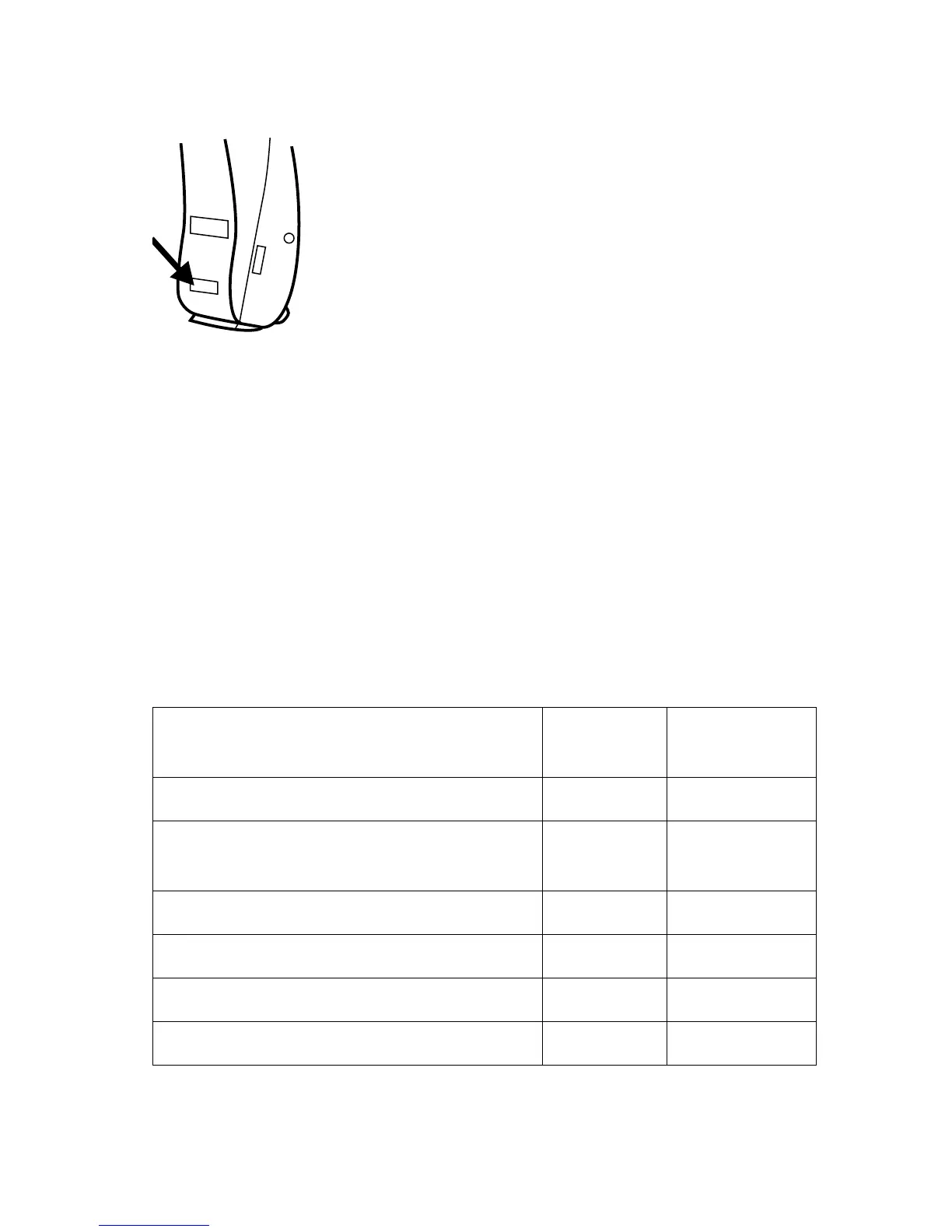
Right/left identification
If you wear hearing aids on both ears,
the hearing aids can be provided with
coloured marks (red mark = right and
blue mark = left).
The arrow shows the position of the
identification mark.
Acoustic indicators
The hearing aid may be set to produce a signal to in-
dicate the use of certain functions. The signal may
be tones (SmartTone) or a spoken message (Smart-
Speak)*. The signal can also be deactivated.
Functions
Default
settings
Other
settings
Adjusting volume Tone Off
Confirming program button use Clicking
sound
Off
Changing program Tones Message/off
Starting up the hearing aid Tone Message/off
Warning about low battery 4 tones Message/off
Service reminder Off Message
* SmartSpeak not available as a standard feature








 To Next Page