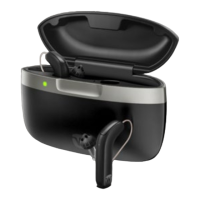
Instead, put your fingers round the hearing aid when removing it from the
charger.
When you remove the hearing aid from the charger, the hearing aid turns
on after a few seconds.
Remember to turn the hearing aid and/or the charger o if you are not
going to use them right away.
Immediately after charging, the hearing aid may temporarily feel warm.
If you are not comfortable with this, wait a few minutes for the hearing aid
to reach room temperature before putting the hearing aid on.
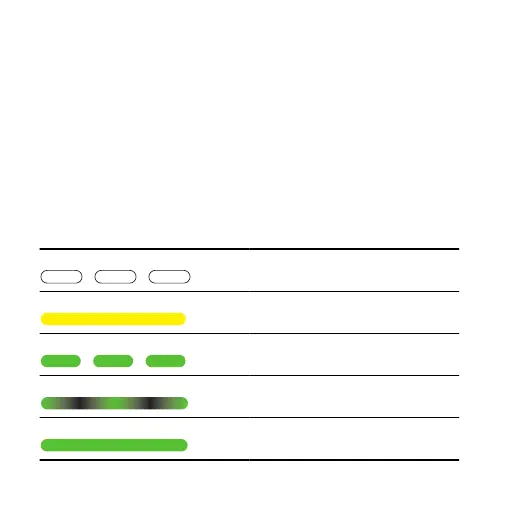
Overview of light indicators
Light indicators Status
Flashing white The charger is connected to power
Solid yellow The charger is detecting the hearing
aid
Flashing green The hearing aid is charging
Low battery, less than 40%
Glowing green The hearing aid is charging
Battery more than 40%
Solid green The hearing aid is fully charged
Battery 100% charged
14







 To Next Page