18 WIKA operating instructions, model CPG1200
EN
14603921.02 06/2023 EN/DE
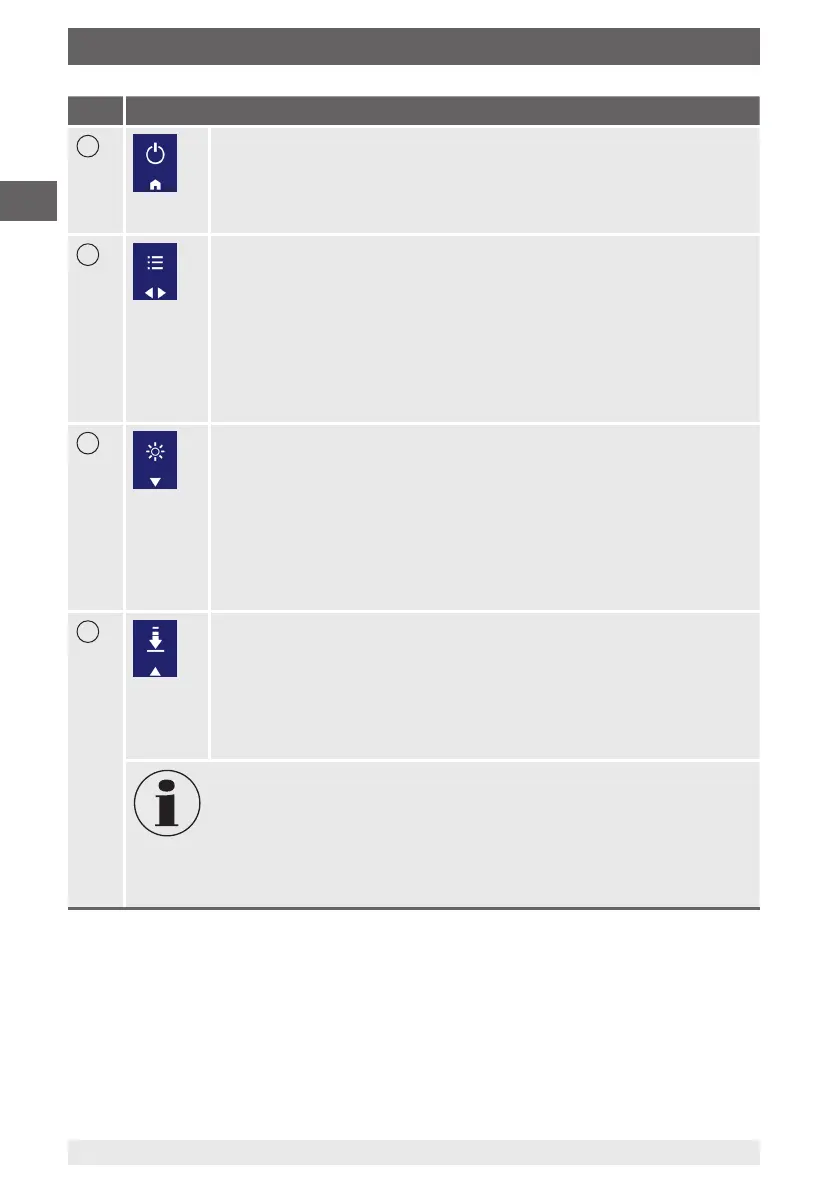
Item Button
6
On/Off or Home button
The main function is switching the CPG1200 on and off.
If the digital pressure gauge is already in menu mode, a short press on
the [On/Off] button brings up “HOME”. A long press (at least 2 seconds)
switches the CPG1200 off.
7
MENU button
Calling up the menu
By pressing the [MENU/◀▶] button, menu mode will be selected. If the
CPG1200 is already in menu mode, the operation of “◀” or “▶” will depend
on the display. If the button is pressed for longer, after 2 seconds the cursor
switches (left ◀ or ▶ right).
If the arrow is pointing to the left (◀), releasing the [MENU/◀▶] button
immediately jumps back one menu level.
Inputs are confirmed with the [MENU/◀▶] button.
8
LIGHT button
Turning the backlighting on and off
By pressing the [LIGHT/▼] button (short press or long press), the light will
be switched on. The duration of the light is dependent on “LIGHT OFF” in
“Setting”.
■
1 x press of the [LIGHT/▼] button (Light = On)
■
Pressing [LIGHT/▼] button again (Light = Off)
If the CPG1200 is in Menu Mode, with a short press on the [LIGHT/▼]
button, the cursor can be moved downwards.
9
ZERO button
The current pressure value will be set to “0” (gauge) or reference pressure
(abs.).
By pressing the [ZERO/▲] button, the current pressure value is set to “0”.
A maximum of 5 % of the measuring span can be corrected.
If the CPG1200 is in menu mode, with a short press on the [ZERO/▲]
button, the cursor can be moved upwards.
For gauge pressure measuring instruments, in the range of ±5 % of the zero
point, the measured value will be set to “0”.
With absolute pressure sensors, on pressing the [ZERO/▲] button, an input
window appears. Here, the current reference pressure must be entered.
The reference pressure must also be within ±5 % of the initial absolute
pressure of the instrument, then the measured value will be set to the
reference pressure entered.
5. Design and function



 To Next Page