17WIKA operating instructions, model CPG1200
EN
14603921.02 06/2023 EN/DE
Item Symbol The symbol is displayed on:
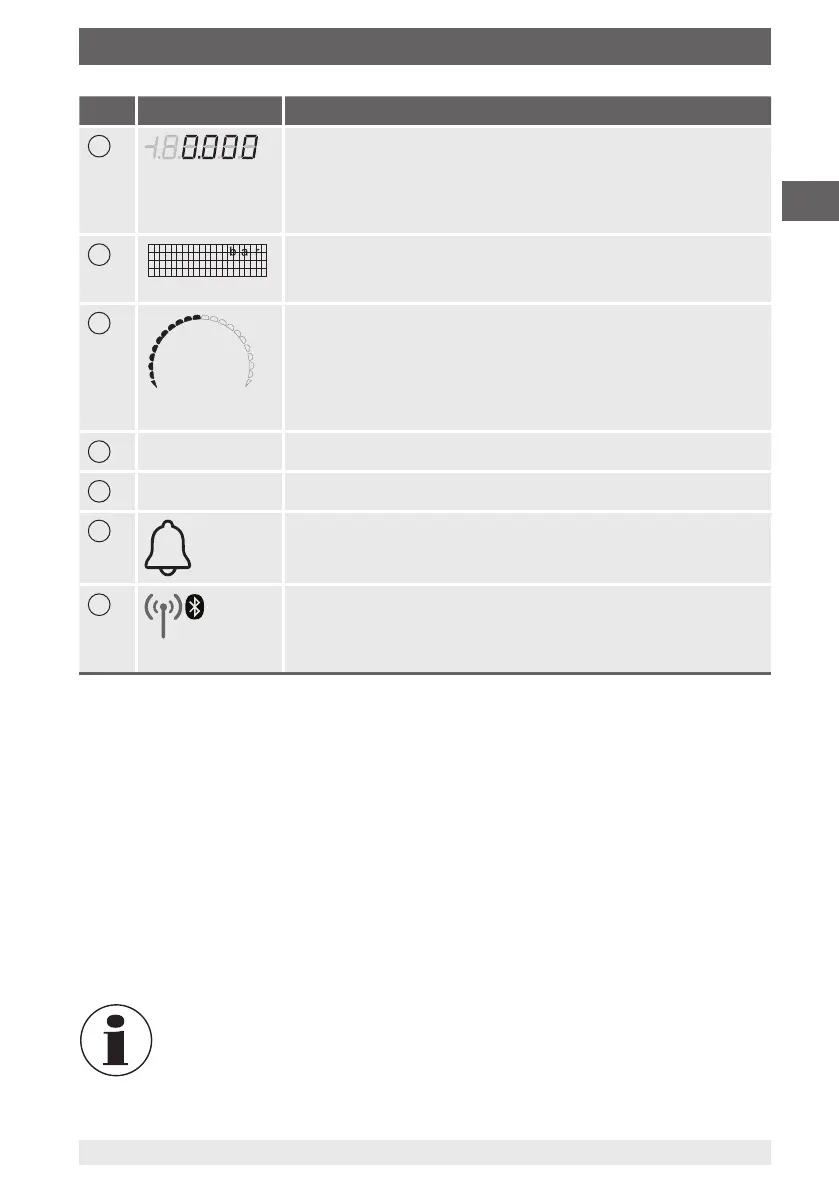
4
Pressure indication
The 4 ½-digit 15-segment display always indicates the current
pressure value.
If the pressure value is no longer current, lines will be displayed (in
low-power mode over 10 s).
5
Matrix field serves as menu and secondary display
The matrix field consists of 4 x 21 cells (rows x columns) and
serves as a menu and secondary display.
10
Bar graph indicates the current pressure graphically
The bar graph consists of 20 segments and two end points at the
front and rear ends. The bar graph indicates the current pressure
proportionally to the measuring range. If the measuring range has
been underrun, the front point lights up; with an overrun, the rear
point lights up.
11
Tare TARE function active
12
Log Logger function active
13
Alarm
Measured value has exceeded or dropped below the alarm limits
14
Bluetooth
®
symbol
■
Symbol is blinking: Bluetooth
®
is active but not connected
■
Symbol is shown continuously: Bluetooth
®
is active and
connected
Further definitions
“XXX” Menu XXX is accessed
[XXX] Press XXX button
XXX Menu will be displayed
Function buttons
The CPG1200 is controlled via 4 function buttons, with each button having a main and
a secondary function. In general, the information printed on the buttons corresponds
to the main function: “ZERO”, “LIGHT” “MENU”, “ON/OFF”. Once the [MENU/◀▶]
button is activated, the secondary function applies. These are, from left to right: Cursor
up [UP/▲], cursor down [DOWN/▼], left/right cursor [L/◀] or [R/▶] and [HOME].
If you are in the MENU, if there is no further input within 30 seconds, HOME
is automatically executed. This does not apply when one is in the input
mode for a number or a name.
5. Design and function



 To Next Page