16 WIKA operating instructions flow switch, model FSD-3
EN
14153887.01 09/2016 EN/DE/FR
5.3 Operating modes
System start
■
Display is fully activated for 2 seconds.
■
When the ow switch is powered up within the range of the hysteresis, the output switch is set to “not active” by
default.
Display mode
Normal operation, display of ow or temperature value (depending on setting)
Programming mode
Setting the parameters
The in-factory adjustment is carried out with the medium water. It is recommended to carry out the adjustment, relative
to the minimum/maximum ows of the system, via the menu (→ see chapter 5.6 “Adjustment”)
5.4 Keys and functions
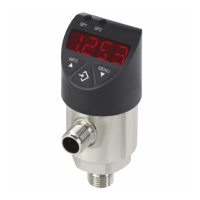
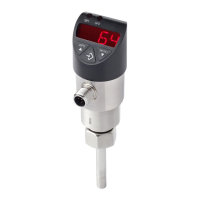
The ow switch has two operating modes, the display mode and the programming mode. The selected operating mode
determines the respective function of the key.
Key Function
Jumping into the programming mode
Keep the “MENU” key pressed for approx. 5 seconds. If the password is set to ≠ 0000, a
password will be requested rst.
If authentication is successful, then it enters the programming
mode, otherwise it reverts to display mode.
Returning to the display mode
Simultaneous pressing of both keys.
5. Commissioning, operation


 To Next Page