17WIKA operating instructions flow switch, model FSD-3
EN
14153887.01 09/2016 EN/DE/FR
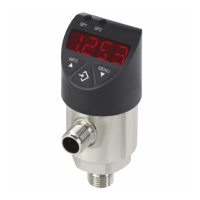
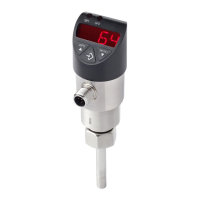
4-digit LED display
■
Display ow value
■
Display of menu item
■
Display of parameter
Status of switching output 1
Status of switching output 2 (optional)
Display mode
▶ Short press
Display of unit
▶ Long press
Display of the set parameters see chapter 5.5
“Parameters”
Programming mode
▶ Short press
Menu up
Parameter value up (step-wise)
▶ Long press
Menu up
Parameter value up (fast)
Display mode
▶ Short press
Display of unit
▶ Long press
Jumping into the programming mode
Programming mode
▶ Short press
Menu down
Parameter value down (step-wise)
▶ Long press
Menu down
Parameter value down (fast)
Display mode
▶ Short press
Display of unit
Programming mode
▶ Short press
Selection of menu item
Conrmation of input
5. Commissioning, operation


 To Next Page