4
Pre-Infusion(FactorysettoOFF)
PresstoSelect.Currentsettinginsecondsisdisplayed<todecreaseorselect>toincrease(rangefromOFFto10
through60seconds), to set.
IfPre-infusionisselected(ON),ColdBrewLockissettoDelta1within5ºFofsetpointandColdBrewLockdisappears
fromthelistofprogramselections.WhenPre-infusionisON,PulseBrewdisappearsfromthelistofprogramselections.
Pulse Brew (FactorysettingOFF)
Presstoselect,<or>toselectOFForoneofvepulsepatterns(AtoE).
GuidelinesforPulseBrew:
Thisfeatureallowstuningofthecoffeeavor.ThisoptionshouldonlybeusedwiththestandardGrayorPurpleAFS
sprayheads.ThepotlevelshouldalwaysbesetrstwiththisoptionOFF.Dependingonyourgrindproleandwater
conditions,thethreePulseBrewoptionshelp“tune”orchangethecoffeeavor.FilterPacktypecoffeestypicallyextract
betterwiththeAandBpulsesetting.DecafcoffeestypicallyextractbetterwiththeBpulsesetting.High-Yieldcoffeestypi-
callyextractbetterwiththeCpulsesetting.Ofcourse,anyoftheA,BorCsettingsmaybeusedtosuityourtasteprole.
SettingsDandEaremanualpulsecounts.IfPulseBrewisselected(ON),ColdBrewLockissettoDelta1within5ºFof
setpointandColdBrewLockdisappearsfromthelistofprogramselections.
WhenPulseBrewisON,Pre-infusiondisappearsfromthelistofprogramselections.
Coffee Drip-out (Factorysetto2minutes)
PresstoSelect.Press<or>tomovetodesiredtime.SettingsareOFF,1,2,3,4and5minutes.PresstoSelect
time.
Safety Sw On/Off (FactorysettoOFF)
Presstodisplay.Pressing<or>willturnthisfeatureofforon.
Temperature(Factorysetto204°F)
PresstoSelect.Press<or>tomovetodesiredtemperatureandthen to set. Temperature is programmable from
170ºFto208ºFin2-degreeincrements.
Energy Save Mode(FactorysettoOFF)
PresstoSelect,<or>ON,OFForON140ºF,toset.WheninON,unitwillautomaticallyshutoff4hoursfrom
lastbrew.WhenfeatureisOFF,unitdoesnothavetheenergysavingmode.
IntheON140ºFposition,temperaturegoesdownto140ºF,ifunithasnotbrewedin4hours.Thisfeaturewillsave
energybymaintainingalowertemperatureinthetankinperiodsofnon-operation.
Brew Count Odom
Presstodisplaytotalbrewcycles.PressexorReset
Brew Count Total
PresstoSelect,Showstotalgallonsandtotalbrewcyclesontheunit.Cannotbereset.
Cold Brew Lock ...(Factorysetto5º)
Presstoselect,<or>toselectdesiredsetting(CBL5,15orOFF), to set.
TheColdBrewLockfeatureallowsthebrewertobrewatthreedifferenttemperaturelevelsfromtheactualsetpoint.The
rstsettingiswithin5degreesofsetpoint,nextiswithin15degreesofsetpoint,OFFiswithin30degreesofsetpointfor
theReadytoBrewmessage,however,itwillbrewatanytemperature.
Master Reset
PresstodisplayAreYouSure?
Then<forYes,>forNo.Whenreset,thebrewerresumesbacktothefactorydefaults.
Service Call(PhonenumberFactorysetto1-800-000-0000)
Presstodisplaynumberandchangenumberor<tomoveplaceandEXtoexitwhencomplete.Thisnumberwillbe
displayedduringaHeatingsystemSENSORERRORorduringaWATERERROR.
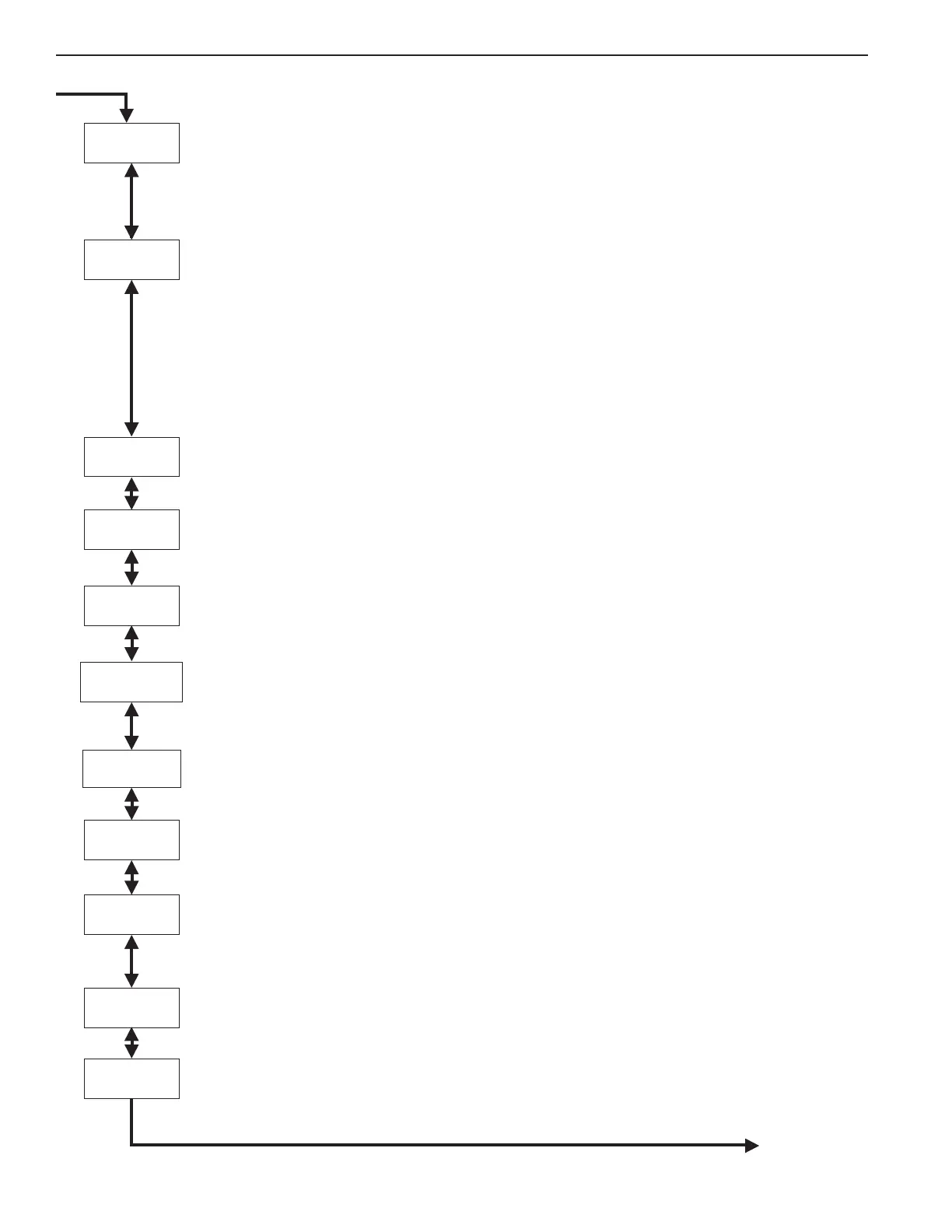
EnergySaveMode
Coffee
Drip-out
Temperature
ServiceCall
MasterReset
ColdBrewLock
BrewCountOdom
BrewCountTotal
Continued on Page 5
SafetySWOn/Off
CoffeePre-infusion
CoffeePulseBrew
Program Menus


 To Next Page
 Loading...