5
BeeperOn/Off
P-Maintenance
BannerName
AccessCode
Access Code (Factorysetto1-2-3-4)
Presstodisplaynumberandchangenumber,(thenumbercanbechanged1to4)or<tomoveplaceandextoexit
whencomplete.
Banner Name(FactorysettoCurtis)
Presstodisplaylettersandchangelettersor<tomoveplaceandEXtoexitwhencomplete
Thisfeatureallowsupto14letterstobeprogrammedforcompanynameorregionalname.Programmingallblanks
disablesBannerName.Ifprogrammed,BannerNameisdisplayedevery5sec.onandoff.
P-Maintenance(FactorysettoOFF)
PresstoSelect,SetgallonsbrewedtoindicateP-Maintenance.Press<or>toadjustfromOffto3000gallons.Press
toexit.
Beeper On/Off (FactorysettoON)
PresstodisplayONorOFF.Pressingeither<or>togglesbetweenonandoff.toset.WhenON,thisfeatureallows
you to hear a short beep each time a button is pressed.
Quality Timer(FactorysettoOFF)
PresstoSelect,OFForON,or0to10hoursin5secondincrements.Anaudiblealarmsoundswhentimehasexpired;
atthesametime,thescreenwillashoffandonwiththewords“BrewFreshTea”.Thisfeatureisformodelsbuiltafter
1/2015).
Displ. Brew Time (FactorysettoON)
PresstodisplayONorOFF.Pressingeither<or>togglesbetweenonandoff.
Displ. Messages (FactorysettoON)
PresstodisplayONorOFF.Pressingeither<or>togglesbetweenonandoff.Whenon,thisfeaturedisplays“Rinse
ServerBeforeBrewing”alternately,with“ReadytoBrew”.
Model Select(FactorysettoCOMBO)
PresstoSelect.Pressing<or>willlistmodelsavailable:TEA/IC-1BATCH,TEA/IC-2BATCH,TEA/IC-3BATCH,TEA/
IC-4BATCH,TEA-SWEET,DUAL-DILUTION,DUAL-SWEET,COMBO,COMBO/IC,COMBO-SWEET.Press to select
andexit.
Exit
Presstoselect,exitsprogrammodeandreturnsunittooperation.Pressing>returnsyoutoBrewByVolume.
Exit
Displ.BrewTime
Displ.Messages
QualityTimer
ModelSelect
Program Menus
Error Message
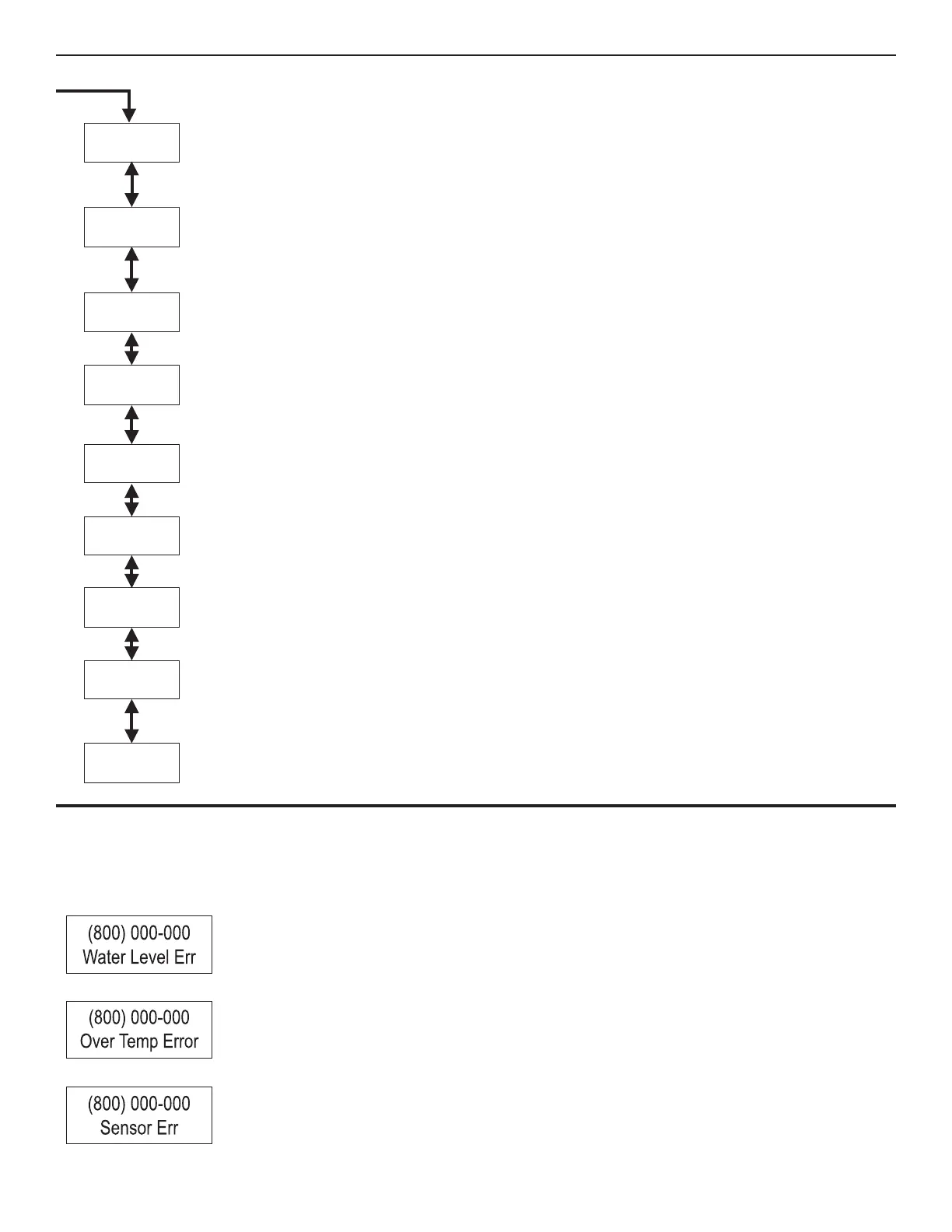
WiththeG3/GoldCupSeriesbrewers,therearethreeerrormessagesthatcanappearonthescreentoadvisetheuserofamalfunction.Ifoneof
theseerrormessagesappear,thebrewerwilllockupandstopfunctioninguntiltheerroriscorrected.Anerrormessagewilloccurunderthefollowing
conditions:
1.Waterlevelllerrororoverow.Thiserrormessageoccurswhentheinletvalvesolenoidhasbeenonformore
than10minutes.Thiserrormessagealsooccurswhenthevalveisrellingthetankduringabrewcycleformore
than1½minutes.
2.Watertemperaturecontrolsystemerror.Anopenprobeorabreakinthetemperaturecontrolcircuitisdetected.
This error message indicates there is an overheating problem. The sensor is reading that temperature in the heat-
ingtankhasrisenabove210ºF.
3.Usuallythescreenwilldisplayaservicecallphonenumber.Onceamalfunctioniscorrected,theerrormessage
mustbecleared.Toresetthecontrolpanelandreturntonormaloperation,pressthe button for 5 seconds.


 To Next Page
 Loading...