support01@wimius.com support01@wimius.com
EN EN
16 17
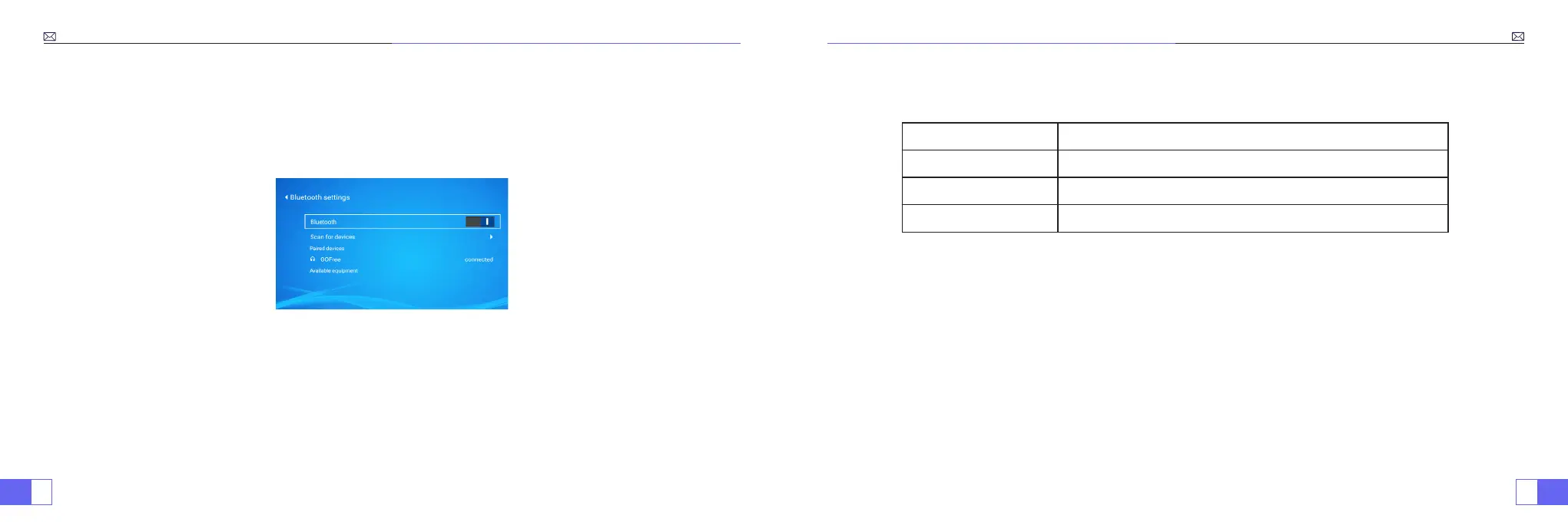
Connecting with Bluetooth Speaker
1.Turn on your Bluetooth Speaker.
2.Turn on the Bluetooth Setting of your projector.
3.Seclect your Bluetooth speaker to connect.
4.Succeed.
Compatible with Bluetooth speakers, Bluetooth Headphones, iPhone Airpods,Bluetooth Earbuds,Bluetooth Earphones.
Other Connections
Supported multimedia playback formats
• Connect projector with PC by HDMI cable.
• Choose the media signal channel :“HDMI”
For the USB devices, no need to choose the signal source. The machine will detect them automatically.
• Select the required category “movie”, "music", "photo" or "Ofce Suite" in the main interface, and press the “OK”key on
the remote control to enter the corresponding category.
• According to the programs to choose :“photos” “music” “movie” or
“Ofce Suite”
.
• Choose the file you want to play, press the key “OK” to play or pause the file. (You cannot enter the required
category without connecting a USB disk.)
• Note:
For the “Ofce Suite” option, you can play, demo PPT les.
1.Connecting with PC
2.USB Multimedia Connecting
Picture Format
JPG、PNG、BMP、JPEG
Audio Format
MP3、AAC、WAV、WMA、M4A、OGG、FLAC
Video Format
MP4、MKV、WMV、3GP、MPG、TP、TS、F4V、DAT、FLV、TRP
File Format
TXT、EXCEL、WORD、PPTX



 To Next Page