com
NOTE:
I -Fits for: IOS device requires IOS 7 and above, Android device, system requires
Android 4.2 and above
2.Due to the HDCP copyright, all the LCD projectors don't support protected videos
when "Mirroring" with smartphones, such as "Netflix and Hulu". You can play
Netflix app or Prime video directly when connected with laptop, Macbook, fire tv
stick and the other TV box!
Wireless Mirroring with Android Devices (For Android Phone I Android
Tablets)
NOTE:
I. It is no need to connect your home wifi network with the projector.
2. Just open the "Mirroring" function key on your device, then find the projector's
wifi name and connect it.
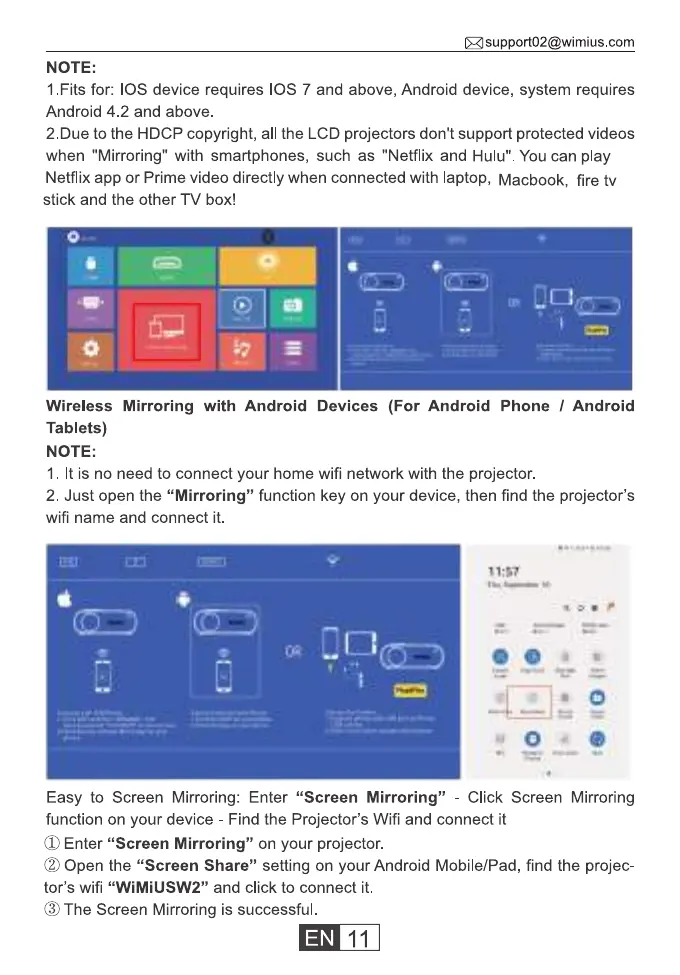
Easy to Screen Mirroring: Enter "Screen Mirroring" - Click Screen Mirroring
function on your device - Find the Projector's Wifi and connect it
(X)Enter "Screen Mirroring" on your projector.
(2)Open the "Screen Share" setting on your Android Mobile/Pad, find the projec-
tor's wifi "WiMiUSW2" and click to connect it.
(9)The Screen Mirroring is successful.
11



 To Next Page