WIN Enterprises, Inc
options installed in your system and to customize your system. For example, you
should run the Setup program after you:
• Received an error code at startup
• Install another disk drive
• Use your system after not having used it for a long time
• Find the original setup missing
• Replace the battery
• Change to a different type of CPU
• Run the AMI Flash program to update the system BIOS
Run the BIOS Setup program after you turn on the system. On-screen
instructions explain how to use the program.
Enter the BIOS Setup program’s main menu as follows:
1. Turn on or reboot the system. After the BIOS performs a series of
diagnostic checks, the following message appears:
“Press DEL to enter SETUP”
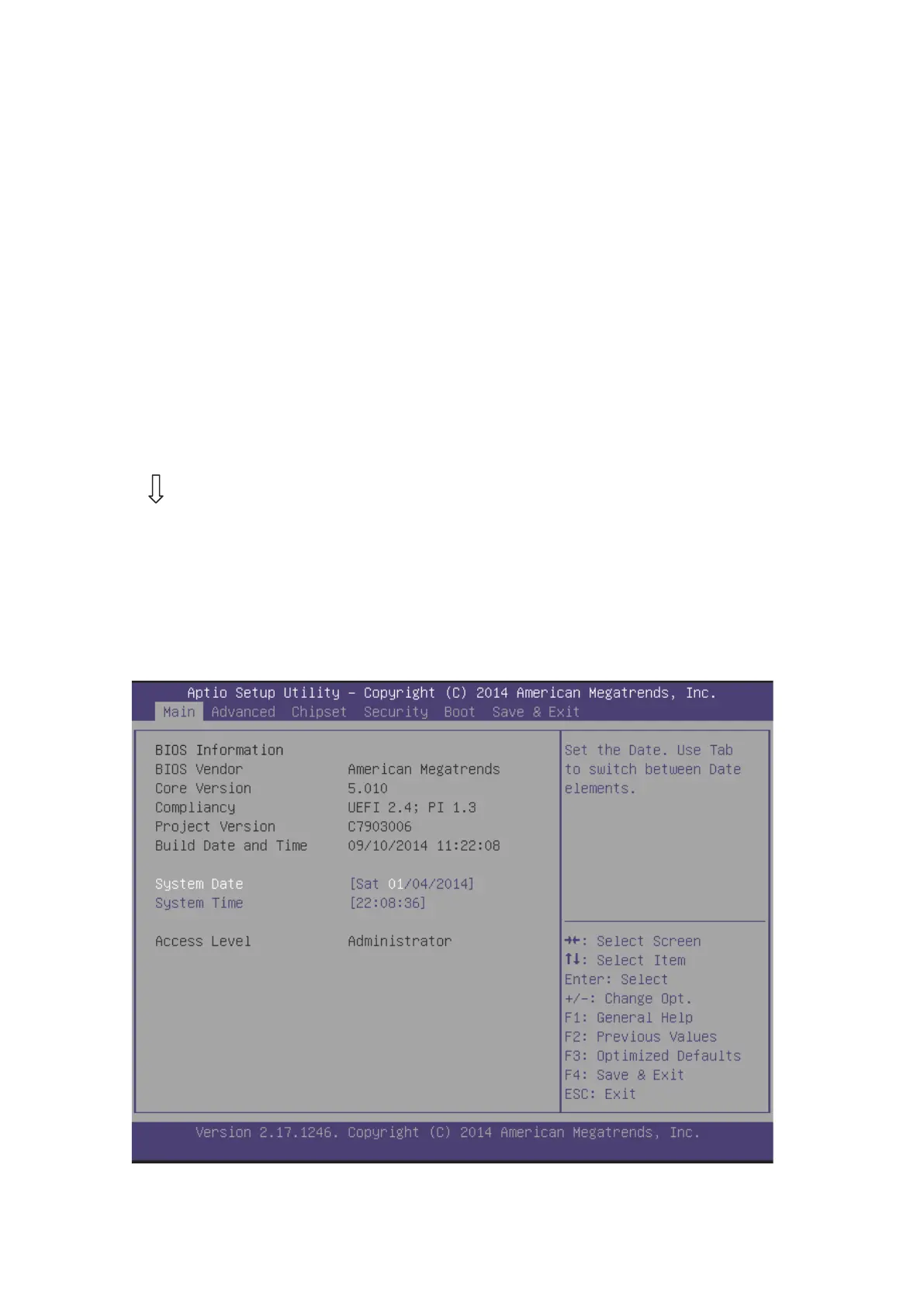
2. Press the <DEL> key to enter BIOS Setup program. The main menu
appears:
3. Choose a setup option with the arrow keys and press <Enter>. See the


 To Next Page