WIN Enterprises, Inc.
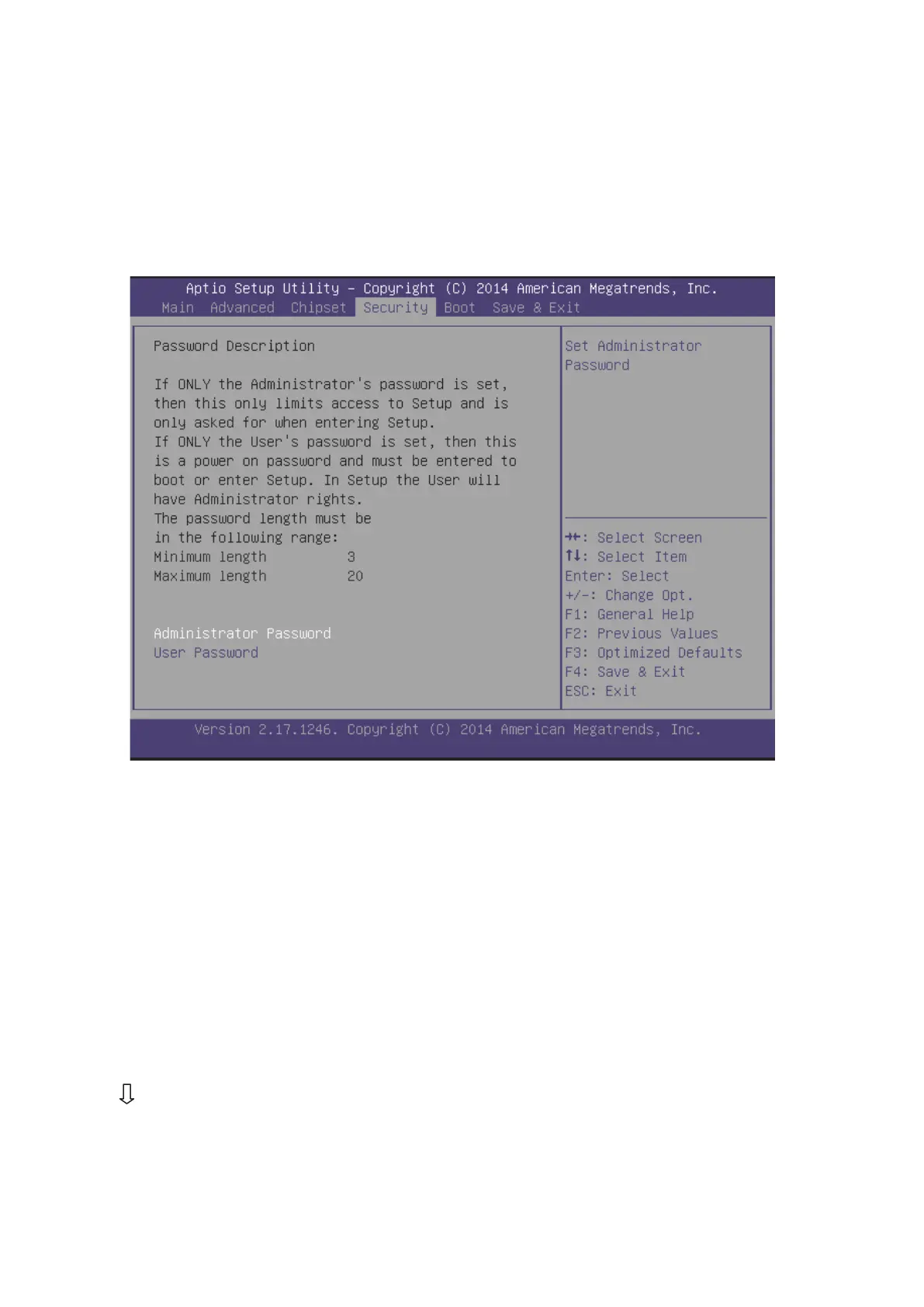
2. Move between items and select values by using the arrow keys. Modify the
selected fields using the PgUP/PgDN keys. Please press the <F1> key for
information on the various options.
3. After you have finished with the Security setup, press the <? > or <? > key to
switch to other setup menu or press <F4> key to save setting.
Administrator Password:
This item allows you to set or change the administrator password. The
Administrator Password item on top of the screen shows the default Not Installed.
After you have set a password, this item shows Installed.
User Password:
This item allows you to set or change the User password.
3.7 Boot Menu
Use the Boot Setup option as follows:
1. Choose “Boot” from the main menu. The following screen appears:
2. Move between items and select values by using the arrow keys. Modify the
selected fields using the PnUP/PgDN Keys. For information on the various



 To Next Page