WIN Enterprises, Inc.
options, press <F1> key .
3. After you have finished with the Boot setup, press the <ESC> key to return to
the main menu.
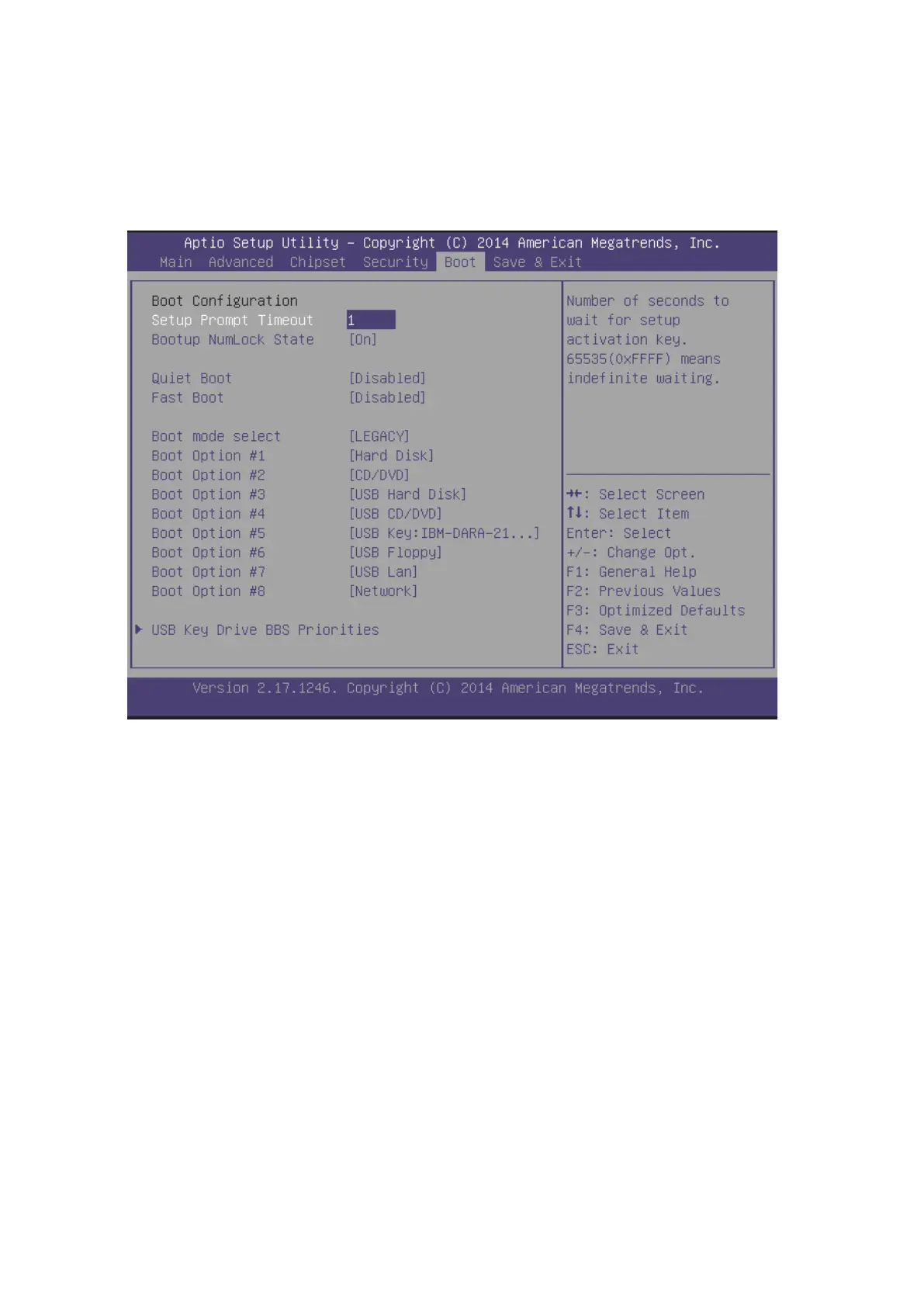
Setup Prompt Timeout
Use the < + > and < - > keys to adjust the number of seconds to wait for setup
activation key.
Bootup NumLock Stat
This item allows you to select “On” or “Off ” power-on state for the NumLock.
Quiet Boot
Enabled or Disabled quiet boot option.
Boot mode select
Select Legacy BIOS or UEFI Boot Mode
Boot Option #1~#8
Set the system Boot Priority.
3.7.1 USB Key Drive BBS Priorities


 To Next Page