WIN Enterprises, Inc.
3.8 Exit Menu
The item allows you to save or discard your changes to the BIOS items, and load
the optimal defaults or failsafe defaults for the BIOS items.
Use the Save & Exit option as follows:
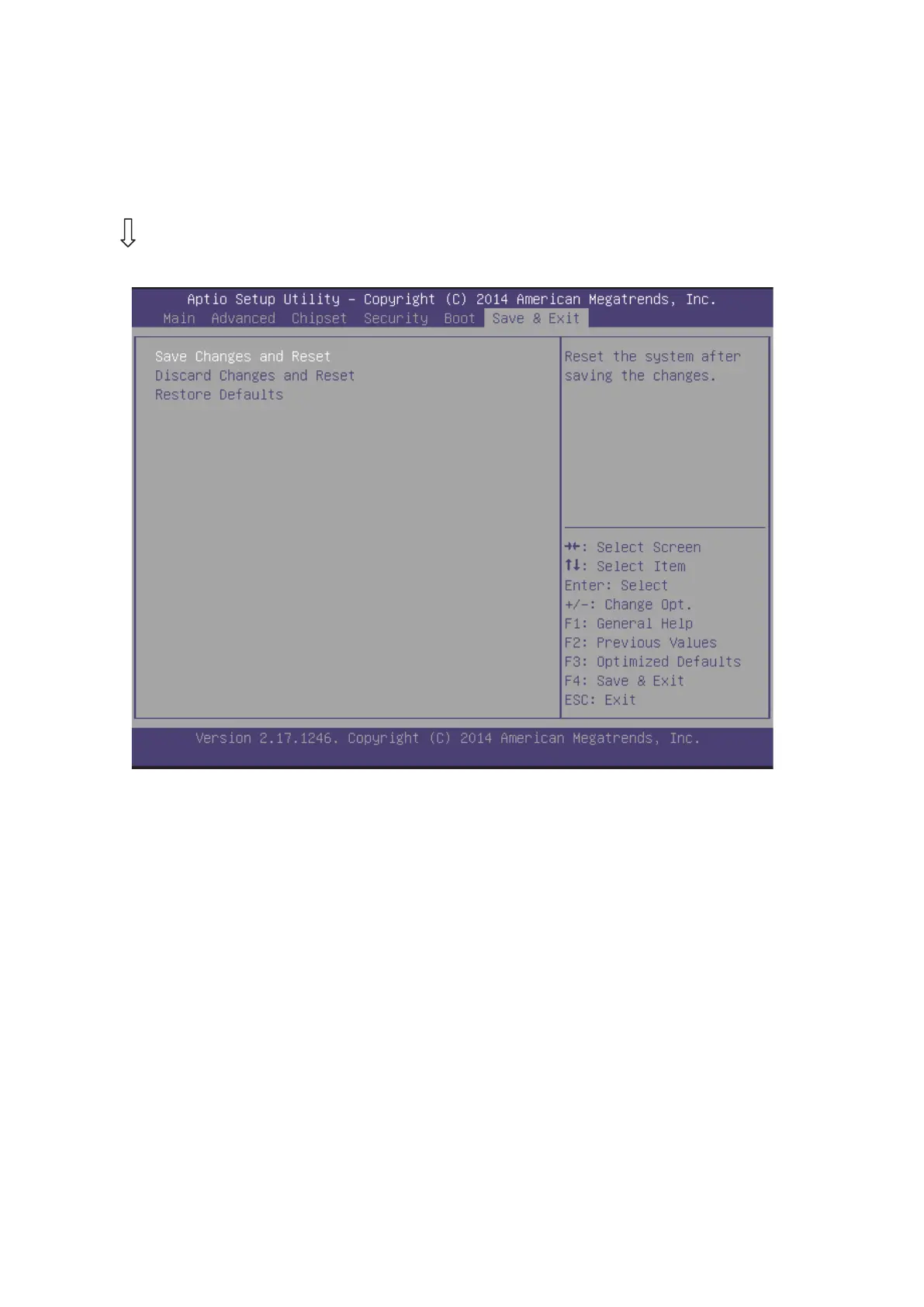
Choose “ Save & Exit” from the main menu, the following screen appears.
Save Changes and Reset:
Store all changes you made into CMOS and reboot system. “F4” key can be
used for this operation.
Discard Changes and Reset:
Discard all changes you made and reboot system. “ESC” key can be used for
this operation.
Restore Defaults:
This item allows you to load optimal default for each setting on the Setup Utility
menus, which will provide the best performance settings for system. “F3” key can
be used for this operation.



 To Next Page