Num Lock
Indicates the embedded numeric keypad is turned on. Press the ‘Num Lock’ key once to turn it
off.
Caps Lock
Indicates that caps lock is active. Press the ‘Caps Lock’ key once to turn it off.
Scroll Lock
Indicates that scroll lock is turned on. Press Fn and the insert/ScrLk key to turn it off.
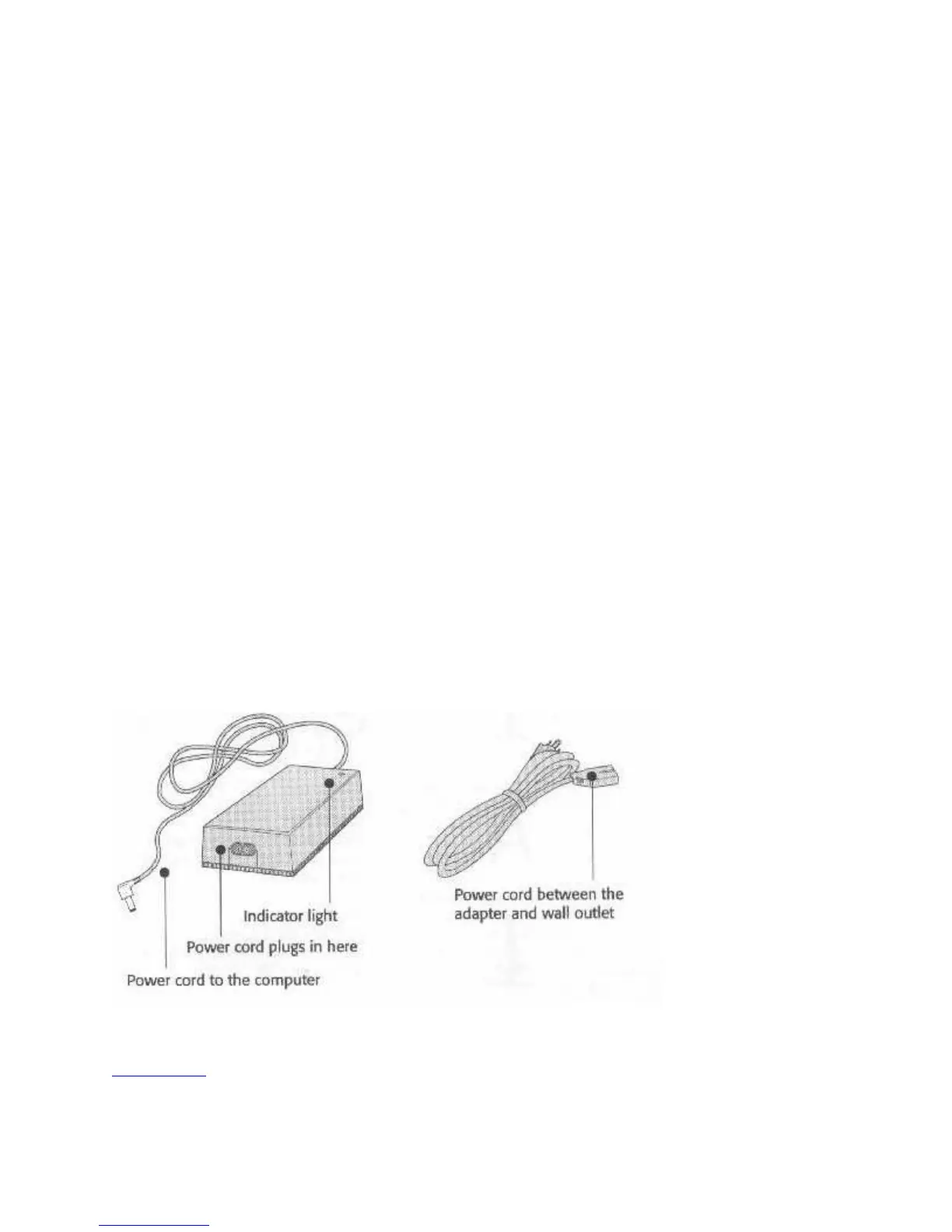
The AC Adapter
The AC adapter converts the alternating electrical current from your wall outlet to the direct
current the computer uses. There is a cord permanently attached to the adapter, with a connector
jack that plugs into the computer. A power cord comes with the adapter. One end is designed to
plug into the adapter; the other is a standard plug for your wall outlet or power strip. We
recommend using a surge protector. The AC adapter is not designed to protect the computer from
power spike and surges. Use a surge protector to protect against power fluctuations.
You can use the AC adapter with any AC source from 90 to 260 Volts and 50 to 60 Hz. It is an
auto-switching adapter; with the proper plug adapters you can use it anywhere that the electricity
falls within these electrical specifications.
The AC Adapter Components
The adapter power light should come on when you connect the adapter to an AC power source. If
the light doesn’t come on, there’s either a problem with the adapter or the power outlet.
Fig. 10: Adapter and Power Cord
Ready to Go



 To Next Page