Connecting Audio Equipment
The audio components built into the WinBookXP function when the audio card is installed.
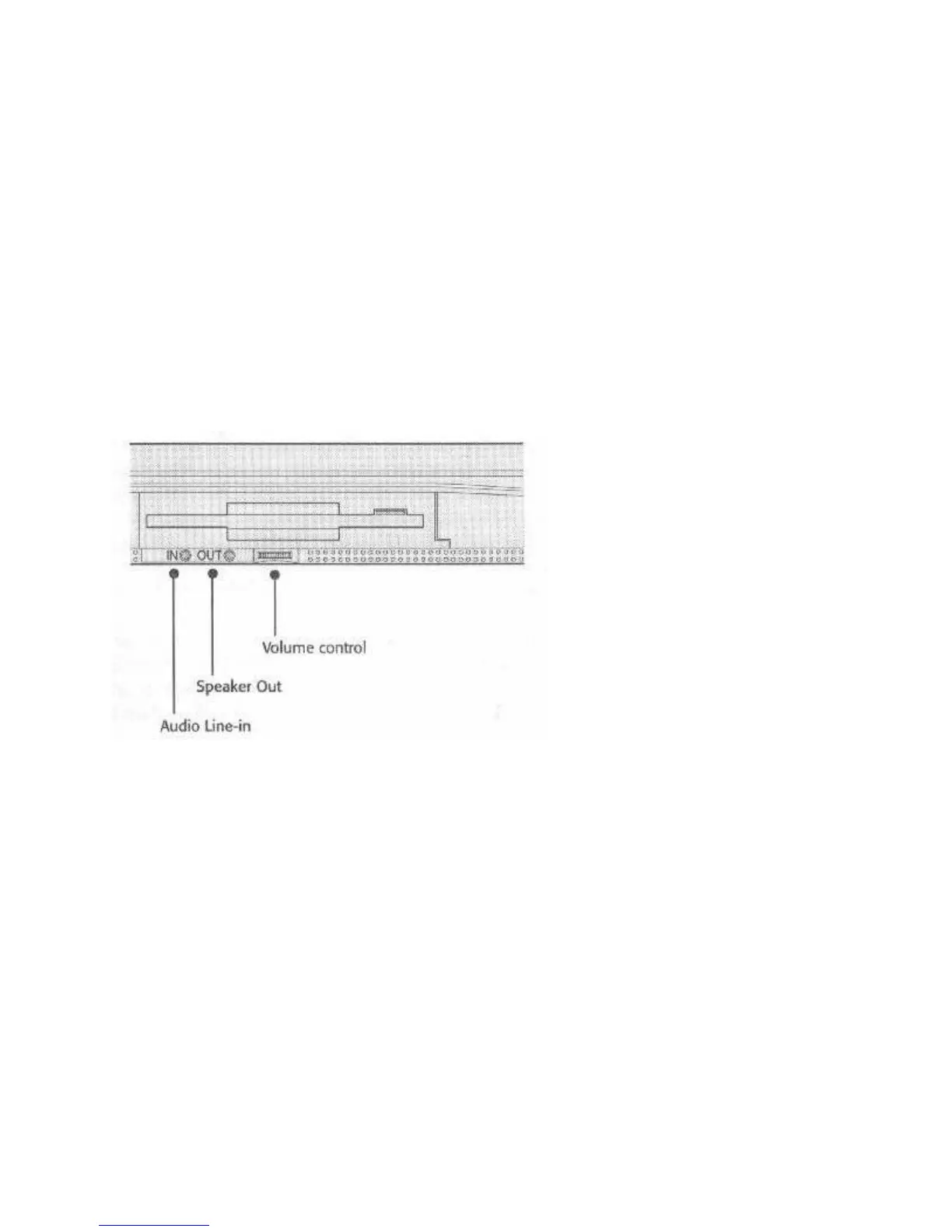
There are Line In and Speaker Out mini phone jacks and a volume control dial on the left-hand
side of the computer below the floppy disk drive. You can plug any external audio source that
uses a standard mini phone plug into the Line In jack. You cannot, however, plug a non-
amplified external microphone into the Line In jack.
You can connect the Speaker Out jack to either self-amplified speakers, non-amplified speakers,
or headphones. To avoid hurting your ears, be sure to first set the audio volume to minimum
when you plug in headphones, and then adjust the volume to a comfortable level. The internal
amplifier can produce volumes, which can damage your ears, so use care when adjusting the
volume.
Figure 20: Audio Jacks & Volume Control
PCMCIA CARDS
The WinBookXP can use most PCMCIA cards. There are two Type II PCMCIA slots, into
which you can also insert one Type III card, at the left front corner of the computer. They are in a
compartment covered by an access door. The door swings open by gently pressing on the front,
left corner of the computer and pushing the door to the side and back.
PCMCIA cards slide into the slots from the side. When you insert a card in a slot, an eject
button, which is at the front side of the compartment opening, will pop out. To eject a card, press
the button in again and the card will come out enough for you to pull it out of the slot. A Type III
card is twice the height of a Type II cards, so it occupies both slots. However, you can only insert
it in the bottom slot, so the bottom eject button will pop out. You can use both Type I and Type
II cards individually in the slots. Cards insert face up.
The PCMCIA compartment door is removable to allow for oversized cards, or cards with special
connectors needing extra room outside the computer. The door hinge is a flexible pressure fitting
with nubs at the top and bottom that fit into corresponding receptacles in the housing. To remove



 To Next Page