System requirements
Page 8/19
4 What is WinCan VIEWER?
WinCan VIEWER enables one to visualize and print the WinCan8 project data on every
Computer with a WINDOWS operating system that has got the system requirements as
mentioned below.
4.1 System requirements
• Microsoft Windows XP SP2/SP3
• Microsoft .NET-Framework 2.0 und SP2
• Microsoft Internet Explorer (version 6 or higher)
• Microsoft Media Player 11
• Minimal screen resolution: 1024 x 768 pixels
• Special decoder software according to the video format
4.2 Installation of Microsoft .NET Framework 2.0
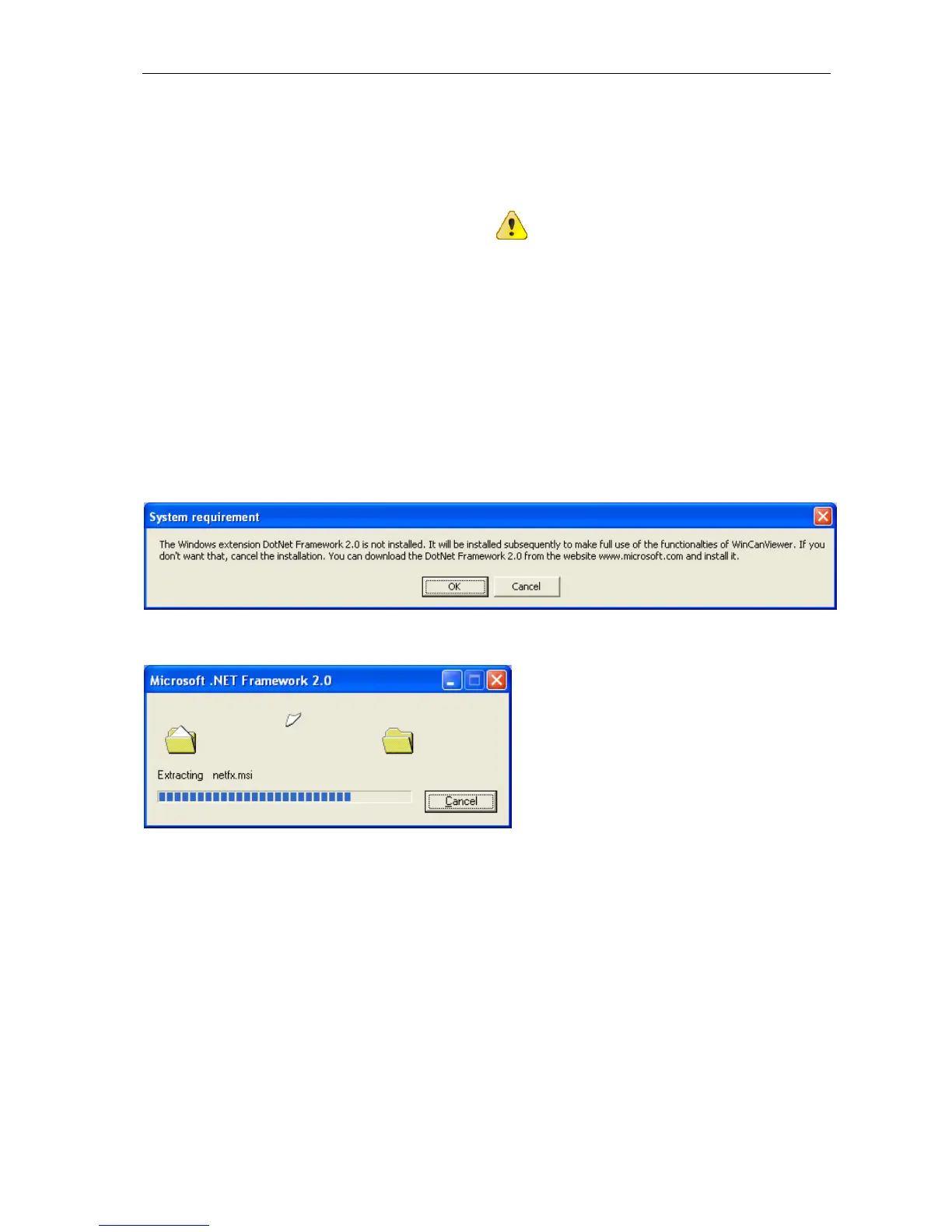
Your operating system will be checked first to make sure all requirements are fullfilled. If
the software extension Microsoft .NET Framework 2.0 is NOT yet installed on the target
computer a message is going to tell you that the item will be installed now. This procedure
only takes a few minutes and only runs once. Confirm the the message below with OK:
.NET Framework 2.0 will be unzipped:
Shortly afterwards the software installation wizard is popping up automatically. Just follow
the corresponding hints given by the wizard and click on the NEXT or INSTALL buttons re-
spectively to run and to terminate the installation process.



 To Next Page