Data transmission
Page 4/19
3.2 Distributing data using MediaDistribution
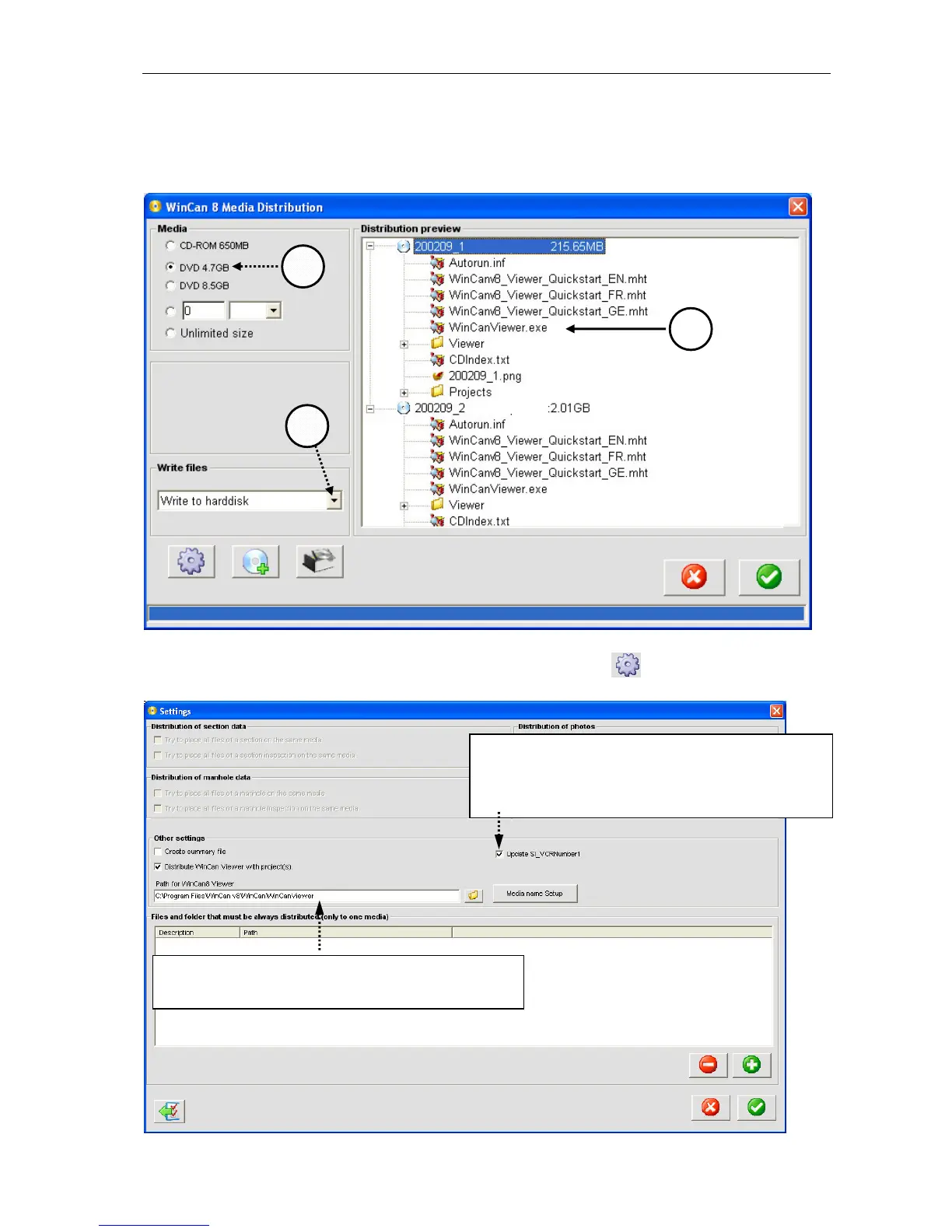
The software WinCan8 MediaDistribution is running directly after the exporting process. Ac-
cording to the size of the WinCan8 project the amount of CDs/DVDs (1) needed is automati-
cally calculated and the files put on the corresponding media are listed as shown below (1):
Besides the distribution of the project data the software is also copying the tool WinCan8-
Viewer (3) automatically on every DVD. Click on the button and check the following
settings in the dialog box shown below:
The WinCanViewer always must be copied to
the distributed project using this path!
During the distribution of the data the media
name will automatically be written in the field
SI_MediaNumber1 AND copied into
SI_VCRNumber1.



 To Next Page