EasyManua.ls Logo

Windsor iExtract 26 Duo - User Manual

Windsor iExtract 26 Duo
133 pages
Print Icon
To Next Page IconTo Next Page
Loading...
Read these instructions before using the machine.
86372820-V
07/02/14
Operating instructions (ENG)
MODELS:
CE26
10061670
CEC26
10061680
CEO26
10061780
CECO26
10061790

Table of Contents

Questions and Answers

  • R
    reneeparsonsAug 19, 2025
    What to do if my Windsor Floor Machine has no power?
    • D
      David MorrisAug 19, 2025
      If your Windsor Floor Machine has no power, there could be several reasons: * The battery might be disconnected: Check all battery cable connections. * The emergency shut-off might be activated: Reset it. * The battery cables might be corroded: Clean the connections. * The key switch might be faulty: Replace the switch. * The on-board charger might be plugged in: Unplug and stow the cord. * The main circuit breaker might be tripped: Reset the circuit breaker.
  • L
    Lisa LeeAug 23, 2025
    What to do if my Windsor Floor Machine has little or no propel?
    • A
      Amy CareyAug 25, 2025
      If your Windsor Floor Machine has little or no propel, consider the following possibilities: * Low battery charge: Charge the batteries. * Machine turned on with pedal not in neutral position: Allow the pedal to return to neutral, then restart. * Tripped circuit breaker: Reset the circuit breaker. * Wheels spin: Decrease the brush pressure. * Controller overheated: Allow a cool-down period. * Loose motor connection: Check the wires and connections from the controller to the motor. * Faulty throttle circuit or potentiometer: Check the wires and connections from the potentiometer resistance. * Faulty drive reset circuit or switch: Check the wires, connections, and switch. * Faulty platform circuit or switch: Check the wires, connections, and switch.
  • J
    Jack AustinAug 26, 2025
    Why is my Windsor iExtract 26 Duo Floor Machine not scrubbing well?
    • A
      Alisha LewisAug 27, 2025
      If your Windsor Floor Machine is not scrubbing well, it could be due to these reasons: * Debris caught in the scrub brushes: Remove the debris. * Worn brushes: Replace the brushes. * Low battery charge: Charge the batteries.
  • B
    Brandon BrightAug 28, 2025
    What to do if there is little or no solution flow to the floor from my Windsor iExtract 26 Duo Floor Machine?
    • A
      Anita PerezAug 28, 2025
      If there is little or no solution flow to the floor from your Windsor Floor Machine, consider the following: * The solution tank might be empty: Fill the solution tank. * The solution strainer might be plugged: Clean the solution strainer. * The solution system plumbing might be obstructed: Clear the obstruction from the plumbing. * The solution solenoid valve might be obstructed or faulty: Repair or replace the solenoid valve. * The manifold might be clogged or dirty: Clean the solution manifold.
  • R
    Rachel JohnsonAug 30, 2025
    How to fix vacuum motor if it does not run, or runs slowly on my Windsor iExtract 26 Duo?
    • A
      Aaron HarrisAug 30, 2025
      If the vacuum motor on your Windsor Floor Machine doesn't run or runs slowly: * Check the wires, connections, and motor for a faulty vacuum circuit or switch. * If the vacuum motor brushes are worn, replace the brushes and check the commutator.
  • C
    Crystal SimonSep 1, 2025
    What to do if brush motors do not run, or run slowly on my Windsor Floor Machine?
    • C
      Cynthia StewartSep 2, 2025
      If the brush motors on your Windsor Floor Machine do not run, or run slowly: * Charge the battery if the battery charge is low. * Check the wires, connections, and motor for a faulty brush circuit or motor. * Replace the brushes and check the commutator if the brush motor brushes are worn.
  • V
    Valerie TurnerSep 4, 2025
    Why does my Windsor iExtract 26 Duo not change speeds?
    • W
      William GarciaSep 4, 2025
      If your Windsor Floor Machine does not change speeds, check the wires and connections for a faulty speed control circuit or switch.
  • M
    mooregabrielleSep 6, 2025
    What causes the scrub deck to go down, then raise on my Windsor iExtract 26 Duo Floor Machine?
    • M
      Michelle DuncanSep 7, 2025
      If the scrub deck goes down and then raises on your Windsor Floor Machine, check the wire connections and the actuator for a faulty actuator circuit or actuator.
  • A
    Anthony RiceSep 9, 2025
    What to do if the vacuum shoes will not go up/down on my Windsor Floor Machine?
    • D
      deanna60Sep 9, 2025
      If the vacuum shoes on your Windsor Floor Machine will not go up or down, check the wires, connectors, and actuator for a faulty circuit or actuator.
  • J
    jessica12Sep 12, 2025
    What causes only forward or reverse speed on my Windsor Floor Machine?
    • D
      davidsmithSep 12, 2025
      If your Windsor Floor Machine only has forward or reverse speed, check the wires and connections for a faulty forward/reverse circuit.

Summary

Operating Instructions

Machine Data Log and Overview

Overview

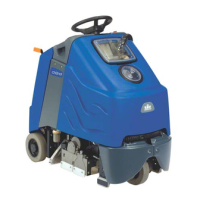
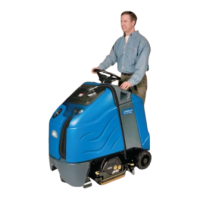
Basic description of the Chariot iExtract 26 Duo carpet extractor.

Warranty Registration

Information on how to register the product for warranty.

Safety

Important Safety Instructions

Essential safety precautions to follow when operating the machine.

Hazard Intensity Level

Explanation of hazard levels (Warning, Caution) and their meanings.

Safety Label Locations

Diagrams showing the placement of important safety labels on the machine.

Operations

Technical Specifications

Detailed specifications of the machine, including power, dimensions, and performance.

How This Machine Works

Explanation of the machine's systems and operational principles.

Components

Identification and listing of major machine components with diagrams.

Drive Controls

Description and function of all drive-related controls and indicators.

Scrub Controls

Explanation of the function mode dial and various scrubbing modes.

Machine Operation

Procedures for operating the machine, including setup and checks.

Pre-Run Machine Inspection

Steps for performing a pre-operation check to ensure machine readiness.

Starting Machine

Procedure for safely starting and preparing the machine for operation.

Emergency Stop Procedures

How to use the emergency stop button and its function.

Filling Solution Tank

Instructions for safely filling the machine's solution tank with water and detergent.

Normal Scrubbing

Guidance on planning and executing effective scrubbing patterns.

To Begin Scrubbing

Step-by-step instructions for starting the scrubbing process.

To Stop Scrubbing

Procedures for safely stopping the scrubbing operation.

Emptying and Cleaning Tanks

Steps for draining and cleaning the recovery and solution tanks.

Vacuum Shoes

Details on vacuum shoe release, hoses, and their maintenance.

To Operate Off-Aisle Cleaning Option

Instructions for using the machine's off-aisle cleaning functionality.

Maintenance

Service Schedule

Recommended maintenance tasks and their frequency.

Batteries

Information on battery types and general maintenance overview.

Batteries (Wet Cell Only)

Specific care instructions for wet cell batteries.

Battery Maintenance

General procedures for maintaining battery health and performance.

Checking Battery Specific Gravity

How to check battery charge using a hydrometer.

Charging Batteries

Steps and safety precautions for charging the machine's batteries.

Changing Batteries

Detailed process for safely replacing the machine's batteries.

Onboard Charger (Optional)

Information about the optional onboard charger and its programming.

Battery Charger Programming

How to program the charger for different battery types.

Vacuum Shoes

Diagrams and parts for vacuum shoes.

Vacuum Shoe Removal and Cleaning

Steps for removing and cleaning the vacuum shoes.

Vacuum Shoe Lift Actuator Removal;Replacement

Procedures for removing and installing the vacuum shoe lift actuator.

Brush Deck

Diagrams and parts related to the brush deck assembly.

Scrub Brush Removal

Instructions for removing and replacing the scrub brushes.

Bearing Cleaning

Steps for cleaning the bearings associated with the brushes.

Brush Deck Motor

Instructions for removing and replacing the brush deck motor.

Scrub Deck Actuator Removal;Replacement

Procedures for removing and replacing the scrub deck actuator.

Replace Pump - Off-Aisle Option

Steps for replacing the pump for the off-aisle option.

Brush Motor Carbon Brush Replacement

Guide for replacing carbon brushes in the brush motor.

Solution System

Diagrams of the solution system components.

Solution Strainer

Location and function of the solution strainer.

Solenoid Valve

Information on the solenoid valve's function and repair.

Solution Manifold

Details on the solution manifold's role and cleaning.

Vacuum System

Diagrams of vacuum system components.

Recovery Tank Float Shut-off

How the float shut-off works and its maintenance.

Vacuum Motors

Information and diagrams for vacuum motors.

Vacuum Motor Carbon Brushes

Guide for replacing carbon brushes in vacuum motors.

Drive Motor

Diagrams related to the drive motor.

Electric Parking Brake Engagement

How the electric parking brake engages and disengages.

Drive Motor Carbon Brush Replacement

Guide for replacing carbon brushes in the drive motor.

Transporting

Guidelines for pushing, towing, and securing the machine for transport.

Circuit Protection

Information on circuit breakers and their function.

Troubleshooting

Common problems, their causes, and solutions.

Controller Fault Codes

List of error codes displayed by the controller and their meanings.

Parts

Brush Deck 1

Exploded view and parts list for the Brush Deck 1 assembly.

Brush Deck 2

Exploded view and parts list for the Brush Deck 2 assembly.

Brush Deck Lift

Exploded view and parts list for the Brush Deck Lift mechanism.

Brush Deck Mounting

Exploded view and parts list for Brush Deck Mounting.

Brush Deck Drive

Exploded view and parts list for the Brush Deck Drive assembly.

Bumper

Exploded view and parts list for the machine's bumpers.

Console

Exploded view and parts list for the main console.

Console Mounting

Exploded view and parts list for console mounting.

Control Panel - Upper

Exploded view and parts list for the upper control panel.

Control Panel - Lower

Exploded view and parts list for the lower control panel.

Control Panel - Lower with Off-Aisle

Exploded view and parts list for the off-aisle lower control panel.

Controls Panel Mounting

Exploded view and parts list for controls panel mounting.

Decals

Exploded view and parts list for machine decals.

Drive Mounting

Exploded view and parts list for drive mounting.

Frame

Exploded view and parts list for the machine frame.

Platform

Exploded view and parts list for the operator platform.

Platform Footbox & Rear Wheels

Exploded view and parts list for platform footbox and wheels.

Solution System

Exploded view and parts list for the solution system.

Solution System - Pump - Off-Aisle

Exploded view and parts list for the off-aisle pump.

Steering

Exploded view and parts list for the steering system.

Tank

Exploded view and parts list for the tanks.

Vacuum Shoe Lift

Exploded view and parts list for the vacuum shoe lift.

Vacuum Shoe Mounting

Exploded view and parts list for vacuum shoe mounting.

Vacuum Shoe

Exploded view and parts list for the vacuum shoe.

Vacuum

Exploded view and parts list for the vacuum system.

Recovery

Exploded view and parts list for the recovery system.

Wiring - Batteries

Exploded view and parts list for battery wiring.

Wiring - Components

Exploded view and parts list for component wiring.

Wiring 1

Wiring diagram and parts list for Wiring 1.

Wiring 2

Wiring diagram and parts list for Wiring 2.

Wiring 3

Wiring diagram and parts list for Wiring 3.

Wiring 4

Wiring diagram and parts list for Wiring 4.

Wiring 5

Wiring diagram and parts list for Wiring 5.

Wiring 6

Wiring diagram and parts list for Wiring 6.

Options

Onboard Charger

Information and parts for the optional onboard charger.

Battery Exchange - 1

Parts list for the first battery exchange system.

Battery Exchange - 2

Parts list for the second battery exchange system.

Battery Exchange - 3

Parts list for the third battery exchange system.

Pump - Off-Aisle

Parts for the off-aisle pump option.

Suggested Spare Parts

List of recommended spare parts for maintenance.

Serial Numbers

Table of model and serial number ranges.

Windsor iExtract 26 Duo Specifications

General IconGeneral
ModeliExtract 26 Duo
Voltage120 V
Amperage15 A
Cleaning Path26 in (66 cm)
Brush Width26 in (66 cm)

Related product manuals