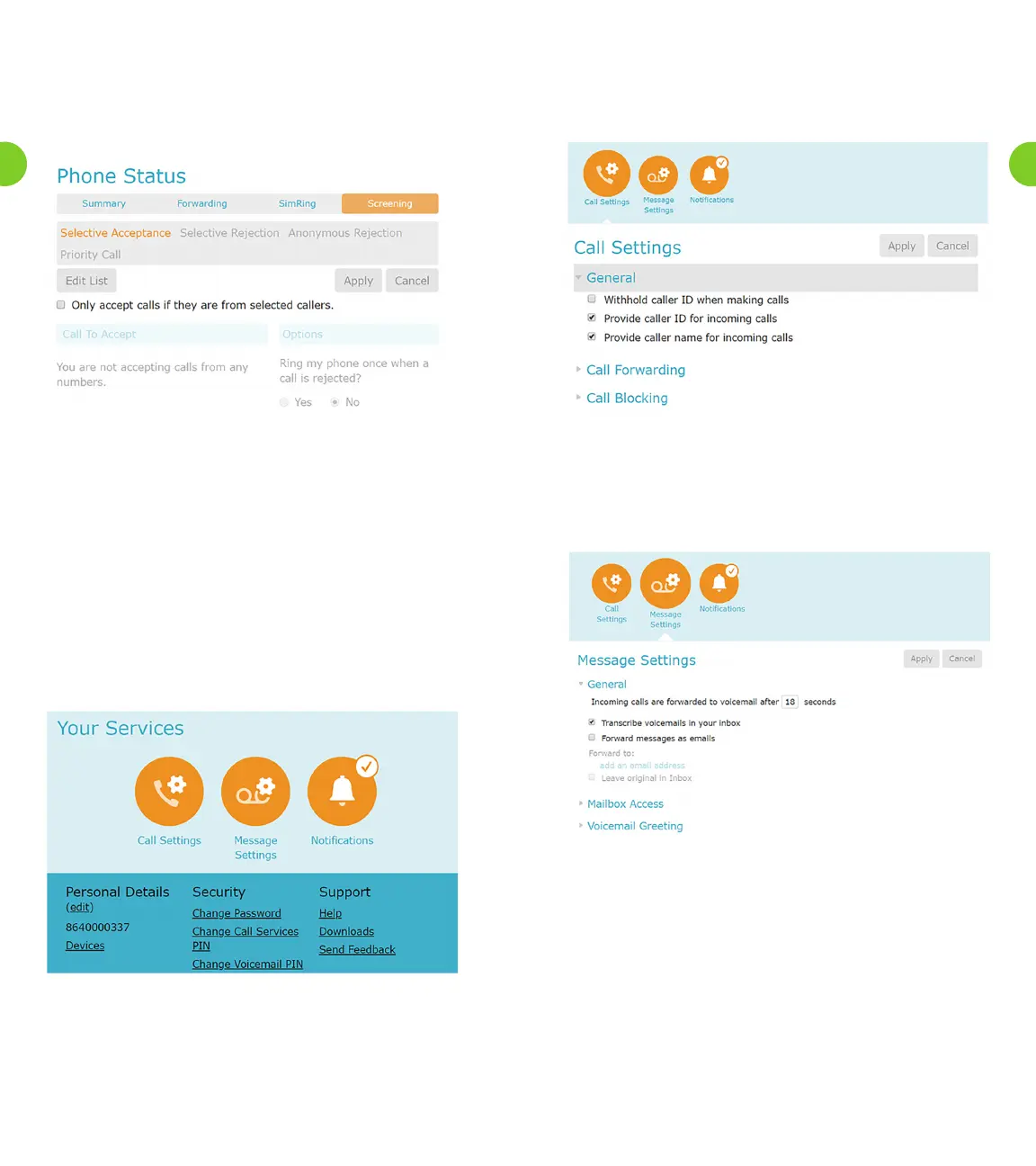
Figure 13. Shows the Screening tabs, where you can set your phone
screen calls. Those features are Selective Acceptance, Selective
Rejection, Anonymous Rejection and Priority Call.
Figure 13. Screening Display
The Screening tab allows you to
• Only accept calls if they are from the selected Callers.
• Reject calls if they aer from selected Callers.
• Reject all calls from anonymous Callers
• Make calls ring distinctively if they are from selected callers
6.0 Your Services
The Your Services tab provides access to various pages, giving details
of Call Service settings you are unlikely to change regularly. These
include,forexample,securityoptions(passwordandPIN),messaging
options, downloads etc.
Figure 14. Your Services
6.1 Call Settings Tab
The Settings tab, shown below, allows you to change the general
settings for your account.
Figure 15. Call Settings
6.2 Messaging Settings
WhenyouusetheVoicemailandUniedMessagingservices,youcan
use the various tabs below the Messaging page to access settings for
these messages.
Figure 16. Messaging Settings
•Tocongureauto-forwardforallvoicemailmessagestoaspecied
e-mail address by
• Turning on the feature
• Supplying the e-mail address
• Choosing whether to leave the original forwarded
voicemail in your Inbox
• Choosing whether to include action links in the outgoing
message.
•Congurehowyouaccessyoumailbox
• Enabling or disabling fast login
• Set your voicemail is played back
• Details and Messages
• Message Only
• Details Only
33
32



 To Next Page