24 OFFICESUITE UC
®
—ADMINISTRATOR USER GUIDE
Using the Do Not Disturb Feature
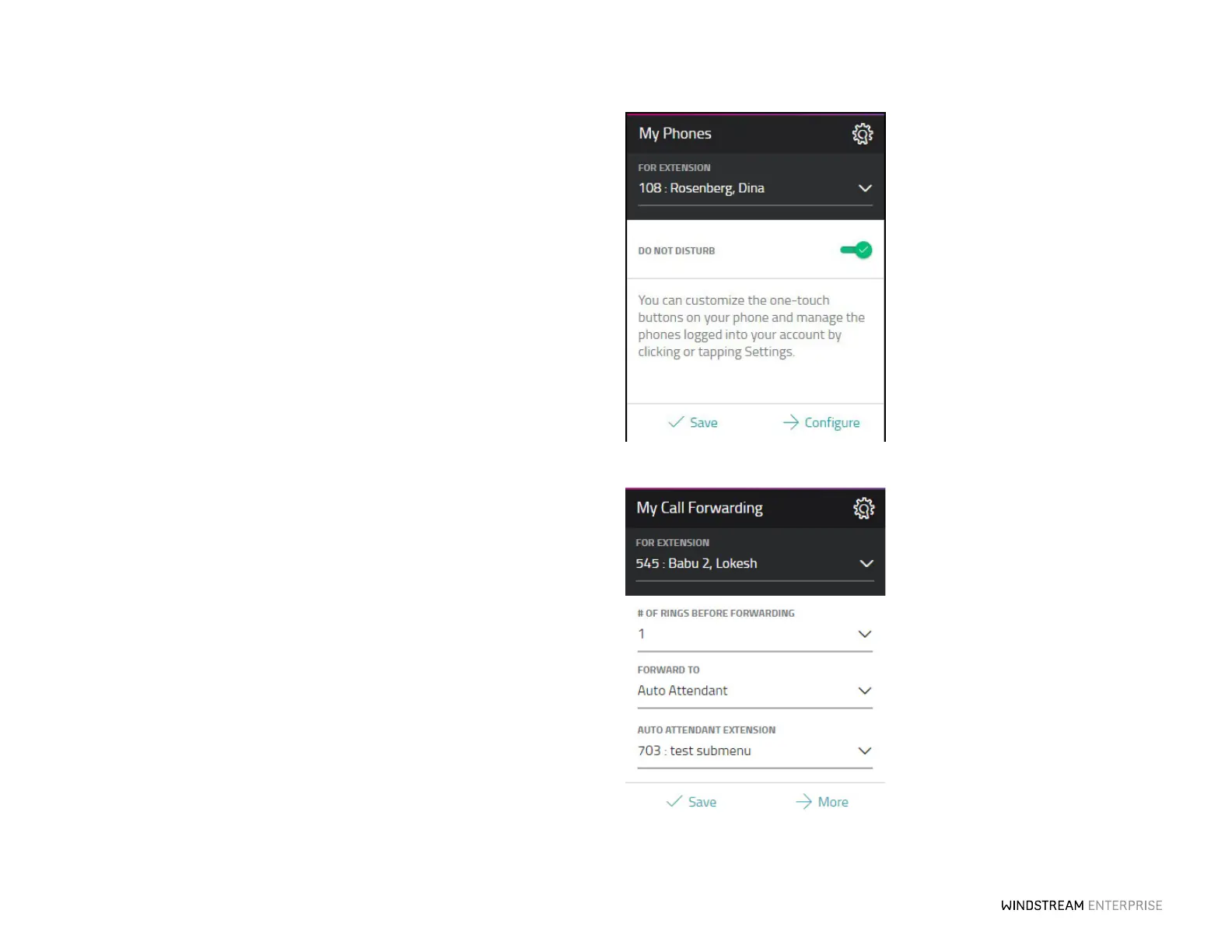
Do not disturb is a great feature to use when you do not want to be interrupted. All calls
will be sent to your voicemail or other coverage and all intercom requests and pages w ill
also be muted. To turn on Do Not Disturb, click the Check on the My Phones Widget.
Forwarding Calls to Coverage and Your Voicemail
You can pre-program your calls to go straight to your voicemail easily through the
WE Connect Portal.
Just click on the My Call Forwarding widget and select Voicemail, then press Save.
When you receive an unwanted call, press the key you programmed as FWD to
Voicemail to forward the caller directly into your voicemail box.
Intercom Your Coworkers
You can contact your coworkers quickly by programming an Intercom buon. Go to the
My Phones widget in the WE Connect Portal and select Configure. Here you can
program any empty “Unassigned Key”to be your Intercom buon, just select the
Intercom to Prompt/Extension option from the drop-down menu. You will then see
that Intercom has been saved as one of your new speed dial buons. To intercom a
coworker, hit your Intercom buon and then the person’s extension to intercom them.



 To Next Page